Lab 13: Concurrency
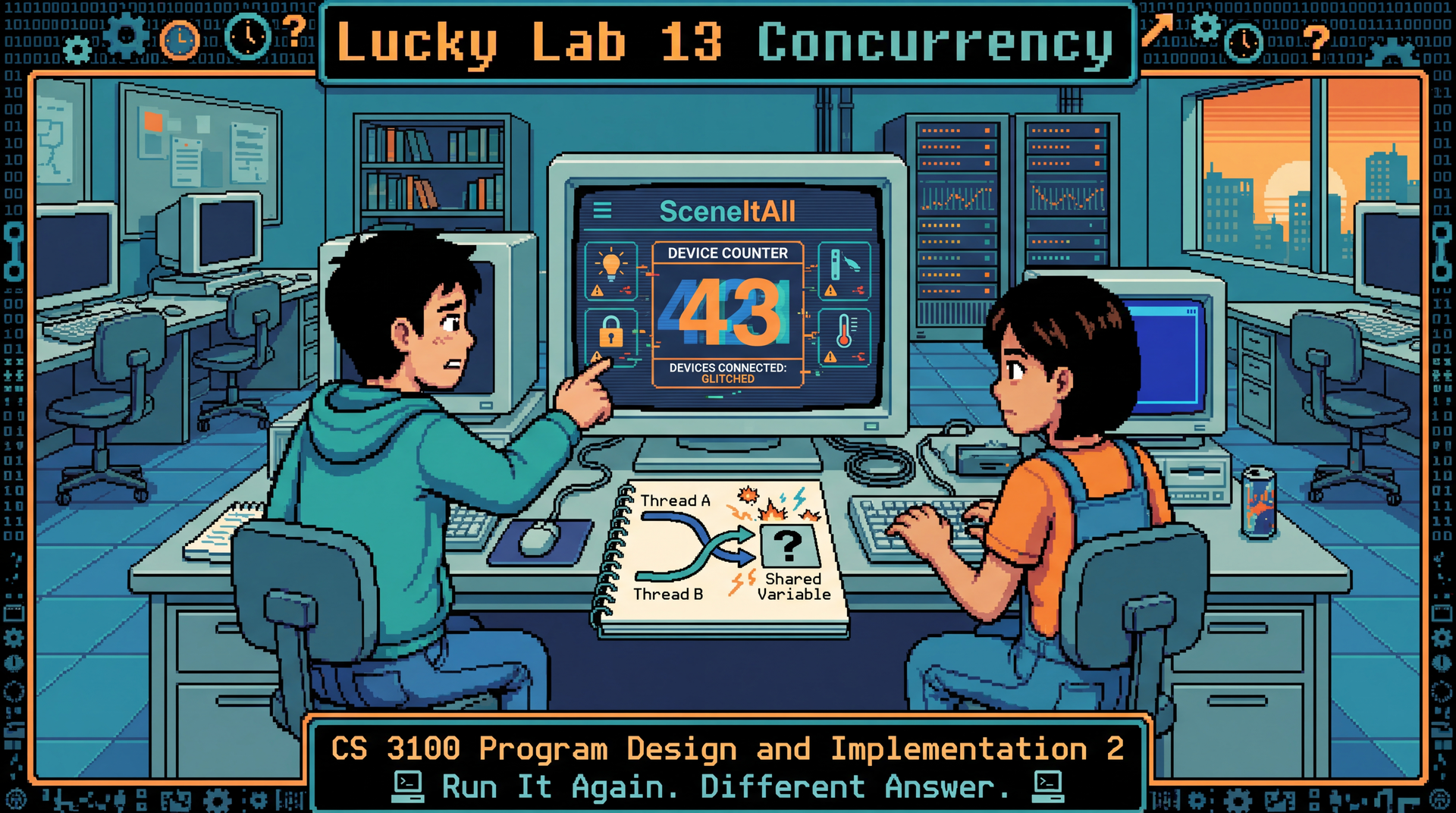
Learning Objectives
- Observe nondeterministic behavior caused by race conditions in multithreaded code
- Diagnose the root cause of concurrency bugs using the concepts from L31 and L32
- Apply
synchronized,AtomicInteger, andCompletableFutureto fix concurrency defects - Compare the performance of coarse-grained vs. fine-grained locking strategies
- Reason about consistency guarantees in an async, event-driven system
- Practice pair programming: one person drives the fix, the other navigates with the lecture notes open
Overview
Every bug you've fixed so far has been deterministic — run the code, see the failure, fix the cause, run it again, confirm the fix. Concurrency bugs are different. They depend on thread scheduling, which varies between runs, between machines, and between JVM versions. A race condition might manifest once in 10 runs, once in 1,000 runs, or never on your laptop but always on the autograder.
Today's lab has three parts:
- The Concurrency Bugs — a single class with four buggy SceneItAll methods. You fix the bugs in place and verify your fixes pass a stress suite that runs each test 50 times.
- Locking & Performance — coarse-grained vs. fine-grained locking, measured with real timing.
- Consistency in Practice — reasoning about sequential vs. eventual consistency in SceneItAll's event-driven architecture.
Same format as Lab 12 — two people, one computer. Swap roles between parts, not within them. The navigator is especially important today — concurrency bugs are hard to see when you're deep in the code. The navigator's job is to ask: "What happens if the scheduler interrupts right here?"
At each role swap, take 60 seconds for feedback. The navigator tells the driver:
- One thing they did well (e.g., "you spotted the lock ordering immediately")
- One thing they could try differently (e.g., "you jumped to a fix before reading the whole method — maybe read first next time")
This is practice for GA1 code review, where you'll give asynchronous feedback on PRs. Giving good feedback — specific, constructive, about the work not the person — is a skill you build by doing it.
SceneItAll's BackgroundTaskRunner handles async work in your GA1 GUI — but the patterns underneath (thread safety, atomic operations, ordering) are the same ones you'll debug today. If your GA1 app freezes, flickers, or shows stale data, it's probably one of these bugs.
Part 0: Setup & Pair Formation (10 min)
Form pairs
Find a partner — not someone from your CYB team (same rule as Lab 12). Sit at one computer together.
Get the starter project
Both partners clone the Lab 13 repository from Pawtograder — this is an individual submission (both partners submit code + reflection through their own repo). Work together on one machine, then each partner copies the fixes into their own repo before submitting.
The project contains three packages corresponding to the three parts of the lab:
| Package | What's inside |
|---|---|
bugs | ConcurrencyExamples.java — four buggy methods to fix in place |
locking | A SceneItAll hub simulator with coarse and fine-grained locking strategies |
async | PriorityWorkerPool.java — async worker pool with priority queue |
Verify your setup
./gradlew test 2>&1 | tail -5
You should see test failures — that's expected. The bug tests use @RepeatedTest(50) to run each test 50 times, and the buggy implementations fail nondeterministically. Your job is to make them pass all 50 iterations, every time.
Part 1: The Concurrency Bugs (25 min)
All four bugs live in a single file: ConcurrencyExamples.java. Each method is buggy — you fix it in place. The test file ConcurrencyExamplesTest.java uses @RepeatedTest(50) on each test method:
@RepeatedTest(50)
void deviceCountShouldBe1000() {
    // Same test, run 50 times — race conditions are nondeterministic
    assertThat(examples.scanAllChannels()).isEqualTo(1000);
}
A test that passes 49 out of 50 times is not fixed. All 50 must pass.
Bug 1: The Vanishing Device Count (Driver 1, ~6 min)
SceneItAll's hub scans for devices on multiple Zigbee channels simultaneously — each channel runs in its own thread and increments a shared counter when it finds a device. After scanning, the count is sometimes wrong.
Read scanAllChannels() in ConcurrencyExamples.java. Find the shared counter and the code that increments it.
Run the test:
./gradlew test --tests '*ConcurrencyExamples*deviceCount*'
Some iterations pass, some don't. Record how many fail out of 50.
deviceCount++ is not a single operation — it's a read, an increment, and a write. If two threads read the same value before either writes, one increment is lost.
Fix scanAllChannels() in place using synchronized or AtomicInteger. Add a // EXPLAIN: comment with your reasoning: which approach did you choose and why?
Bug 2: The Ghost Scene (~6 min)
Two users activate different scenes simultaneously — Alice activates "Evening" while Bob activates "Movie." The system ends up in a ghost state — half Evening, half Movie.
Read activateScene() in ConcurrencyExamples.java. It updates each device in the scene. Find the critical section.
./gradlew test --tests '*ConcurrencyExamples*ghostScene*'
The bug isn't in any single line — it's that the sequence of updates across multiple devices is not atomic. The critical section is the entire scene activation, not each individual device update.
Fix activateScene() in place. Think carefully about what to lock on. Add a // EXPLAIN: comment: what is the critical section, and why does your lock scope prevent the ghost state?
🔄 Swap roles! (60-second feedback exchange before switching)
Bug 3: The Frozen Hub (Driver 2, ~6 min)
The firmware updater locks the device first, then the room. The scene activator locks the room first, then the device. Sometimes, the hub freezes completely.
Read updateFirmware() and activateSceneWithFirmwareCheck() in ConcurrencyExamples.java. Draw the lock ordering on paper:
- Thread A acquires
___lock, then tries to acquire___lock - Thread B acquires
___lock, then tries to acquire___lock
./gradlew test --tests '*ConcurrencyExamples*frozenHub*'
When it deadlocks, the test times out after 2 seconds.
Deadlock requires a circular wait. The fix is consistent lock ordering — always acquire locks in the same order, regardless of which operation you're performing.
Fix both methods in place. Establish a consistent lock order. Add a // EXPLAIN: comment: which lock should always be acquired first, and why?
Bug 4: The Phantom Update (~6 min)
A user dims a light to 30%, then brightens it to 80%. Both commands are sent asynchronously. The user expects 80% — but sometimes sees 30% because the dim arrives after the brighten.
Read dimThenBrighten() in ConcurrencyExamples.java. Both commands are launched independently with CompletableFuture.supplyAsync().
./gradlew test --tests '*ConcurrencyExamples*phantomUpdate*'
Independent CompletableFutures have no ordering guarantee. Chain them with thenCompose() — the second future doesn't start until the first completes.
Fix dimThenBrighten() in place. Add a // EXPLAIN: comment: could you use thenApply instead of thenCompose? Why or why not?
Verify all fixes
./gradlew test --tests '*ConcurrencyExamples*'
All 200 iterations (50 × 4 bugs) should pass. If any fail, your fix mostly works — which is the most dangerous kind of concurrency fix.
Part 2: Locking & Performance (15 min)
🔄 Swap roles! (60-second feedback exchange before switching)
You've fixed concurrency bugs by adding locks. But locks have a cost — they serialize access, which means threads wait instead of working in parallel. How much does locking strategy matter?
The starter code provides a SceneItAllHub simulator with 100 devices spread across 10 rooms. Three locking strategies are implemented:
| Strategy | What it locks | File |
|---|---|---|
| No locking | Nothing — fast but broken | HubNoLock.java |
| Coarse-grained | Single lock on the entire hub — safe but slow | HubCoarseLock.java |
| Fine-grained | One lock per room — safe and faster | HubFineLock.java |
Run the benchmark
./gradlew run -Pbenchmark
This runs 10,000 scene activations across 8 threads for each strategy, with timing. You'll see output like:
=== Locking Strategy Benchmark ===
No lock:        ___ms (but INCORRECT — see error count)
Coarse lock:    ___ms (correct)
Fine-grained:   ___ms (correct)

Errors (no lock): ___
Errors (coarse):  0
Errors (fine):    0
Answer these questions in your reflection
Record the actual numbers from your run, then answer:
- How much faster is no-locking vs. coarse-locking? What's the cost of correctness?
- How much faster is fine-grained vs. coarse-grained? Why does locking per room help?
- Would fine-grained locking help if all 10,000 activations targeted the same room? Why or why not?
- Connect to L34 (Performance): This is a case where "measure, don't guess" matters. Before running the benchmark, which strategy did you think would be fastest? Were you right?
Coarse locking serializes all scene activations — even ones targeting different rooms that can't conflict. Fine-grained locking allows activations in different rooms to proceed in parallel. The speedup depends on how much parallelism your workload actually has. If every activation targets the same room, fine-grained and coarse-grained perform identically.
This is the same tradeoff from L31: synchronized on the method vs. synchronized on the specific shared resource. More precise locking = more parallelism = better performance — but also more complexity and more chances to get the locking wrong.
Part 3: Async Workers with a Priority Queue (10 min)
🔄 Swap roles! (60-second feedback exchange before switching)
Walk through the concepts below at the front of the room before students start (~3 min). Students haven't seen BlockingQueue or PriorityBlockingQueue in lecture — these are new APIs. Explain:
-
BlockingQueue<T>is a thread-safe queue fromjava.util.concurrent. Two key methods:put(item)— adds an item to the queue (blocks if the queue is full)take()— removes and returns the next item (blocks if the queue is empty — the thread just waits until something arrives)
This is how worker threads wait for work without busy-looping. The "blocking" is the key insight:
take()puts the thread to sleep until there's something to process. -
LinkedBlockingQueueis aBlockingQueuethat processes items in FIFO order — first in, first out. Like a line at a store: whoever arrives first gets served first, regardless of urgency. -
PriorityBlockingQueueis aBlockingQueuethat processes items in priority order — the "smallest" item (according tocompareTo()) comes out first. Like an ER triage: the most critical patient gets seen first, even if they arrived last. -
Switching between them is a one-line change (same interface, different ordering). That's the power of programming to interfaces (L6).
Draw a quick diagram on the board: producers (mobile app, automation, firmware) → queue → 2 worker threads → devices. Show how FIFO lets low-priority work starve high-priority work.
SceneItAll's cloud service receives device commands from multiple sources — mobile apps, automation rules, firmware updates. Not all commands are equally urgent: a door lock command is safety-critical and should be processed before a brightness adjustment. A firmware update can wait.
Background: Blocking Queues
In L31, you learned that threads can share data through shared variables — but that requires locks to avoid races. Java's java.util.concurrent package provides thread-safe data structures that handle the locking for you. One of the most useful is BlockingQueue<T>:
BlockingQueue<DeviceCommand> queue = new LinkedBlockingQueue<>();

// Producer thread — adds work
queue.put(new DeviceCommand("lock-front-door", Priority.HIGH));

// Worker thread — blocks until work is available, then processes it
DeviceCommand cmd = queue.take();  // sleeps here if queue is empty
cmd.execute();
The magic is take(): instead of busy-looping ("is there work yet? is there work yet?"), the worker thread sleeps until a producer adds something. This is how real-world thread pools work — workers block on the queue, wake up when there's work, process it, and go back to blocking.
LinkedBlockingQueue is FIFO — first in, first out. PriorityBlockingQueue is identical except it orders items by their compareTo() method — the highest-priority item comes out first, regardless of when it was added. Switching between them is a one-line change because they both implement the same BlockingQueue interface.
The Problem
The starter code in async/PriorityWorkerPool.java uses a LinkedBlockingQueue — commands are processed in FIFO order regardless of priority. A flood of LOW-priority brightness adjustments can delay a HIGH-priority door lock command.
// Current: FIFO queue — priority is ignored
private final BlockingQueue<DeviceCommand> queue = new LinkedBlockingQueue<>();
Your Task
-
Replace the
LinkedBlockingQueuewith aPriorityBlockingQueueso high-priority commands are processed first.DeviceCommandalready implementsComparable<DeviceCommand>— you don't need to write the comparison logic. -
Implement
submitCommand()— it should:- Add the command to the priority queue
- Return a
CompletableFuture<CommandResult>that completes when the worker processes the command - Handle errors with
.exceptionally()— a failed command should returnCommandResult.failure(reason), not throw
-
Implement
processNextCommand()— called by each worker thread in a loop. It should:- Call
queue.take()to get the highest-priority command (this blocks until one is available) - Process it (call
command.execute()) - Complete the associated
CompletableFuture
- Call
./gradlew test --tests '*PriorityWorker*'
The test submits 50 commands: 10 HIGH (door locks), 20 MEDIUM (scene activations), 20 LOW (brightness adjustments). With 2 worker threads, it verifies:
- All 50 commands complete
- HIGH-priority commands finish before LOW-priority commands (on average)
- Failed commands return
CommandResult.failure()instead of throwing
This combines two patterns: CompletableFuture from L32 (async results that complete later) and work queues from L33 (multiple consumers pulling from a shared queue). The priority queue adds a twist from L35: not all work is equal, and the queue order should reflect the blast radius of each command type. A door lock command has a higher blast radius than a brightness adjustment — it should be processed first.
Add a // EXPLAIN: comment answering: What happens if a HIGH-priority command is submitted while both workers are busy processing LOW-priority commands? Does it preempt them, or does it wait? What would you need to change to support preemption?
Reflection (5 min)
Both partners submit a REFLECTION.md through their own Pawtograder lab repository.
Section 1: Concurrency Bugs
For each bug (1-4):
- What was the root cause? (One sentence.)
- How did you fix it? (One sentence.)
- How many of the 50 iterations failed before your fix?
Section 2: Locking Performance
- Record your benchmark numbers (no lock, coarse, fine-grained)
- Which strategy did you expect to be fastest before running the benchmark?
- When would fine-grained locking NOT help?
Section 3: Priority Workers
- How did the
PriorityBlockingQueuechange the order commands were processed compared toLinkedBlockingQueue? - What happens when a HIGH-priority command arrives while workers are busy with LOW-priority commands?
- How does this connect to blast radius? Why should door lock commands have higher priority than brightness adjustments?
Section 4: Collaboration
- What feedback did your partner give you during a role swap? Was it useful?
- When you and your partner disagreed about a fix, how did you resolve it? (If you didn't disagree, describe a moment where one of you changed the other's mind about something.)
- What's one thing you noticed about how you debug that you weren't aware of before today? (e.g., "I jump to fixes before reading the whole method," "I need to draw things on paper," "I think out loud and that helps my partner follow")
Section 5: Looking Ahead
- Your GA1 project uses
BackgroundTaskRunnerto run async tasks off the JavaFX thread. If your app shows stale data or freezes, which bug pattern would you suspect first? Why?
Submission
- Code: Both partners submit through their own Pawtograder lab repository:
ConcurrencyExamples.javaandPriorityWorkerPool.java(with// EXPLAIN:comments filled in). Only one partner's tests need to pass — work together on one machine, then copy the fixes to your own repo. - Reflection: Both partners submit their own
REFLECTION.md
Grading
Full credit: All bug + priority worker tests pass + // EXPLAIN: comments answered + reflection submitted.
Good-faith credit: Submit whatever you complete along with the reflection documenting what you got stuck on. Concurrency is hard — honest analysis of why a fix didn't work is valuable.