Lab 8: Hexagonal Architecture
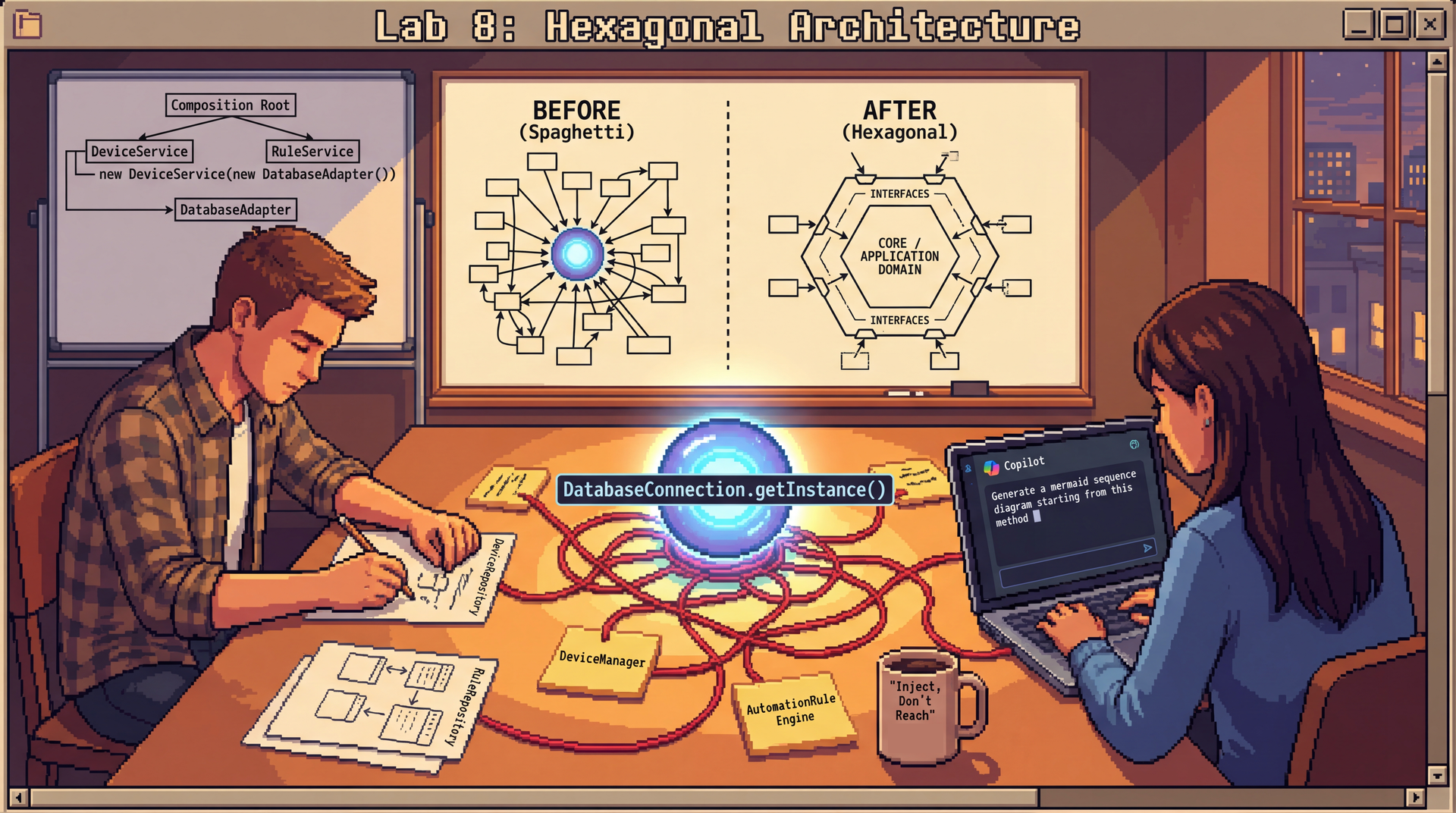
In this lab, you'll refactor a tangled monolith into a clean hexagonal architecture — and practice explaining your design decisions clearly. The core skills here are architectural analysis, port and adapter design, and the ability to articulate why you made the choices you did.
This lab uses two different approaches to AI assistance:
- Part 2 (DatabaseConnection): You'll design repository interfaces manually first with your partner, then use Copilot to verify and refine your design. This ensures everyone practices reasoning through the design before seeing AI output.
- Part 3 (AutomationRuleEngine): You'll use Copilot as your primary tool and practice evaluating whether its output actually follows hexagonal principles (which requires real design judgment).
Either way, you'll explain your decisions to your partner using a structured format introduced after Part 1.
SceneItAll has multiple feature areas that are stepping on each other: infrastructure tangled with business logic, a DatabaseConnection singleton that everything reaches for, and code that requires a running IoT network just to run a test. In this lab, you'll focus on two feature areas — Device Management and Automation Rules — and apply hexagonal architecture to untangle them.
Due: At the end of your scheduled lab section. This is automatically enforced with a 10-minute grace period, but push your work regularly—don't wait until the end!
Option 1: Complete entire lab
- Complete Parts 1-4 of the lab
- Complete the reflection in
REFLECTION.md - Push your completed work to GitHub
- You may leave the lab after confirming with a TA that you're done
Option 2: Complete what you are able and ask for help If you're unable to complete everything:
- Submit a
REFLECTION.mddocumenting what you completed, where you got stuck, and what you tried - A TA will review your submission and award credit for your good-faith effort
The Optional Extensions are not required for full credit but are excellent practice if you finish early.
If lab leaders observe that you are not working on the lab during the section, or you leave early AND do not successfully complete the lab, you will receive no marks. However: if you finish the required parts of the lab and want to work on something else, just show the lab leader that you're done, and you'll be all set!
Struggling? That's okay! We are here to support you. If you're putting in effort and engaging with the material, we will give you credit. Ask questions, work with your neighbors, and flag down a lab leader if you're stuck.
Lab Facilitator Notes
Attendance: Take attendance using the roster in Pawtograder.
Brief Intro (2 minutes):
- "Today you'll analyze SceneItAll's messy codebase and apply hexagonal architecture — separating domain logic from infrastructure and replacing singletons with dependency injection."
- "You'll work individually for the first 15 minutes to form your own analysis of the code. Then you'll pair up."
- "We're focusing on just two feature areas today: Device Management and Automation Rules."
- "In Part 2, you'll design repository interfaces manually first, then use Copilot to verify. In Part 3, you'll use Copilot as your primary tool. This contrast is intentional — we want you to experience both approaches."
Soft Skill Focus — Communicating Technical Decisions (3 minutes):
Read this to students:
"In professional software work, it's not enough to make a good design decision — you also need to be able to explain it clearly to teammates, to code reviewers, and to people who weren't in the room when you made it.
Today you'll practice a structured format for this: 'I chose X because Y. I considered Z, but X is better for this situation because...'
This isn't just for presentations — it's how you'll explain your port interface choices to your partner, how you'll justify removing the singleton, how you'll communicate in a real code review. We'll use this format explicitly in Part 2 onward."
After Sync Point 1, facilitate pair formation:
- Have students pair up with someone they haven't worked with recently
- If odd number, form one group of three
- Step 1: Introduce yourself to your partner. Each person shares one key observation from Part 1 in one sentence, using the format: "I noticed X in the code, which made me think Y."
- Remind students to note their partner's name in
REFLECTION.md
Learning Objectives
By the end of this lab, you will be able to:
- Identify what belongs in the domain versus infrastructure within a feature area, and explain why mixing them hurts testability
- Design port interfaces that use only domain types and can be trivially stubbed for tests
- Critically evaluate code (whether AI-generated or manually written) using L16 vocabulary: observability, controllability, ports, adapters
- Explain how dependency injection eliminates the
DatabaseConnectionsingleton and what the resulting composition root looks like - Communicate design decisions using a structured narrative: "I chose X because Y. I considered Z, but X is better for this situation because..."
Before You Begin
Prerequisites: Complete Lectures 16 and 17. You should be familiar with:
- Observability, controllability, and hexagonal architecture (Lecture 16)
- Separating infrastructure from domain code (Lecture 16)
- Dependency injection, singleton anti-pattern, and composition roots (Lecture 17)
Clone the Lab Repository: Clone your lab8 repository from Pawtograder.
The repository includes:
src/— starter Java files with the current tangled SceneItAll codeREFLECTION.md— where all your written analysis goesdiagrams/— folder for your port/adapter diagrams
GitHub Copilot is used in Parts 2 and 3. You can use both inline completions (Tab to accept) and Copilot Chat (Ctrl+I / Cmd+I or the chat panel). GitHub Copilot Chat is also available in a browser.
- Part 2: Design manually first, then use Copilot to verify your work
- Part 3: Use Copilot as your primary design tool
Prompting Copilot for Design Tasks (Reference for Parts 2-3)
Here's the key difference between a weak prompt and a strong one for architectural work:
| Weak Prompt | Why It Fails | Stronger Prompt |
|---|---|---|
| "Extract an interface from this class" | Copilot will mirror the class's current methods, including infrastructure-specific ones | "Extract an interface that represents what the domain needs from device state — use only domain types, not Zigbee SDK types" |
| "Refactor to use dependency injection" | Copilot may add DI but leave singletons or add a service locator | "Refactor to use constructor injection. Remove all calls to getInstance(). The class should not access any global state." |
| "Generate a repository interface" | May expose storage-specific implementation details in the interface | "Generate a repository interface using only domain types. The interface should have no knowledge of how data is stored." |
The pattern: Specify the design goal (what principle you're following), the constraints (what should be absent from the output), and the vocabulary (domain types, not infrastructure types).
The Scenario: SceneItAll's Growing Monolith
SceneItAll has been a single Java application — one build.gradle, one src/ tree, one deployment. It started small, but now it has multiple feature areas that are starting to tangle. For this lab, we'll focus on two of them:
- Device Management — Adding, removing, and configuring IoT devices (cameras, thermostats, lights, sensors). Checking device health. Processing firmware update requests.
- Automation Rules — Users create rules like "if motion detected after 10pm, turn on porch light and send alert." Rules reference devices, user preferences, and time.
(The full system also has Notification, Analytics, and User Management features, but we'll keep our scope narrow today.)
Right now, these features are jumbled together — classes from different features import each other freely, there's a DatabaseConnection singleton that everything uses, and the AutomationRuleEngine reaches directly into a hardware SDK to check device states.
Here's an example of what a piece of the current code looks like (also in src/AutomationRuleEngine.java in your repo):
public class AutomationRuleEngine {
    public void evaluate(String homeId) {
        List<AutomationRule> rules = DatabaseConnection.getInstance()
                .loadRules(homeId);

        ZigbeeGateway gateway = ZigbeeGateway.getGlobalInstance();

        for (AutomationRule rule : rules) {
            DeviceState state = gateway.readState(rule.getTriggerDeviceId());
            if (rule.conditionMet(state)) {
                List<User> users = DatabaseConnection.getInstance()
                        .loadUsersForHome(rule.getHomeId());
                for (User user : users) {
                    List<NotificationPreference> prefs = DatabaseConnection.getInstance()
                            .loadNotificationPreferences(user.getId());
                    for (NotificationPreference pref : prefs) {
                        if (pref.isEnabled()) {
                            // More code to send the alert
                        }
                    }
                    if (prefs.isEmpty()) {
                        notificationService.sendAlert(user.getId(), rule.getAlertMessage(), NotificationChannel.PUSH);
                    }
                }
            }
        }
    }
}
The Constraints
- This is a single deployable application — one JAR, one
main(). We're not splitting into separate servers. - The codebase must be testable without real IoT hardware — you need to be able to test business logic (e.g., "should this automation rule fire?") with test doubles, not a live Zigbee network.
- All dependencies between modules should flow through interfaces, not concrete classes or singletons (DIP from L8, DI from L17).
Part 1: Understand the Architecture — Individual Work (15 minutes)
Before forming pairs, work through these exercises on your own. The goal is to develop your own analysis of the code — you'll bring these observations to your partner when you pair up.
Exercise 1.1: Dissect AutomationRuleEngine
Look at the AutomationRuleEngine.evaluate() code above. Annotate each block manually (no Copilot yet):
- Which lines are domain logic — the actual business decision being made?
- Which lines are infrastructure — database access, hardware calls, HTTP?
- The
conditionMet(state)method is onAutomationRule. Is that domain or infrastructure? Why? - What makes this code hard to test? Apply the L16 vocabulary: which parts hurt controllability? Which parts hurt observability?
Record your annotations in REFLECTION.md (Question 1). Do this before pairing up — having your own analysis first is how you'll know what's worth discussing with your partner.
Exercise 1.2: What Would You Need to Stub?
The goal of hexagonal architecture is to make each feature's core logic testable in isolation — without spinning up real hardware, real network services, or a real data store.
For each of our two focus areas (Device Management and Automation Rules), complete this sentence:
"To test [feature]'s core business logic in isolation, I would need to stub out _____ ."
Use these observations in your answer to Question 1.
🔄 Sync Point 1
Lab leaders will facilitate a brief discussion (5 minutes):
- "What domain logic did you find in AutomationRuleEngine? What made it hard to see?"
- "What would you need to stub to test each feature area?"
- Key insight: "When domain logic is buried between infrastructure calls, you can't test the business rule without also setting up the database and the hardware. Hexagonal architecture extracts the domain so it can be tested in isolation."
After the sync point: form pairs and read the soft skill introduction below before starting Part 2.
Pair Formation and Soft Skill Introduction
Find a partner you haven't worked with recently. Before starting Part 2, spend 2 minutes on this:
Share your Part 1 observation using this sentence frame:
"In AutomationRuleEngine, I noticed [X], which means [consequence for testability]."
Soft skill for today: Communicating Technical Decisions
Throughout Parts 2 and 3, whenever you make or defend a design choice, practice this format:
"I chose [design element] because [reason]. I considered [alternative], but [my choice] is better for this situation because [specific reason]."
Your partner's job when listening: ask "Why did you prioritize that?" — not to challenge, but to draw out more of your reasoning.
Record your partner's name in REFLECTION.md.
Part 2: Fix the DatabaseConnection Singleton (25 minutes)
The DatabaseConnection singleton is SceneItAll's biggest design problem — and also the most concrete place to start learning hexagonal architecture. Every feature area reaches for it directly, which means nothing can be tested in isolation.
In this part, you'll design the replacement manually first (with your partner), then use Copilot to verify and refine your design.
The Problem: One Giant Singleton
// Current code — in src/DatabaseConnection.java
public class DatabaseConnection {
    private static DatabaseConnection instance;

    public static DatabaseConnection getInstance() {
        if (instance == null) {
            instance = new DatabaseConnection(); // connects to production data store
        }
        return instance;
    }

    // Methods for every feature area — one giant object everyone shares:
    public List<AutomationRule> loadRules(String homeId) { /* ... */ }
    public void saveRule(AutomationRule rule) { /* ... */ }
    public List<IoTDevice> loadDevices(String homeId) { /* ... */ }
    public void saveDevice(IoTDevice device) { /* ... */ }
    public DeviceHealth checkDeviceHealth(String deviceId) { /* ... */ }
    // ... and many more
}
Exercise 2.1: Discover the Coupling (3 minutes)
Before designing a fix, let's see how severe the problem is. The DatabaseConnection singleton is used throughout the codebase. Here are two examples:
In DeviceManager.java:
public class DeviceManager {
    public void addDevice(String homeId, IoTDevice device) {
        // Singleton call — can't test without a real database!
        DatabaseConnection.getInstance().saveDevice(device);
        // ...
    }
}
In AutomationRuleEngine.java:
public void evaluate(String homeId) {
    // Singleton call — can't test without a real database!
    List<AutomationRule> rules = DatabaseConnection.getInstance().loadRules(homeId);
    // ...
}
Now use VS Code to find all references:
- Open
src/DatabaseConnection.javain VS Code - Right-click on
getInstanceand select "Find All References" (or pressShift+F12) - Count how many files call this method
Take note of how many files reference this method — you'll use this observation in your discussion.
Exercise 2.2: Diagnose the Problem (5 minutes)
With your partner discuss these three questions before designing any replacement:
- From L17: what are the three problems with singletons? Give a concrete example of each in the context of
DatabaseConnection. - From L16: does this singleton hurt observability, controllability, or both? Explain specifically.
- If two tests run concurrently and both call
DatabaseConnection.getInstance(), what could go wrong?
Exercise 2.3: Design Repository Interfaces — Manual First (8 minutes)
Now for the fix. You'll design new repository interfaces that will replace DatabaseConnection for our two focus areas: Device Management and Automation Rules. Then you'll refactor DeviceManager to actually use your interface — so you can see the difference between the singleton approach and dependency injection.
Step 1: Manual Design (with your partner, no Copilot yet)
For each of the two feature areas, design a repository interface. Ask yourselves:
- What operations does this feature area need from data storage?
- What domain types should the interface use? (Not infrastructure types!)
- How narrow can we make this interface while still being useful?
- How, if at all, should the domain types be adjusted?
Sketch your interfaces on paper or in a scratch file. For example, you might design:
// For Device Management
public interface DeviceRepository {
    // What operations does DeviceManager actually need?
}

// For Automation Rules
public interface RuleRepository {
    // What operations does AutomationRuleEngine actually need?
}
Step 2: Verify with Copilot
Once you have a draft, use Copilot to check your design:
"I'm replacing this DatabaseConnection singleton with dependency injection. Here's my draft interface for [DeviceRepository/RuleRepository]. Does this interface correctly express what the domain needs for data access? Does it leak any storage-specific implementation details? Suggest improvements."
Compare Copilot's feedback to your manual design. Did it catch anything you missed? Did it suggest anything that actually violates hexagonal principles (like adding infrastructure types)?
Record in REFLECTION.md (Question 2): Your final interface designs with reasoning.
Exercise 2.4: Create In-Memory Implementation (4 minutes)
For your DeviceRepository interface, create an InMemoryDeviceRepository implementation that uses a HashMap for storage. This is what you'd use in tests instead of the real database.
You can use Copilot for this:
"Generate an
InMemoryDeviceRepositoryclass that implementsDeviceRepositoryusing aHashMap. It should have no dependencies onDatabaseConnectionor any external systems."
Evaluate the result:
- Does it implement your interface correctly?
- Does it have any calls to
DatabaseConnection? (It shouldn't — that's the whole point!) - Could you use this in a unit test that runs in milliseconds?
You'll use this implementation in the next exercise.
Exercise 2.5: Refactor DeviceManager to Use Your Interface (5 minutes)
Now apply your design. Modify DeviceManager to use constructor injection instead of the singleton:
- Add a constructor parameter for
DeviceRepository - Store it as a private field
- Replace all
DatabaseConnection.getInstance()calls with your repository field - Remove the import for
DatabaseConnection
You can use Copilot:
"Refactor this class to accept DeviceRepository via constructor injection. Replace all DatabaseConnection.getInstance() calls. The class should have no static dependencies."
Evaluate the result:
- Does
DeviceManagerstill have anygetInstance()calls? (It shouldn't!) - Could you now instantiate
DeviceManagerin a test with yourInMemoryDeviceRepository?
The key insight: After this refactoring, you can test DeviceManager without any database — just pass in your in-memory implementation. That's the power of dependency injection.
Record your refactored DeviceManager in REFLECTION.md (Question 3).
🔄 Sync Point 2
Before the group discussion: Share one design decision with your partner using the structured format — "I defined X as Y because..." or "I refactored DeviceManager to use X because..."
Lab leaders will facilitate a discussion (5 minutes):
- "What did your manual interface design look like before you checked it with Copilot?"
- "After refactoring DeviceManager, what changed about how you'd test it?"
- "Did Copilot's suggestions improve your design, or did it suggest things that violated hexagonal principles?"
- Key insight: "Manual design forces you to reason from first principles. The refactoring step is where you see the payoff — your DeviceManager can now be tested with an in-memory implementation, no database required."
Part 3: Design Ports for AutomationRuleEngine — Copilot Focus (15 minutes)
Now that you've tackled the DatabaseConnection singleton (which affects data access across the system), let's apply hexagonal architecture to the AutomationRuleEngine itself. This class has multiple infrastructure dependencies beyond just the database — it also reaches directly into hardware SDKs and HTTP clients.
In this part, you'll use Copilot as your primary design tool and practice evaluating AI-generated output against hexagonal principles.
What Makes a Good Port (Review from L16)
// Good port: uses domain types, defined by what the DOMAIN needs
public interface DeviceStatePort {
    DeviceState getCurrentState(String deviceId);
}

// Bad port: leaks infrastructure types into the interface
public interface ZigbeeInterface {
    ZigbeeFrame sendFrame(byte[] payload);  // What the heck is a "ZigbeeFrame"???? It must be infrastructure!
}
A good port: uses domain types not infrastructure types; is narrow (only what's needed); can be trivially stubbed for tests.
Exercise 3.1: Use Copilot to Design Ports (6 minutes)
Look back at the AutomationRuleEngine.evaluate() code from Part 1. It has three infrastructure dependencies:
- Data access (you already designed a repository interface for this in Part 2!)
- Device state reads — the
ZigbeeGateway.getGlobalInstance()call - Notification sending — the direct
HttpClientcall
Use Copilot to generate port interfaces for the device state and notification dependencies:
"I'm applying hexagonal architecture to this class. Identify the external dependencies and generate Java interface definitions for each one as ports. Each interface should use only domain types — no SDK types like ZigbeeFrame, no infrastructure types like HttpResponse."
Evaluate Copilot's output:
- Does each interface use domain types or infrastructure types?
- Is it narrow enough to be stubbed with a lambda in a test?
- Did Copilot miss any dependencies?
If Copilot gets it wrong, write a follow-up prompt — for example:
"The
readStatemethod returns aZigbeeFrame. That's an infrastructure type. Rewrite the interface so it returnsDeviceStateinstead, whereDeviceStateis a domain object."
Record your final port interfaces in REFLECTION.md (Question 4). Note any problems with Copilot's first attempt.
Exercise 3.2: Diagram Your Ports (4 minutes)
Create a Mermaid diagram showing the hexagonal architecture for Automation Rules — the domain, port interfaces, at least one production adapter, and one test double.
Ask Copilot to generate a Mermaid diagram:
"Generate a Mermaid diagram showing the hexagonal architecture for AutomationRuleEngine with the port interfaces we designed. Show the domain in the center, ports as interfaces, production adapters on one side, and test doubles on the other."
Save the result in diagrams/automation-rules.md. Check that your diagram correctly shows:
- Adapters depending on ports (arrows point inward)
- Test doubles implementing the same ports as production adapters
- The domain depending only on port interfaces, not on adapters
💡 Mermaid hint if Copilot needs guidance:
Save your diagram in diagrams/automation-rules.md.
Exercise 3.3: Design the Composition Root (5 minutes)
If we inject all these dependencies, someone has to wire them up. In L17 we called this the composition root.
Use Copilot:
"Show me what
SceneItAllApplication.main()should look like after applying dependency injection throughout. It should create all the production adapter implementations for DeviceManager and AutomationRuleEngine, then wire them in via constructor injection. There should be no calls to anygetInstance()methods anywhere."
Evaluate the result:
- Does it still contain any
getInstance()calls? (Flag them if so.) - Is it clear that this is the only place in the codebase that knows about concrete implementations?
- Does it look like the L17 composition root pattern?
Verify the composition root has no getInstance() calls and matches the L17 pattern.
🔄 Sync Point 3 (5 minutes)
Lab leaders will check in:
- "Did Copilot generate ports with infrastructure types? How did you fix it?"
- "Did anyone's composition root have surprising complexity? What caused it?"
- "Did Copilot remove all singleton calls, or miss some?"
- Key insight: "Copilot often generates ports that reflect patterns from training data — including legacy code that violates hexagonal principles. Your job is to evaluate the output critically. The composition root reveals the full dependency graph of your system at a glance."
Part 4: Design Review and Reflection (10 minutes)
Exercise 4.1: Explain a Decision to Another Pair
Find another pair and share screens or swap REFLECTION.md files. Each person explains one key design decision using the structured format:
"I chose [design element] because [reason]. I considered [alternative], but my choice is better for this situation because [specific reason connecting to testability or hexagonal architecture principles]."
The listener's role: ask "Why did you prioritize that quality attribute?" and "What would break if you'd gone with the alternative?"
Exercise 4.2: Technical Review
With the other pair, review each other's port interfaces:
- Infrastructure leakage check: Do any port interfaces mention infrastructure types (HTTP, Zigbee, AWS, SMTP, or storage-specific details)?
- Singleton check: Does the composition root have any
getInstance()calls remaining? - Testability check: For each port, ask: "Could this be stubbed with a lambda or a simple in-memory class?" If not, what makes it hard to stub?
Record one observation in REFLECTION.md (Question 5).
Exercise 4.3: Thinking About a New Feature Area
Throughout this lab, we focused on two feature areas: Device Management and Automation Rules. But SceneItAll also has other features we didn't touch: Notifications, Analytics, and User Management.
Think about adding a new feature area — for example, Analytics & Reporting (which queries historical device data, generates usage reports, and calculates trends).
In REFLECTION.md (Question 6), answer:
- What ports (interfaces) would the Analytics domain need?
- Would Analytics share any ports with Device Management or Automation Rules, or would it need entirely new ones?
- How would you add Analytics to the composition root you designed in Part 3?
You don't need to write any code — just think through how the hexagonal architecture pattern would extend to this new area.
🔄 Sync Point 4 (Final Debrief — 10 minutes)
Soft skill debrief:
- "What made your partner's explanation of a design decision convincing — or not?"
- "Did the structured format ('I chose X because Y') change how you thought about your own decision while explaining it?"
Technical debrief:
- "What was the trickiest port to design today, regardless of how you approached it?"
- "How did the manual-first approach (Part 2) compare to the Copilot-first approach (Part 3)?"
- "When you thought about adding Analytics, what ports did you identify?"
- Key insight: "The ability to explain why you made a design decision is as important as making the right one. And hexagonal architecture should make it straightforward to add new feature areas — if it's hard to see where a new feature fits, the architecture might need work."
Reflection
Complete these questions in REFLECTION.md as you work through the lab.
Partner's Name: _______________
-
Domain vs Infrastructure: In
AutomationRuleEngine.evaluate(), which lines are domain logic and which are infrastructure? What specifically hurts testability (controllability or observability)? -
Repository Interface Design: Your final
DeviceRepositoryandRuleRepositoryinterfaces, with reasoning: "I defined [interface] as [description] because [reason]." -
Refactored DeviceManager: Your refactored class using constructor injection. Confirm: no
getInstance()calls remain, and you can now instantiate it withInMemoryDeviceRepositoryfor testing. -
Port Interfaces: Your final port interfaces for device state and notification. Did Copilot's first attempt use infrastructure types? What did you fix?
-
Peer Review Finding: One thing you noticed reviewing another pair's work — an infrastructure leak, a clean port design, or a remaining singleton. What would you change or keep?
-
Extending the Architecture: What ports would Analytics & Reporting need? Would it share any with Device Management or Automation Rules?
-
Meta (pick one):
- Connections: How does one of your design decisions connect to a concept from L7-L17?
- Communication: Did explaining a decision out loud clarify your thinking?
- AI tools: How did manual-first (Part 2) compare to Copilot-first (Part 3)?
Optional Extensions
Stretch Goal 1: Write a Meaningful Unit Test
Using the port interfaces you designed, write a JUnit 5 test for the AutomationRuleEngine that:
- Stubs all port interfaces using either lambdas or simple
InMemory*implementations - Tests a specific business scenario (e.g., "rule fires when motion is detected after 10pm")
- Runs in under 100ms with no real hardware, database, or network
Was writing the test easier or harder with the new port-based design than it would have been with the original singleton-based code?
Stretch Goal 2: Extend to Notification System
Apply what you learned to the Notification System feature area. In Lab 4, you analyzed three implementations of SceneItAll's notification logic:
- A "big ball of mud" with all logic in one class (
NotificationManagerwith conditional statements) - A class-based Strategy pattern (
NotificationStrategyinterface withImmediateNotificationStrategy, etc.) - A functional/lambda-based approach using
PredicateandBiConsumer
You evaluated each for changeability when adding new channels, new filtering logic, and cross-cutting concerns.
Now apply hexagonal architecture to the notification system. Design:
- A
NotificationPortinterface that expresses what the domain needs - An
InMemoryNotificationPortfor testing - How it would integrate with the composition root
Compare your design to the evaluation criteria you used in Lab 4. Does the hexagonal architecture approach produce a design that's easier to swap implementations? How does a port-based design compare to the Strategy pattern designs you analyzed?
Stretch Goal 3: Notification Port Design Challenge
Evaluate two competing designs for NotificationPort:
Option A:
public interface NotificationPort {
    void sendAlert(String userId, String message, NotificationChannel channel);
}
Option B:
public interface NotificationPort {
    void sendAlert(AlertRequest request);
}
// where AlertRequest contains userId, message, channel, priority, quietHoursOverride, ...
Which better follows Interface Segregation (L8)? Which creates data coupling vs. stamp coupling (L7)? If you ask Copilot to generate a NotificationPort, which style does it gravitate toward?
Submission Checklist
Due: By the end of your lab section (with a 10-minute grace period).
Before your final submission, ensure:
- Part 1: You've classified infrastructure vs. domain in AutomationRuleEngine (individual work)
- Part 2: You've diagnosed the
DatabaseConnectionsingleton, designed repository interfaces, and refactoredDeviceManagerto use constructor injection - Part 3: You've used Copilot to design ports for AutomationRuleEngine + composition root
- Part 4: You've explained at least one design decision to another pair and reflected on adding a new feature area
-
REFLECTION.mdis complete with all 7 questions answered - Your Mermaid diagram is saved in
diagrams/automation-rules.md - All changes are committed and pushed to GitHub