Lab 9: Network Fault Tolerance
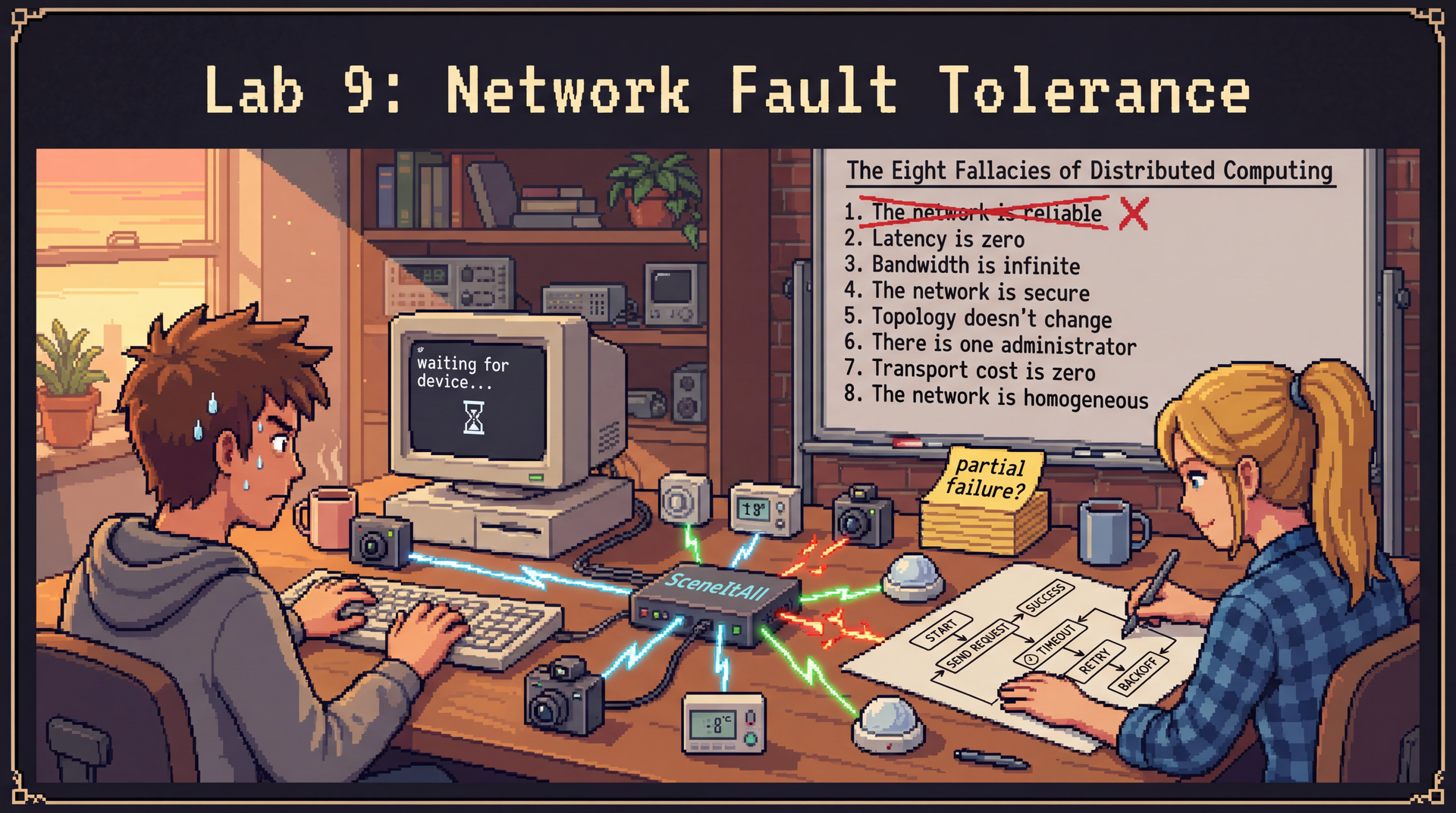
In this lab, you'll feel the pain of network failures firsthand—and then fix them. You'll work with
SceneItAll's IoT device ecosystem, where a hub communicates with physical devices over a simulated
network that fails in realistic ways: timeouts, dropped connections, partial failures. The handout
gives you a working CLI and a DeviceGateway that assumes the network is perfectly reliable. Your
job is to make it resilient.
Due: At the end of your scheduled lab section. This is automatically enforced with a 10-minute grace period, but push your work regularly—don't wait until the end!
Option 1: Complete entire lab
- Complete Parts 1–3 of the lab
- Complete the reflection in
REFLECTION.md - Push your completed work to GitHub
- You may leave the lab after confirming with a TA that you're done
Option 2: Complete what you are able and ask for help If you're unable to complete everything:
- Submit a
REFLECTION.mddocumenting what you completed, where you got stuck, and what you tried - A TA will review your submission and award credit for your good-faith effort
The Optional Extensions are not required for full credit but are excellent practice if you finish early.
If lab leaders observe that you are not working on the lab during the section, or you leave early AND do not successfully complete the lab, you will receive no marks. However: if you finish the required parts of the lab and want to work on something else, just show the lab leader that you're done, and you'll be all set!
Struggling? That's okay! We are here to support you. If you're putting in effort and engaging with the material, we will give you credit. Ask questions, work with your neighbors, and flag down a lab leader if you're stuck.
Lab Facilitator Notes
Attendance: Take attendance using the roster in Pawtograder.
Brief Technical Intro (2 minutes):
- "Today you'll work with a CLI for SceneItAll's IoT hub. The hub sends commands to physical devices over a network—but our simulated network fails in realistic ways."
- "The starter code assumes the network always works. You'll fix that."
- "You'll work individually for the first 15 minutes, then pair up for the rest."
Soft Skill Focus — Adaptability (3 minutes):
Read this to students:
"Today we're practicing adaptability—responding professionally when things don't go as planned. In real systems, networks fail in ways you didn't anticipate. Your design will encounter failure modes it wasn't built for. The question isn't whether to expect the unexpected, but how to respond when it happens.
Learning Objectives
By the end of this lab, you will be able to:
- Identify which of the Fallacies of Distributed Computing you experienced firsthand, and give concrete examples
- Implement timeout and retry with exponential backoff in Java to handle unresponsive devices
- Apply graceful degradation so that an application remains usable even when some devices are unreachable
- Implement a CLI command using JLine3 that clearly communicates device status to users
- Adapt your implementation when requirements change mid-task
Before You Begin
Prerequisites: Complete L20 (Distributed Architecture). You should be familiar with:
- The Eight Fallacies of Distributed Computing
- Timeout, retry, and exponential backoff patterns
- Graceful degradation and circuit breakers
Clone the Lab Repository: Clone your lab9 repository from Pawtograder.
The repository includes:
src/— starter Java code with a working CLI and an unreliable device gatewayREFLECTION.md— where all your written responses goconfig/— simulation configuration files for different failure modes
JLine3 is the library powering SceneItAll's interactive CLI. The provided ListCommand and
OnOffCommand are fully working examples of the command pattern used in this lab.
Key JLine3 APIs you'll encounter:
// Reading a line from the user
String line = reader.readLine("sceneitall> ");

// Writing output to the terminal
terminal.writer().println("Device 'porch-camera' is unreachable.");
terminal.writer().flush();
Tab completion and history are built into the CLI. Press Tab to auto-complete command names and
device IDs. Use Up/Down arrows to navigate command history (persisted across sessions in
~/.sceneitall_history).
The Command interface includes a getCompleter() method that each command can override to provide
argument-aware completion:
// Default: completes just the command name
default Completer getCompleter() {
    return new StringsCompleter(getName());
}

// Override for commands that take device IDs as arguments
@Override
public Completer getCompleter() {
    return new ArgumentCompleter(
        new StringsCompleter(getName()),
        new StringsCompleter(() -> registry.getAllDevices().stream()
            .map(IoTDevice::getId).toList()));
}
You don't need to understand JLine3 deeply—follow the patterns in ListCommand.java.
The Scenario: SceneItAll's IoT Hub
SceneItAll has expanded: homes now have dozens of IoT devices spread across the property. Each device—cameras, thermostats, door locks, motion sensors—communicates with a central hub over your home's network. The hub runs a local server that you interact with via the provided CLI.
In production, devices go offline. Routers reboot. Signals fade. The DeviceGateway class handles
all communication between the hub and devices—but right now, it assumes the network is perfectly
reliable. When a device doesn't respond, the CLI hangs. When a device fails mid-command, the CLI
crashes.
Your job today: experience what that looks like, understand why, and fix it.
The CLI is already running and supports these commands:
| Command | Description | Provided? |
|---|---|---|
list | List all registered devices | ✅ |
on <device> | Turn a device on | ✅ (uses broken gateway) |
off <device> | Turn a device off | ✅ (uses broken gateway) |
help | Show available commands | ✅ |
status | Show all devices with connection status | ❌ You implement |
quit / exit | Exit the CLI | ✅ |
Part 1: Experience the Fallacies (15 minutes — Individual)
Before writing any code, you need to feel the problem. Work through this part on your own.
Exercise 1.1: Run the CLI Against Unreliable Devices
Your repository includes several simulation configurations in the config/ folder. Start the CLI
with the first failure scenario:
./run-timeout
Once the CLI starts, first try a working device to see normal behavior:
sceneitall> list
sceneitall> on living-room-thermostat
sceneitall> off living-room-thermostat
The thermostat responds immediately. Now try an unreliable device:
sceneitall> on porch-camera
Observe: What happens? Does the CLI respond immediately? Does it hang? Does it print an error, or does it fail silently?
Tip: When the CLI hangs, press Ctrl+C to terminate it, then restart with ./run-timeout.
The scenario-timeout.json configuration makes porch-camera unresponsive—it accepts the
connection but never sends a reply. Your CLI will hang indefinitely on the on porch-camera command
because DeviceGateway.sendCommand() has no timeout.
When it hangs, press Ctrl+C to terminate the process, then restart the CLI.
Exercise 1.2: Intermittent and Partial Failures
Try the other scenarios:
./run-intermittent
Run the same commands several times. Notice that the same command succeeds sometimes and fails other times.
./run-mixed
This scenario includes multiple devices with different failure modes. Run list to see all devices,
then try to control each one.
For each scenario, take notes in REFLECTION.md:
- What did the CLI do when a device was unresponsive?
- Which of the Eight Fallacies from L20 did this violate?
- What would a user think if they saw this behavior?
Exercise 1.3: Read the Broken Code
Open src/main/java/net/sceneitall/iot/lab9/gateway/DeviceGateway.java. Find the sendCommand
method:
public CommandResult sendCommand(String deviceId, DeviceCommand command) {
    DeviceRequest request = new DeviceRequest(deviceId, command);
    return networkClient.send(request);  // No timeout. Blocks forever if device doesn't respond.
}
Also look at readState:
public DeviceState readState(String deviceId) {
    DeviceRequest request = new DeviceRequest(deviceId, DeviceCommand.READ_STATE);
    return networkClient.send(request).getState();  // Same problem.
}
Record in REFLECTION.md (Question 1):
- Which specific fallacy does this code violate?
- What happens at the JVM level when
networkClient.send()blocks forever? - If you were a user, what would you want the CLI to do instead?
🔄 Sync Point 1 — Pair Formation (3 minutes)
Lab leaders will facilitate pairing:
- Find a partner you haven't worked with recently
- Share one sentence: "The most frustrating failure mode I saw was [X], because [Y]."
- Record your partner's name in
REFLECTION.md
Part 2: Implement Timeout and Retry (25 minutes — Paired)
Now you'll fix DeviceGateway. Work with your partner. Read through the full exercise before
writing any code.
Exercise 2.1: Add a Timeout (8 minutes)
Open DeviceGateway.java. The networkClient supports timeouts via an overloaded send method:
// Without timeout (current code — blocks forever):
networkClient.send(request)

// With timeout (throws TimeoutException if device doesn't respond in time):
networkClient.send(request, Duration.ofSeconds(5))
Your task: Update sendCommand and readState to use a timeout. Choose a reasonable timeout
value for an IoT home network. (Hint: a device that takes more than a few seconds to respond is
probably unresponsive—but a timeout that's too short will falsely report healthy devices as down.)
After your change, test it:
./run-timeout
sceneitall> on porch-camera
The CLI should now fail within your timeout window rather than hanging forever. Record your timeout
choice and reasoning in REFLECTION.md (Question 2).
networkClient.send() throws TimeoutException when the timeout expires, and
DeviceUnreachableException when the network can't reach the device at all. Handle both.
Exercise 2.2: Add Retry with Exponential Backoff (12 minutes)
A single timeout is better than hanging forever, but many real failures are transient—the device was briefly busy, the network had a momentary hiccup. Retrying after a short wait often succeeds.
From L20, the pattern is:
int attempts = 0;
while (attempts < MAX_ATTEMPTS) {
    try {
        return networkClient.send(request, TIMEOUT);
    } catch (TimeoutException | DeviceUnreachableException e) {
        attempts++;
        if (attempts >= MAX_ATTEMPTS) throw new DeviceGatewayException("Device unreachable after " + MAX_ATTEMPTS + " attempts", e);
        long waitMs = (long) Math.pow(2, attempts) * 1000;  // 2s, 4s, 8s
        Thread.sleep(waitMs);
    }
}
Your task: Implement retry with exponential backoff in DeviceGateway. Decide:
- How many retry attempts? (Consider: each attempt takes up to your timeout. 3 attempts × 5 second timeout = up to 15 seconds before giving up. Is that acceptable for a home automation CLI?)
- Should retrying be the same for
readStateandsendCommand? Or should a command that might have already executed be retried differently?
Discuss the second question with your partner before writing code. There's no single right
answer—but there is an important difference: readState is idempotent (reading device state has
no side effects), but sendCommand may not be. What happens if you retry on porch-camera and the
first attempt actually succeeded?
Record your design decisions and tradeoffs in REFLECTION.md (Question 2).
The scenario-intermittent.json config makes porch-camera fail roughly 60% of the time. Run:
./run-intermittent
Try on porch-camera several times. With retry logic, most attempts should eventually succeed.
🔄 Sync Point 2 — Requirements Change (5 minutes)
Lab leader will make an announcement. DeviceGateway will now also need to handle partial failures.
After the announcement, discuss with your partner:
- "What assumption does our current code make that this breaks?"
- "Will we throw out our retry logic, modify it, or build on top of it?"
Exercise 2.3 (post-announcement): Adapt your DeviceGateway to handle partial failures. The
networkClient.send() method may now return a CommandResult with
result.isPartialFailure() == true even when no exception is thrown—the device responded but
reported that the command could not be executed.
Decide:
- Should partial failures be retried? (Unlike transient failures, partial failures may indicate a device-level problem, not a network problem.)
- How should
sendCommandcommunicate this distinction to callers?
The scenario-mixed.json config includes thermostat-main with partial failure mode. Run:
./run-mixed
Try on thermostat-main. The device responds (no timeout), but reports isPartialFailure() == true.
Compare this to on living-room-thermostat which succeeds normally.
Record what you changed and what drove your decision in REFLECTION.md (Question 3).
Part 3: Implement the status Command (20 minutes — Paired)
With a resilient gateway in place, you can now implement a useful CLI command. The status command
shows the connection status of every registered device.
🔄 Code Walkthrough: The Command Pattern (10 minutes — Lab Leader Led)
The Command pattern you're about to learn is exactly what you'll want to use for Homework 5. This walkthrough shows you a clean, extensible way to structure CLI applications. Take notes!
Before implementing your own command, the lab leader will walk through the provided code to explain how the CLI is structured.
Walk students through these four files. Take time to explain each step clearly.
Step 1: Show Command.java (the interface)
public interface Command {
    String getName();          // The word the user types, e.g. "list"
    void execute(String[] args, Terminal terminal);  // Called when user runs the command
    default Completer getCompleter() { ... }  // For tab-completion (covered in Step 4)
}
Point out: execute receives the full argument array and the JLine3 Terminal. The terminal is the
connection to the user's screen — you write output to it, never to System.out. The getCompleter()
method is covered in Step 4.
Step 2: Show ListCommand.java (a working example)
public class ListCommand implements Command {
    private final DeviceRegistry registry;

    public ListCommand(DeviceRegistry registry) {
        this.registry = registry;
    }

    @Override
    public String getName() { return "list"; }

    @Override
    public void execute(String[] args, Terminal terminal) {
        List<IoTDevice> devices = registry.getAllDevices();
        if (devices.isEmpty()) {
            terminal.writer().println("No devices registered.");
        } else {
            for (IoTDevice device : devices) {
                terminal.writer().println(device.getId() + " (" + device.getType() + ")");
            }
        }
        terminal.writer().flush();  // Always flush — output may be buffered
    }
}
Points to make:
- Dependencies are injected via constructor —
ListCommanddoesn't reach for globals terminal.writer().println(...)followed byflush()is the output pattern- The
String[] argsis the full tokenized input —args[0]is the command name,args[1]onward are arguments (same convention asmain)
Step 3: Show SceneItAllCLI.java (the dispatch loop)
Map<String, Command> commands = new HashMap<>();
commands.put("list", new ListCommand(registry));
commands.put("on", new OnOffCommand(gateway, registry, true));
commands.put("off", new OnOffCommand(gateway, registry, false));
// ...

while (true) {
    String line = reader.readLine("sceneitall> ");
    String[] parts = line.trim().split("\\s+");
    Command cmd = commands.get(parts[0]);
    if (cmd != null) {
        cmd.execute(parts, terminal);
    } else {
        terminal.writer().println("Unknown command: " + parts[0]);
        terminal.writer().flush();
    }
}
Point out: adding a new command requires (1) implementing Command, and (2) registering it in this
map. That's it. Students add StatusCommand here once it's implemented.
Step 4: Show Command.getCompleter() (extending the pattern)
The Command interface also includes a getCompleter() method for tab-completion:
// Default implementation in Command.java — completes just the command name
default Completer getCompleter() {
    return new StringsCompleter(getName());
}
Commands that take arguments can override this. For example, OnOffCommand provides device ID
completion:
@Override
public Completer getCompleter() {
    return new ArgumentCompleter(
        new StringsCompleter(getName()),
        new StringsCompleter(() -> registry.getAllDevices().stream()
            .map(IoTDevice::getId).toList()));
}
The CLI aggregates all command completers and also includes command history (Up/Down arrows,
persisted to ~/.sceneitall_history). This follows the same extensibility principle: each command
owns both its execution logic and its completion logic.
Key insight to leave students with: The Command pattern makes the CLI extensible — adding a new
command never touches existing commands. Just as execute() lets each command define its behavior,
getCompleter() lets each command define its tab-completion. This is the Open/Closed Principle from
L8 in
action.
Exercise 3.1: Implement StatusCommand
Open src/main/java/net/sceneitall/iot/lab9/cli/StatusCommand.java. The class is stubbed out:
public class StatusCommand implements Command {
    private final DeviceGateway gateway;
    private final DeviceRegistry registry;

    public StatusCommand(DeviceGateway gateway, DeviceRegistry registry) {
        this.gateway = gateway;
        this.registry = registry;
    }

    @Override
    public String getName() { return "status"; }

    @Override
    public void execute(String[] args, Terminal terminal) {
        // TODO: For each registered device, attempt to read its state.
        // Show a clear status line for each device, including:
        //   - Device name and type
        //   - Whether it responded (reachable / unreachable / partial failure)
        //   - Its current state if reachable
        // Do NOT crash if a device is unreachable—show it as unreachable and continue.
    }
}
Reference implementation pattern (from ListCommand.java):
@Override
public void execute(String[] args, Terminal terminal) {
    List<IoTDevice> devices = registry.getAllDevices();
    if (devices.isEmpty()) {
        terminal.writer().println("No devices registered.");
    } else {
        for (IoTDevice device : devices) {
            terminal.writer().println(device.getId() + " (" + device.getType() + ")");
        }
    }
    terminal.writer().flush();
}
Implement StatusCommand.execute(). For each device, call gateway.readState(). When it throws
DeviceGatewayException, display the device as unreachable rather than propagating the exception.
Exercise 3.2: Design Your Output Format
Before writing the output, discuss with your partner:
"Imagine a homeowner using this CLI at 11pm because their front door lock seems unresponsive. They run
status. What information do they actually need? What would be confusing or alarming? What would be helpful?"
Two example approaches:
Option A — Minimal:
porch-camera      [camera]       REACHABLE  — on
front-door-lock   [lock]         UNREACHABLE
living-room-light [dimmable]     REACHABLE  — 60%
thermostat-main   [thermostat]   PARTIAL    — state unknown
Option B — Verbose:
porch-camera (camera)
  Status: REACHABLE
  Current state: on
  Last seen: just now

front-door-lock (lock)
  Status: UNREACHABLE
  ⚠ Could not contact device after 3 attempts. Check device power and network.
Neither is universally better—it depends on the user and context. Discuss and choose one (or invent
your own), documenting your reasoning in REFLECTION.md (Question 4).
Test your command:
./run-mixed
sceneitall> status
All reachable devices should show their current state. Unreachable devices should appear in the output as unreachable—the CLI should not crash, hang, or silently skip them.
Part 4: Reflection (10 minutes — Individual and Debrief)
Complete the reflection questions below in REFLECTION.md while the lab leaders facilitate the
final debrief.
🔄 Sync Point 3 — Final Debrief (facilitated by lab leaders)
Reflection
Complete all questions in REFLECTION.md before submitting.
Partner's Name: ___
1. The Command Pattern
The CLI dispatch loop in SceneItAllCLI.java uses the Command pattern. An alternative
implementation would use a chain of if/else statements:
// Alternative: if/else chain
if (parts[0].equals("list")) {
    // ... list logic inline ...
} else if (parts[0].equals("on")) {
    // ... on logic inline ...
} else if (parts[0].equals("status")) {
    // ... your new status logic inline ...
}
Compare the two approaches:
- What would it take to add a new command in each approach? How many files would you need to touch?
- What would it take to test a single command in isolation in each approach?
- Which coupling type from L7 does the if/else chain exhibit? What about the Command pattern?
- Is there any situation where you'd prefer the if/else approach?
2. Timeout and Retry Design
Describe your final implementation of timeout and retry:
- What timeout value did you choose, and why?
- How many retry attempts, and why?
- What is the maximum time a user might wait before getting an answer? Is that acceptable?
- Did you treat
readStateandsendCommanddifferently? Why or why not?
3. Adapting to Partial Failures
When the requirements changed to include partial failures:
- What assumption did your original retry logic make that turned out to be wrong?
- What did you change in your implementation?
- Did you modify your existing code, build on top of it, or start over? What drove that decision?
4. User Communication
In your status command:
- What output format did you choose? Paste a sample output.
- What information did you include? What did you leave out?
- How did you decide what a homeowner user actually needs to see vs. what belongs in a log file?
5. Meta (pick one)
- Connections: How does one pattern you implemented (timeout, retry, exponential backoff, graceful degradation) connect to a specific concept from L20? Be specific—quote or reference the lecture material.
- Real-world parallel: Describe a situation outside of programming where you had to adapt when something didn't go as planned. What's similar to what you did today?
Optional Extensions
Extension 1: Circuit Breaker Pattern
The retry approach you implemented still tries every command, even when a device has been continuously failing for minutes. This wastes time and could overwhelm a struggling device.
The circuit breaker pattern (introduced briefly in L20) addresses this:
- Closed (normal): requests pass through, failures are counted
- Open (tripped): requests fail immediately, no network calls made
- Half-open (recovery probe): one request is allowed through; if it succeeds, circuit closes again
Implement a CircuitBreaker class and integrate it into DeviceGateway:
public class CircuitBreaker {
    private enum State { CLOSED, OPEN, HALF_OPEN }

    private final int failureThreshold;        // How many failures before tripping
    private final Duration openDuration;       // How long to stay open before probing
    private State state = State.CLOSED;
    private int consecutiveFailures = 0;
    private Instant openedAt;

    public boolean allowRequest() { /* ... */ }
    public void recordSuccess() { /* ... */ }
    public void recordFailure() { /* ... */ }
}
Update your status command to show circuit breaker state per device.
Extension 2: Graceful Degradation Dashboard
Enhance the status command into a richer dashboard command that shows:
- All devices with color-coded status using JLine3's
AttributedString:- Green: reachable and healthy
- Yellow: partial failure or circuit half-open
- Red: unreachable or circuit open
- Recent failure rate per device (e.g., "3/5 attempts failed in last 60s")
// JLine3 color output example:
AttributedString colored = new AttributedStringBuilder()
    .style(AttributedStyle.DEFAULT.foreground(AttributedStyle.RED))
    .append("UNREACHABLE")
    .style(AttributedStyle.DEFAULT)
    .toAttributedString();
terminal.writer().println(colored.toAnsi());
Extension 3: Idempotency Design Challenge
Consider this scenario: you run on front-door-lock. The command reaches the device and executes
successfully, but the acknowledgment is lost on the network. Your retry logic fires. You send the
same command again. The lock was already on.
For a light, this is harmless—turning on a light that's already on has no effect. For a security system that toggles state on each command, it's a bug.
Explore this question in REFLECTION.md (no implementation required):
- Which of SceneItAll's device types have idempotent commands? Which don't?
- How would you redesign
DeviceCommandor the gateway API to make the distinction explicit? - L20 mentions Pawtograder uses submission IDs to ensure idempotency. What would an equivalent look like for device commands?
Submission Checklist
Due: By the end of your lab section (with a 10-minute grace period).
Before your final submission, ensure:
- Part 1: You observed and documented specific failure modes, identified fallacies in
REFLECTION.md - Part 2:
DeviceGatewayimplements timeout and retry with exponential backoff; handles partial failures - Part 3:
StatusCommandis implemented and shows reachable/unreachable status without crashing -
REFLECTION.mdis complete with all 5 questions answered - All changes compile:
./gradlew build - All changes are committed and pushed to GitHub