App Inventor Exercise
App Inventor Team

Sprites
ImageSprite
Think, Pair, Share: Ball
How would you implement Ball, which is also a type of sprite?
How should the type hierarchy be organized?
What code from ImageSprite can be reused?
One Solution
What's wrong with this?
My Most Embarrassing Mistakes as a Programmer
A Reasonable Decision
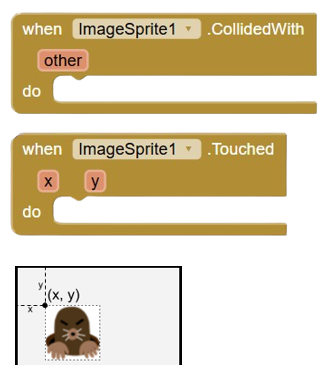
The main difference between a ball and an image sprite is what is drawn: a filled-in circle or a bitmap. Since I implemented image sprites first, it was natural to make the x- and y-coordinates specify the upper-left corner of where the image was placed on the enclosing canvas.
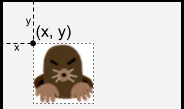
The image sprite's x- and y-coordinates specify its upper left corner. This is a reasonable design decision.
A Terrible Decision
Once I got sprites working, I realized that it would be simple to implement a ball object with very little code. The problem was that I did so in the simplest way (from the point of view of the implementer): having the x- and y-coordinates specify the upper-left corner of the bounding box containing the ball.

The ball’s x- and y-coordinates specify the upper left corner of its bounding box. This is a terrible design decision.
The Right Decision
What I should have done is have the x- and y-coordinates specify the center of the circle, as is done in every single math book and everywhere else circles are specified.
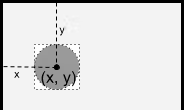
The ball’s x- and y-coordinates specify its center. This is the right design decision.
Aftermath
Millions of users had to do extra work in every app they created that used the Ball component.
I patched the problem 10 years later (2019).
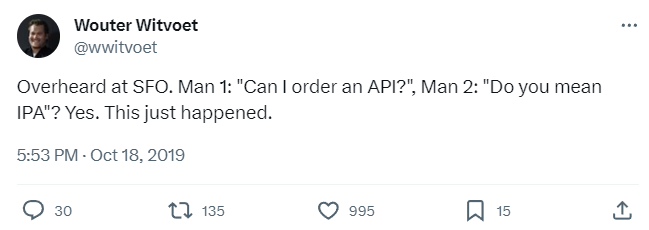
I couldn't fully fix it because APIs are forever (Josh Bloch).
We had to add a property OriginAtCenter, which defaults to false in old programs and to true going forward.
Users will be right to wonder why on earth the origin would ever be anywhere but the center.
Answer: Back in 2009, one programmer was lazy and didn't create the obvious API.
What is the Moral of the Story?

Some Morals
Put some thought into design and implementation.
Try programming to the API before implementing/freezing it.
Do what's best for the users, not the programmer.
Meta-Morals
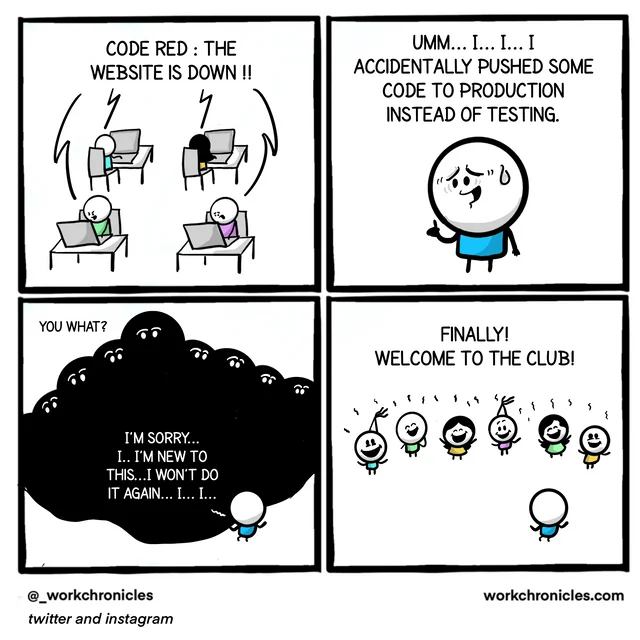
Programmers make mistakes every day, big and little.
Follow processes to minimize mistakes.
Learn to recognize and laugh about your mistakes.
Further Reading
- My Most Embarrassing Mistakes as a Programmer (so far) by Ellen Spertus
- Bumper-Sticker API Design by Joshua Bloch
Bonus Slide