Assignment 5: Interactive CLI
Overview
Changelog:
- 3/16/2026: When displaying a recipe with no servings information, use the phrase "No Servings" (applies to
show,recipeslisting,cookmode header). - 3/16/2026: Added Windows hint: use
WindowsPathAwareParserso backslashes in paths (e.g.,import json) work correctly. See jline/jline3#1238.
In this assignment, you'll build an interactive command-line interface (CLI) for CookYourBooks — a command-oriented terminal application that lets users manage their recipe library, import recipes, scale and convert ingredients, generate shopping lists, and follow recipes step-by-step while cooking.
The CLI is your first driving adapter in the hexagonal architecture — an adapter that drives the application by calling into your service layer on behalf of a user (as opposed to driven adapters like repositories, which the application calls out to). But here's the twist: you won't use the RecipeService from A4. Instead, you'll design your own service layer — one that's actually well-suited for multiple user interfaces. In A4, we told you RecipeService was not ideal design. Now you get to prove you understand why by building something better.
Your assignment has two parts:
- Design and implement CLI-oriented services that coordinate the domain model and repositories for what your CLI needs
- Build an interactive CLI on top of those services — with command parsing, tab completion, and an interactive cooking mode
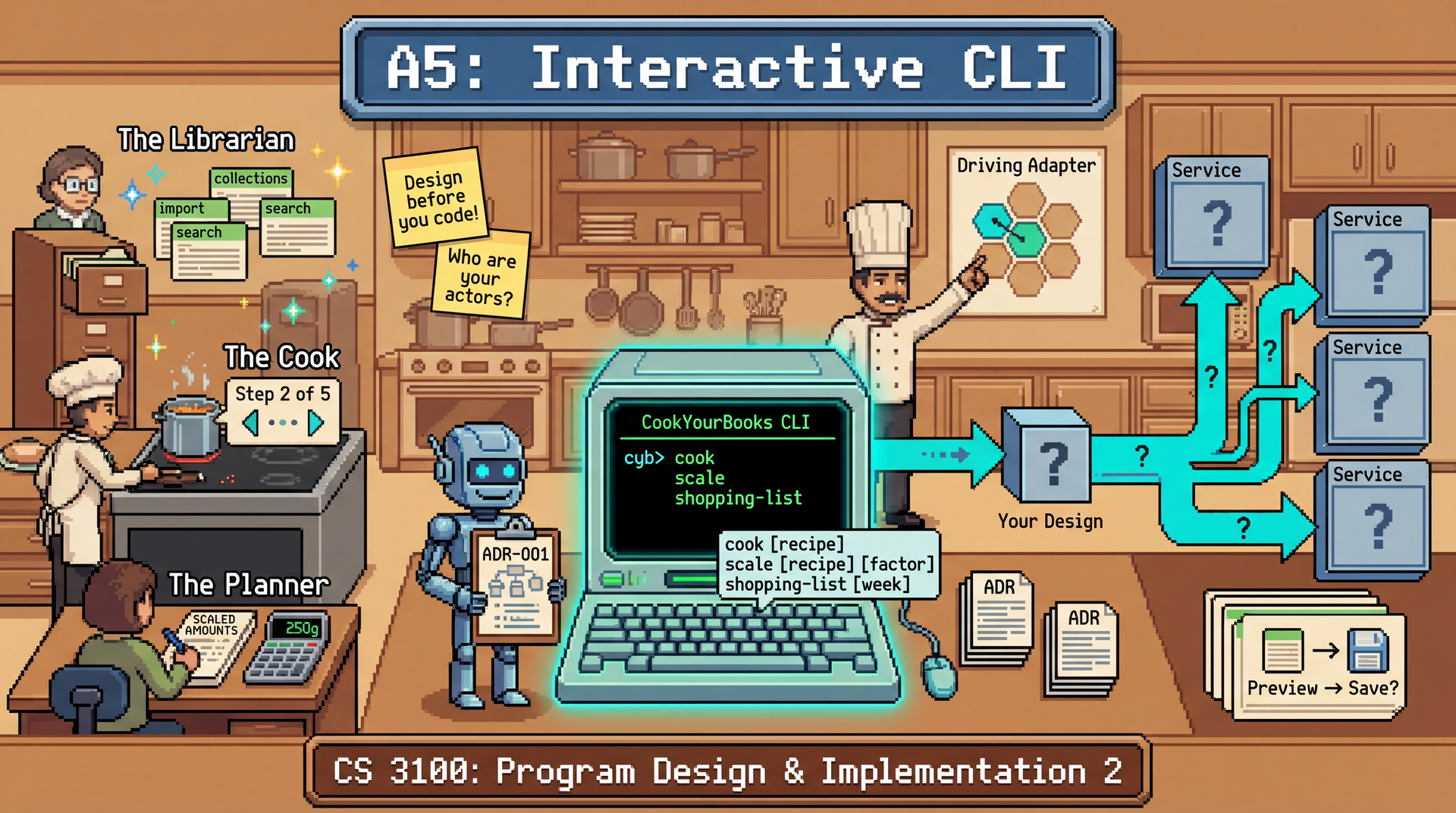
This is a design-heavy assignment. We provide the commands your CLI must support at a high level, and we provide explicit guidance on service boundaries through the actor heuristic and other boundary heuristics from L18: Thinking Architecturally. But how you decompose the service layer — which specific methods each service exposes, how they coordinate, and where you draw the lines — requires you to apply those heuristics thoughtfully. You'll document your decisions using Architecture Decision Records (ADRs) from L18 — see the ADR section and sample in L18; your ADRs can be just as short as that example.
This assignment shifts emphasis from automated correctness testing to design quality. Unlike previous assignments:
- We provide the majority of the test suite with the handout. You can run tests locally to verify functionality.
- Design documentation is worth 50% of your grade. ADRs and reflection questions are worth 50 points total.
- Manual grading can deduct up to 30 points from your implementation score for poor design, architecture, or code quality issues.
- We encourage the use of AI coding assistants to implement your design. The key learning objectives are to apply architectural thinking. Spend more time thinking about your design, and rely on AI to help you implement it.
The goal is to demonstrate that you can apply the architectural thinking from lectures — not just make tests pass. A submission that passes all tests but demonstrates poor service decomposition, tight coupling, or no separation of concerns will receive substantial deductions.
Due: Thursday, March 19, 2026 at 11:59 PM Boston Time
Early Bird Bonus: +10 points for completing the Library Commands by Friday, March 13 at 11:59 PM EDT. See Grading Rubric for details.
Prerequisites: This assignment builds on the A4 sample implementation (provided). You should be familiar with RecipeRepository, RecipeCollectionRepository, ConversionRegistry, and the domain model. You should also understand why the A4 RecipeService interface was problematic — that understanding drives your service design in this assignment.
At a Glance
What you'll build: A CLI-oriented service layer (your design) and an interactive CLI with command parsing, collection browsing, recipe management, a shopping list generator, and an interactive cooking mode.
The main challenge: Designing services that serve your CLI's needs and will be reusable for a GUI in Group Deliverable 1 (unlike the A4 RecipeService, which was a facade — a single interface bundling too many responsibilities), applying the four service boundary heuristics from L18, and documenting your decisions in ADRs.
What you'll test: End-to-end CLI behavior using JLine's dumb terminal mode. The provided test suite covers all required functionality.
How you'll be graded: 50 pts implementation (38 automated + 12 manual formatting review), 50 pts design documentation and reflection (ADRs, reflection questions), minus up to 30 pts for design quality issues. Design quality is weighted equally with implementation. See Grading Rubric.
Learning Outcomes
By completing this assignment, you will demonstrate proficiency in:
- Applying service boundary heuristics — using the four heuristics from L18: Thinking Architecturally (rate of change, actor, interface segregation, testability) to decompose your service layer
- Writing Architecture Decision Records (ADRs) — documenting the why behind your service boundaries and design choices (L18 ADR section; ADRs can be just as short as the sample)
- Designing a UI-agnostic service layer — creating application services that can be consumed by multiple driving adapters (CLI now, GUI in Group Deliverable 1), informed by what you learned about bad service design in A4 and hexagonal architecture (L16: Testability, L19: Architectural Qualities)
- Building a driving adapter — implementing the CLI as a hexagonal driving adapter (it drives the application on behalf of the user) that consumes your services without leaking domain logic into the presentation layer; preparing for a second driving adapter (GUI) in the group project
- Designing a command architecture — creating an extensible system for dispatching, parsing, and executing commands
- End-to-end testing with JLine — understanding how integration tests use dumb terminal mode to verify CLI behavior
- Interactive UX for terminals — building rich interactions including step-by-step cooking mode, tab completion, and contextual help
AI Policy for This Assignment
AI coding assistants continue to be encouraged. This assignment offers a variety of AI collaboration opportunities. You must document your AI usage in the Reflection section.
One valuable use of AI is visualizing your own ideas to help you think through them. Instead of asking "How should I design my service layer?", try:
"I'm thinking of having three services: a LibrarianService that manages the recipe library (browsing, importing, collections), a PlannerService for shopping lists, scaling, and conversion, and a CookingSessionService that manages state during cook mode. Generate a Mermaid diagram showing these services and their dependencies on the repositories."
Seeing your ideas as a diagram helps you spot issues: Does this service have too many responsibilities? Are there circular dependencies? Does this boundary align with the rate-of-change heuristic? Use this to think through your design, and as you evaluate the artifacts, ask the AI chat agent to refine the design until you are satisfied
The key difference: You're asking AI to visualize YOUR design and expand it into a diagram (and perhaps into code), not to design FOR you. The thinking is still yours; AI is just helping you externalize it.
AI tools can generate plausible-looking ADRs and service decompositions, but they often miss the nuances of your specific context. If your ADRs read like generic templates without specific references to your code and the L18 heuristics, graders will notice.
The design decisions are yours to make. AI can help implement them, but the architectural thinking is the learning outcome.
You are encouraged to use AI to implement your design. As-per our 6-step AI workflow, the most effective way to use AI is to:
- Identify the task you need to complete
- Engage the AI with a prompt that describes the task
- Evaluate the output of the AI
- Calibrate the AI to your desired outcomes
- Tweak the output of the AI to your desired outcomes
- Finalize the output of the AI
The ADRs and design documentation that you must generate for this assignment are great inputs to provide to an AI coding assistant to help you implement it in code. Use the "Plan" mode in your Copilot or Cursor chat to generate an implementation plan from your design. Review it and refine it with the chat agent. Once you are satisfied with the plan, use the "Build" mode to generate the code from the plan.
An ideal design might require you to create dozens of new classes. While you certainly can do this by hand, our expectation is that you spend most of your time focusing on the design, and learn to leverage AI to help you implement it quickly.
Your reflection answers in REFLECTION.md must be written by you. Do not use AI to draft, expand, or paraphrase your reflection responses. The reflection questions are for you to think through your design process and document your own insights; using AI undermines that learning. Graders expect your voice and your specific references to your code and decisions.
Do not manually select expensive AI models (like Claude Opus, GPT-5, or other premium models) for coursework in this class. Always use "Auto" mode in Copilot or Cursor.
Good design requires iteration. You'll make better architectural decisions if you have time to sketch ideas, sleep on them, get feedback in office hours, and refine before implementing. Students who start early can explore multiple service decompositions before committing.
Early Bird Bonus (+10 points): Get the full Librarian suite passing by Friday, March 13 at 11:59 PM EDT and earn +10 bonus points — that means passing all tests in GeneralCommandTests and LibraryCommandTests (the Library Commands rubric section), including all of the help feature (list help and per-command help). The bonus is added to the numerator of your final score after all other adjustments (i.e., your final score can be up to 110/100). This milestone covers exactly those commands: help, collections, collection create, recipes, conversions, conversion add, and conversion remove. Getting here early means you've designed and implemented your Librarian service and can focus the remaining time on Cook mode, Planner tools, and polishing your ADRs.
Submission limits: You can submit up to 15 times per rolling 24-hour period. Use these submissions throughout the assignment — each one gives you feedback on what's working and what needs fixing.
Technical Specifications
Command Summary
Your CLI must support these commands. Click any command for detailed documentation.
| Category | Command | Description |
|---|---|---|
| Library | collections | List all recipe collections |
collection create <name> | Create a new personal collection | |
recipes <collection> | List recipes in a collection | |
conversions | List all house conversion rules | |
conversion add | Add a house conversion rule (interactive) | |
conversion remove <rule> | Remove a house conversion rule | |
| Recipe | show <recipe> | Display a recipe's details |
search <ingredient> | Find recipes containing an ingredient | |
import json <file> <coll> | Import recipe from JSON file | |
delete <recipe> | Delete a recipe | |
| Tools | scale <recipe> <servings> | Scale recipe to target servings |
convert <recipe> <unit> | Convert recipe to different units | |
shopping-list <r1> [r2] ... | Generate shopping list from recipes | |
cook <recipe> | Step-by-step cooking mode | |
export <recipe> <file> | Export recipe to Markdown | |
| General | help [command] | Show help (or help for a specific command) |
quit / exit | Exit the application |
Data Persistence
The provided CybLibrary class handles all data persistence automatically, storing everything in a JSON file named cyb-library.json in the current working directory:
- On startup: If the file exists,
CybLibrary.load()loads all collections, recipes, and house conversion rules. If the file doesn't exist, it starts with an empty library (no error). - On changes:
CybLibraryautomatically persists all changes — every mutation (recipe import/delete, collection changes, conversion rule changes) is written to the file immediately. You do not need to call save explicitly. If the save fails, log the error using SLF4J atERRORlevel with the message"Failed to save library: {}"(passing the exception as the final argument so the stack trace is captured), and print a warning to the terminal:Warning: Failed to save changes to cyb-library.json: <error message>. Your changes may be lost.
File contents include:
- All recipe collections (with their type: personal, cookbook, or web)
- All recipes
- All house conversion rules
This design keeps the CLI simple while ensuring data isn't lost. Users don't need to remember to save — the library is always up to date. The single-file approach also makes backups trivial (just copy the file).
Designing Your Service Layer
You must design and implement your own application service(s) for the CLI. You are expected to use the domain classes as they are in the handout, and may make use of any of the other code in the handout.
Your design challenge: Look at the CLI commands below and determine what service capabilities you need. We provide explicit signposts — actors (from the L18 actor heuristic) and the other L18 boundary heuristics — to guide your decomposition, but figuring out how to apply them to create well-bounded services is the core learning outcome.
Actors: Who Uses CookYourBooks?
Recall from L18: Thinking Architecturally that the actor heuristic says: different actors — people who use the system in different ways and whose needs change independently — should be served by different service boundaries. In the Pawtograder example, we saw how the Student, Instructor, Sysadmin, and Intrepid Instructor each "owned" a different slice of the system.
CookYourBooks serves three distinct actors, each representing a different way people interact with recipe software:
| Actor | Goals | Key Commands |
|---|---|---|
| The Librarian | Organizes and curates their recipe collection. Imports new recipes from JSON files, creates collections, searches for recipes, manages house conversion rules. | collections, collection create, recipes, conversions, conversion add/remove, import json, search, delete |
| The Cook | Follows recipes step-by-step while cooking. Needs hands-free navigation, clear ingredient lists. | cook, show* |
| The Planner | Plans meals and shopping trips. Aggregates ingredients across multiple recipes, generates shopping lists, scales and converts recipes, exports recipes to share. | shopping-list, scale, convert, export |
The Transformer (scaling and unit conversion) is a shared capability — it primarily serves the Planner today (scaling for different group sizes, converting units for shopping), but the Cook or Librarian could benefit from it in the future (e.g., displaying a recipe in metric while cooking, or converting units on import). Extracting it into its own service boundary keeps this logic reusable and testable independent of any single actor.
* show is useful to all three actors (a Librarian browses recipes, a Cook previews before entering cook mode, a Planner checks ingredients before scaling). It appears in the Cook column because it directly supports the cook workflow, but your recipe lookup capability should be accessible across service boundaries.
Your architecture should support cohesive feature sets for each actor that can evolve together. This matters for your group project: your four-member team will divide the GUI work by actor — one teammate builds the Cook's step-by-step interface, another builds the Librarian's collection management views, etc. If your service boundaries align with actors, teammates can work in parallel without stepping on each other's code. This is Conway's Law in action — the structure of your code mirrors the structure of your team. A change to how the Cook experiences step navigation shouldn't require touching the Librarian's import logic.
Your service layer must have separate services aligned with the three actors, plus a separate Transformer capability (scaling and conversion) that can be shared across actors. This is not optional — it's the core design constraint of the assignment, and a direct application of the L18 actor heuristic.
A monolithic "CookYourBooksService" that handles all functionality in one class will receive significant design quality deductions, regardless of how well it's documented in ADRs. The architectural learning outcome is practicing decomposition along actor boundaries.
Applying the L18 Heuristics
Apply the four service boundary heuristics from L18:
-
Rate of Change — Things that change at different speeds should be separate. In CLI applications, UI formatting typically changes fastest — how recipes are displayed, how comparisons are rendered, what hints appear in interactive modes. Domain operations (scaling math, aggregation logic) change less frequently. Infrastructure (persistence, parsing) changes rarely.
-
Actor — Different actors should inform different service boundaries (just as we saw in L18 where the Student, Instructor, and Sysadmin each got their own slice of Pawtograder). The Librarian's workflows (managing recipes and collections, searching, organizing) have different stability characteristics than the Cook's workflows (step-by-step navigation, session state).
-
Interface Segregation — Each part of your CLI should depend only on the service capabilities it actually needs. For example, the code that implements
cookmode needs recipe lookup — it doesn't need import or shopping list generation. The code that implementsshopping-listneeds ingredient aggregation and recipe lookup — it doesn't need cook mode session state. Avoid fat service interfaces that force callers to depend on methods they don't use. -
Testability — Things that need independent testing should be separable. Can you test your scaling logic without involving file I/O? Can you test your command dispatcher without a real terminal? Pure transformation logic (scaling, conversion) should be testable with just domain objects. Formatting logic should be testable with sample data and string assertions.
JLine: Rich Terminal Interaction
Your CLI must use JLine 3 for terminal interaction. JLine provides:
- Line editing — arrow keys, backspace, home/end, etc.
- Command history — up/down arrows to recall previous commands
- Tab completion — auto-complete command names, collection names, recipe titles
- Styled output — colors and formatting for readable output
How CLI Input Parsing Works
When a user types a command like show "Chocolate Chip Cookies" and presses Enter, JLine gives you the entire line as a single String. Your CLI is responsible for tokenizing that string — splitting it into a command name and its arguments. This is the same problem that every shell (bash, zsh, PowerShell) has to solve.
The fundamental challenge is that spaces are used both to separate arguments and within argument values. Consider:
shopping-list Classic Pancakes Chocolate Chip Cookies
Is Classic one argument and Pancakes another? Or is Classic Pancakes a single recipe name? The CLI has no way to tell. This is why shells use quoting to group words into a single argument:
shopping-list "Classic Pancakes" "Chocolate Chip Cookies"
With quoting, the tokenization is unambiguous:
| Token # | Value |
|---|---|
| 0 | shopping-list |
| 1 | Classic Pancakes |
| 2 | Chocolate Chip Cookies |
Your CLI must support quoted arguments. JLine's readLine() returns the raw input as a single String, but you don't need to write your own tokenizer — JLine's DefaultParser handles quote-aware tokenization for you. Configure the LineReader with a DefaultParser, and you can retrieve pre-tokenized arguments from the ParsedLine:
DefaultParser parser = new DefaultParser();
LineReader reader = LineReaderBuilder.builder()
    .terminal(terminal)
    .completer(yourCompleter)
    .parser(parser)
    .build();
With this configuration, you can retrieve the parsed tokens from the ParsedLine:
while (true) {
    String line = reader.readLine("cyb> ");
    ParsedLine parsed = reader.getParsedLine();
    List<String> words = parsed.words();  // ["shopping-list", "Classic Pancakes", "Chocolate Chip Cookies"]
    String command = words.get(0);        // "shopping-list"
    // Dispatch based on command...
}
Quotes are only needed when an argument contains spaces. These are equivalent:
show "Pancakes"
show Pancakes
But this requires quotes because the recipe name has a space:
show "Chocolate Chip Cookies"
Minimal JLine Setup
JLine is already included as a dependency in the provided starter code. Here's a minimal setup:
Terminal terminal = TerminalBuilder.builder().system(true).build();
DefaultParser parser = new DefaultParser();
LineReader reader = LineReaderBuilder.builder()
    .terminal(terminal)
    .parser(parser)
    .completer(yourCompleter)  // Tab completion
    .build();

while (true) {
    String line = reader.readLine("cyb> ");
    ParsedLine parsed = reader.getParsedLine();
    List<String> words = parsed.words();
    // Dispatch based on words...
}
- JLine Wiki — comprehensive documentation
- The provided starter includes a
JLineExample.javayou can run to see basic JLine features in action - AI assistants are very good at helping with JLine configuration — this is a great use case for Copilot
JLine's DefaultParser treats backslash (\) as an escape character. On Windows, paths like C:\Users\recipes\pie.json get mangled — backslashes are stripped and path segments merge (see jline/jline3#1238). To fix this, use a custom parser that does not treat backslash as an escape:
public class WindowsPathAwareParser extends DefaultParser {
    @Override
    public boolean isEscapeChar(char ch) {
        // Don't treat backslash as an escape character
        return false;
    }
}
Then configure your LineReader with it:
LineReader reader = LineReaderBuilder.builder()
    .parser(new WindowsPathAwareParser())
    .terminal(terminal)
    .completer(yourCompleter)
    .build();
Application Wiring
The provided starter includes a CookYourBooksApp main class that creates the repositories and conversion registry. You are responsible for wiring your own services and launching the CLI. Modify the main method to construct your services and pass them to your CLI:
public class CookYourBooksApp {
    public static void main(String[] args) {
        // Infrastructure (provided) — single-file persistence
        Path libraryPath = Path.of("cyb-library.json");
        CybLibrary library = CybLibrary.load(libraryPath); // loads or creates empty

        // Repositories and registries backed by the unified library
        RecipeRepository recipeRepo = library.getRecipeRepository();
        RecipeCollectionRepository collRepo = library.getCollectionRepository();
        ConversionRegistry conversionRegistry = library.getConversionRegistry();

        // YOUR services — design and wire these yourself
        // Your services should align with the three actors (L18 actor heuristic):
        // - Librarian: collection/recipe management, import, search
        // - Cook: step-by-step navigation, session state
        // - Planner: shopping lists, export
        // Plus a shared Transformer capability (scaling + conversion)

        // Launch CLI (you implement this)
        CookYourBooksCli cli = new CookYourBooksCli(/* your services */);
        cli.run();
    }
}
Build and Run
Compile and run the CLI:
# Build the project
./gradlew build

# Run the application (interactive)
java -jar build/libs/cookyourbooks-all.jar
Run from VS Code:
The project includes a launch configuration that runs the CLI in VS Code's integrated terminal, so tab completion and line editing work correctly.
- Open the Run and Debug view (sidebar or
Cmd+Shift+D/Ctrl+Shift+D) - Select "Run CookYourBooks CLI (Interactive)"
- Press the green play button, or use
F5(debug) /Ctrl+F5(run without debug)
The app runs in the integrated terminal with full interactive support.
Command Reference
Your CLI must support the following commands. Each command has a required syntax, behavior, and output format. Where output format is specified, your CLI must match it closely enough for automated testing (exact whitespace is not tested, but structure and content are). Decorative formatting like box-drawing characters (═══, ───) and bullet styles (•) does not need to match exactly — the tests check for content keywords, not visual decoration.
help — Contextual Help
cyb> help
Displays a list of all available commands with brief descriptions. When given a command name, shows detailed help for that command including syntax, arguments, and examples.
cyb> help scale
Requirements:
helpwith no arguments lists all commands grouped by category (Library, Recipe, Tools, General) as shown in the Example Sessionhelp <command>shows detailed usage for a specific command. The<command>argument is the top-level command word only (e.g.,help scale,help collection,help import) — you do not need to handle multi-word subcommand lookups likehelp collection create.- Unknown command names produce a helpful message:
Unknown command: '<name>'. Type 'help' for a list of commands.
collections — List Collections
cyb> collections
Lists all recipe collections (cookbooks, personal collections, web collections) from the RecipeCollectionRepository. Display each collection's title, source type, and recipe count.
Example output:
Collections:
  1. Holiday Favorites        [Personal]   12 recipes
  2. Joy of Cooking           [Cookbook]     8 recipes
  3. Budget Bytes             [Web]         5 recipes
collection create <name> — Create a Personal Collection
cyb> collection create "Holiday Favorites"
Creates a new personal collection with the given title and saves it to the repository.
On success: Created personal collection 'Holiday Favorites'.
Error handling:
- Blank or empty name: Display a helpful message
recipes <collection> — List Recipes in a Collection
cyb> recipes "Joy of Cooking"
Lists all recipes in the specified collection. Collection can be identified by title (case-insensitive). If the title contains spaces, it must be quoted.
Example output:
Joy of Cooking (8 recipes):
  1. Chocolate Chip Cookies          Serves 24 cookies
  2. Classic Pancakes                Serves 4
  3. Beef Stew                       Serves 6
  ...
Error handling:
- Collection not found:
Collection not found: 'Unknown Collection'. Use 'collections' to see available collections.
conversions — List House Conversions
cyb> conversions
Lists all house conversion rules that have been defined. House conversions are custom unit equivalences for your kitchen (e.g., how much a "stick" of butter weighs, or how many grams are in your "cup" of flour).
Example output:
House Conversions (3 rules):
  1. 1 stick butter = 113 g
  2. 1 cup flour = 120 g
  3. 1 cup sugar = 200 g
If no house conversions are defined:
No house conversions defined. Use 'conversion add' to add one.
conversion add — Add a House Conversion
cyb> conversion add
Interactively prompts the user to define a new house conversion rule.
Example interaction:
cyb> conversion add
Add House Conversion
From amount: 1
From unit: stick
Ingredient (or 'any'): butter
To amount: 113
To unit: g

Added: 1 stick butter = 113 g
The Ingredient field allows conversions to be ingredient-specific (e.g., 1 cup flour vs 1 cup sugar weigh differently). Use any for universal conversions (applies to any ingredient).
Conversion rule identifiers: Each conversion rule has a unique identifier formed by {from-unit} {ingredient} (e.g., stick butter, cup flour). For universal conversions, the identifier is just {from-unit} any (e.g., tbsp any).
Error handling:
- Invalid numbers:
Invalid amount. Please enter a number. - Duplicate rule:
A conversion for 'stick butter' already exists. Remove it first to replace.
conversion remove <rule> — Remove a House Conversion
cyb> conversion remove "stick butter"
Removes a house conversion rule by its identifier.
On success:
Removed conversion: 1 stick butter = 113 g
Examples:
conversion remove "stick butter"— removes the ingredient-specific rule for stick of butterconversion remove "tbsp any"— removes a universal tablespoon conversion
Error handling:
- Rule not found:
No conversion found for 'stick butter'. Use 'conversions' to see existing rules.
show <recipe> — Display a Recipe
cyb> show "Chocolate Chip Cookies"
Displays the full recipe details: title, servings, all ingredients with quantities, and all instructions. Recipe is looked up by short ID or title (case-insensitive) across all collections in the repository. See ambiguous match format for lookup details.
Example output:
═══════════════════════════════════════
  Chocolate Chip Cookies
  Serves 24 cookies
═══════════════════════════════════════

Ingredients:
  • 2 cups flour
  • 1 cup sugar
  • 1/2 cup butter, softened
  • 2 eggs
  • 1 tsp vanilla extract
  • chocolate chips to taste

Instructions:
  1. Preheat oven to 350°F
  2. Mix dry ingredients
  3. Cream butter and sugar
  4. Combine and fold in chocolate chips
  5. Bake for 12 minutes
Requirements:
- When a recipe has no servings information, display
No Servingsin place of the servings line (e.g., where "Serves 24 cookies" would otherwise appear). This applies wherever recipe servings are shown:show,recipeslisting,cookmode header, etc.
Error handling:
- Recipe not found:
Recipe not found: 'Unknown Recipe'. Use 'search' to find recipes by ingredient. - Multiple matches: Display using the standard ambiguous match format
search <ingredient> — Search Recipes by Ingredient
cyb> search chicken
Finds all recipes containing the specified ingredient (case-insensitive substring matching). Displays matching recipe titles with their collection membership. Your service layer should provide this search capability.
Example output:
Recipes containing 'chicken':
  1. Chicken Tikka Masala         (Joy of Cooking)
  2. Grilled Chicken Salad        (Holiday Favorites)
  3. Chicken Noodle Soup          (Budget Bytes)

Found 3 recipes.
When no results: No recipes found containing 'artichoke'.
import json <file> <collection> — Import Recipe from JSON
cyb> import json /path/to/recipe.json "Holiday Favorites"
Imports a recipe from a JSON file and adds it to the specified collection. Your service layer should handle JSON deserialization, saving the recipe, and updating the collection. The JSON format is the same format used in A4 + A5 (the handout provides the deserializer).
On success: Displays a confirmation with the imported recipe's title.
Imported 'Grandma's Apple Pie' into 'Holiday Favorites'.
Error handling:
- File not found or unreadable: Display the error message from
ImportException - Collection not found: Display a helpful message suggesting
collectionscommand - Parse/format errors: Display the error message from the exception
delete <recipe> — Delete a Recipe
cyb> delete "Chocolate Chip Cookies"
Deletes the specified recipe from the repository and removes it from all collections that contain it.
Confirmation required: Delete recipe 'Chocolate Chip Cookies'? (y/n):
On success: Deleted recipe 'Chocolate Chip Cookies'.
Error handling:
- Recipe not found:
Recipe not found: 'Unknown Recipe'. Use 'search' to find recipes by ingredient. - Multiple matches: Display using the standard ambiguous match format
scale <recipe> <servings> — Scale a Recipe
cyb> scale "Chocolate Chip Cookies" 48
Scales the specified recipe to the target serving size. Displays a side-by-side comparison of original and scaled quantities, then asks whether to save.
Example interaction:
cyb> scale "Chocolate Chip Cookies" 48

Scaled 'Chocolate Chip Cookies' to 48 servings (2.0x):
  Ingredient                Original        Scaled
  ─────────────────────────────────────────────────
  flour                     2 cups       →  4 cups
  sugar                     1 cup        →  2 cups
  butter                    1/2 cup      →  1 cup
  eggs                      2            →  4
  vanilla extract           1 tsp        →  2 tsp
  chocolate chips           to taste        to taste

Save scaled recipe? (y/n): y
Saved scaled recipe 'Chocolate Chip Cookies (scaled to 48)'.
If the user declines to save:
Save scaled recipe? (y/n): n
Scaling discarded.
Requirements:
- Display side-by-side comparison of original and scaled ingredients
- VagueIngredients display unchanged (e.g., "to taste")
- Ask whether to save (y: persists the scaled recipe as a new recipe in some collection that contains the original recipe; n: discards). Which collection is used is implementation-defined and will not be tested.
- If the recipe has no servings information:
Cannot scale 'Recipe Name': no serving information available.
Error handling:
- Recipe not found:
Recipe not found: 'Unknown Recipe'. Use 'search' to find recipes. - Invalid servings:
Invalid servings. Please provide a positive number. - Multiple matches: Display using the standard ambiguous match format
convert <recipe> <unit> — Convert Recipe Units
cyb> convert "Beef Stew" gram
Converts all measured ingredients to the specified unit using the provided ConversionRegistry (which includes house conversion rules). Displays the converted recipe and asks whether to save as a new recipe in some collection that contains the original recipe. Which collection is used is implementation-defined and will not be tested. The conversion should happen through your service layer — the CLI sees the result and decides whether to persist it.
Example interaction:
cyb> convert "Beef Stew" gram

Converted 'Beef Stew' to GRAM:
  Ingredient                Original        Converted
  ───────────────────────────────────────────────────
  flour                     2 cups       →  240 g
  butter                    1/2 cup      →  113.5 g
  salt                      to taste        to taste

Save converted recipe? (y/n): y
Saved converted recipe 'Beef Stew (converted to GRAM)'.
Valid unit names: Any string accepted by Unit.parse(String s). This includes unit names like gram, cup, tsp, tbsp, oz, lb, ml, l, etc. Invalid unit names throw IllegalArgumentException.
Error handling:
- Recipe not found:
Recipe not found: 'Unknown Recipe'. Use 'search' to find recipes. - Invalid unit:
Unknown unit: 'foo'. Valid units include: gram, cup, tsp, tbsp, oz, lb, ml, l. - Unsupported conversion: Display the error from
UnsupportedConversionException— e.g.,Cannot convert 'eggs' (WHOLE) to GRAM: no conversion rule available. - Multiple matches: Display using the standard ambiguous match format
shopping-list <recipe1> [recipe2] ... — Generate Shopping List
cyb> shopping-list "Chocolate Chip Cookies" "Classic Pancakes"
Aggregates ingredients across the specified recipes into a shopping list. Recipes are looked up using the standard recipe lookup order (short ID prefix when argument length ≥ 3, otherwise title match; see ambiguous match format) — consistent with all other recipe commands. Your service layer should handle the lookup and aggregation.
Aggregation behavior: Use the same ingredient aggregation logic from A4 — ingredients with the same name and compatible units are combined; incompatible units (e.g., cups and grams of flour) are listed separately; vague ingredients are deduplicated by name.
Error handling:
- Any recipe argument not found:
Recipe not found: 'Unknown Recipe'. Use 'search' to find recipes by ingredient. - Any recipe argument with multiple matches: Display using the standard ambiguous match format. If any argument is ambiguous or not found, the entire command is aborted — no partial shopping list is generated.
Example output:
Shopping List (2 recipes):
═══════════════════════════
  Measured Items:
    • 5 cups flour
    • 2 cups sugar
    • 10 tbsp butter
    • 4 eggs
    • 2 tsp vanilla extract
    • 2 cups milk
    • 1 tsp baking powder

  Also needed:
    • salt
    • chocolate chips

Total: 7 measured items, 2 vague items
cook <recipe> — Interactive Cooking Mode
cyb> cook "Chocolate Chip Cookies"
Enters interactive cooking mode — a step-by-step walkthrough designed for use while actually cooking. This is the signature feature of your CLI. The mode shows one instruction at a time, with the relevant ingredients visible, and supports navigation.
Example interaction:
cyb> cook "Chocolate Chip Cookies"

══════════════════════════════════════════
  COOKING: Chocolate Chip Cookies
  Serves 24 cookies
══════════════════════════════════════════

Ingredients:
  • 2 cups flour              • 2 eggs
  • 1 cup sugar               • 1 tsp vanilla extract
  • 1/2 cup butter, softened  • chocolate chips to taste

──────────────────────────────────────────
  Step 1 of 5
──────────────────────────────────────────
  Preheat oven to 350°F

  (no ingredients used in this step)

[next] [prev] [ingredients] [quit]
cook> next

──────────────────────────────────────────
  Step 2 of 5
──────────────────────────────────────────
  Mix dry ingredients

  Uses: 2 cups flour, 1 cup sugar

[next] [prev] [ingredients] [quit]
cook> ingredients

Ingredients:
  • 2 cups flour
  • 1 cup sugar
  • 1/2 cup butter, softened
  • 2 eggs
  • 1 tsp vanilla extract
  • chocolate chips to taste

cook> next
...

──────────────────────────────────────────
  Step 5 of 5
──────────────────────────────────────────
  Bake for 12 minutes

  Uses: chocolate chips to taste

[next] [prev] [ingredients] [quit]
cook> next

  Finished cooking Chocolate Chip Cookies! Enjoy!
Cook mode commands:
| Command | Action |
|---|---|
next or n | Advance to the next step (on the last step, displays the completion message and exits cook mode) |
prev or p | Go back to the previous step |
ingredients or i | Show the full ingredient list |
quit or q | Exit cooking mode (returns to main prompt) |
Requirements:
- Display one instruction at a time with step number and total count
- Show the consumed ingredients for each step — the ingredients referenced by that step's
Instruction.ingredientRefs(with quantities when applicable). If a step has no ingredient refs, show a note such as "(no ingredients used in this step)" - Show the full ingredient list at the start and on demand via
ingredients - Pressing
nexton the last step displays a completion message and exits cook mode - Pressing
prevon the first step shows a message that you're already at the beginning - The prompt changes to
cook>to indicate cooking mode - Display available commands as hints at the bottom of each step (
[next] [prev] [ingredients] [quit])
export <recipe> <file> — Export Recipe to Markdown
cyb> export "Chocolate Chip Cookies" /path/to/cookies.md
Uses the provided MarkdownExporter to export a recipe to a Markdown file.
On success: Exported 'Chocolate Chip Cookies' to /path/to/cookies.md
Error handling:
- Recipe not found:
Recipe not found: 'Unknown Recipe'. Use 'search' to find recipes. - File I/O error: Display the error message from the exception
- Multiple matches: Display using the standard ambiguous match format
quit / exit — Exit the Application
cyb> quit
Goodbye!
Exits the application gracefully.
Tab Completion
Your CLI must provide tab completion for:
- Command names — typing
sc+ Tab should suggestscale;colshould suggestcollection,collections;shshould suggestshopping-list,show;coshould suggestconvert,cook,collection,collections - Recipe titles and short IDs — any command that takes a recipe parameter must offer tab completion for available recipe titles and short IDs (first 8 characters of the recipe's internal ID). This lets users tab-complete even when disambiguating by ID after an ambiguous match:
show <recipe>delete <recipe>scale <recipe>convert <recipe>cook <recipe>export <recipe>shopping-list <recipe1> [recipe2] ...(all recipe arguments)
- Collection names — any command that takes a collection parameter must offer tab completion for available collection titles:
recipes <collection>import json <file> <collection>(the collection argument, i.e. the fourth token)
- Unit names — after
convert <recipe>, Tab should suggest valid unit names (the names accepted byUnit.parse():gram,cup,tsp,tbsp,oz,lb,ml,l, etc.) - Conversion rule identifiers — after
conversion remove, Tab should suggest the identifiers of all currently defined house conversion rules (e.g.,stick butter,cup flour,tbsp any) - Cook mode commands — while in cook mode, Tab should suggest the available sub-commands:
next,prev,ingredients,quit
Use JLine's Completer interface to implement this. You may find a combination of the built-in completers to be helpful (e.g. AggregateCompleter, StringsCompleter).
Designing Your Completer Architecture
Tab completion requires thoughtful design. A giant if-else chain in a single completer class is the same anti-pattern as a giant switch in command dispatch — it violates the rate-of-change heuristic and makes the system brittle.
Tab completion involves distinct concerns with different rates of change:
| Concern | Question | Example |
|---|---|---|
| What arguments does a command need? | Which argument positions expect which types? | convert needs a recipe at position 1 and a unit at position 2 |
| What values are available? | Where do the actual recipe titles, unit names come from? | Recipe titles from the repository via services; unit names from Unit enum |
| How to format completions? | How are candidates presented? Quoted strings? | Names with spaces need quotes |
Apply the L18 heuristics to decide where each concern belongs. Which heuristic tells you who should own argument type declarations? Who should provide available values? Document your reasoning in the required tab completion ADR.
Error Handling
The exact error messages for each command are specified in the Command Reference above. The general principle: error messages must be actionable — tell the user what went wrong and what they can do about it.
Ambiguous Match Format
When a user-provided name matches multiple items (collections or recipes), display the matches and prompt the user to be more specific. Each recipe match includes a short ID — the first 8 characters of the recipe's internal ID — so the user can target a specific recipe even when titles are identical.
For recipes (different titles):
Multiple recipes match 'Cookies':
  1. Chocolate Chip Cookies  [ab3fc891]  (Holiday Favorites)
  2. Oatmeal Raisin Cookies  [7c2e04d6]  (Joy of Cooking)
  3. Sugar Cookies            [e19b33a0]  (Holiday Favorites)
Please specify the full recipe name, or use a short ID (e.g. 'show ab3fc891').
For recipes (duplicate titles across collections):
Multiple recipes match 'Chocolate Chip Cookies':
  1. Chocolate Chip Cookies  [ab3fc891]  (Holiday Favorites)
  2. Chocolate Chip Cookies  [d4f7a21c]  (Joy of Cooking)
Please specify a short ID (e.g. 'show ab3fc891').
For collections:
Multiple collections match 'Favorites':
  1. Holiday Favorites            [Personal]
  2. Family Favorites             [Cookbook]
Please specify the full collection name.
The command is not re-prompted — the user must re-enter the entire command with a more specific name or short ID. This keeps the CLI stateless and simplifies testing.
Recipe lookup order: Any command that accepts a <recipe> argument must use the following rule. If the argument has fewer than 3 characters, skip ID-prefix lookup and match by title only (case-insensitive substring). If the argument has 3 or more characters, first try to match as a short ID prefix (case-insensitive); if no ID match is found, fall back to title matching (case-insensitive substring). So show ab3fc891 targets a recipe by ID, show "Chocolate Chip Cookies" by title, and short inputs like show a or show ab are treated as title search only (no single- or two-character ID prefix).
Design Requirements
This assignment emphasizes design quality. You have freedom in how you structure both your service layer and CLI code, but your design must demonstrate thoughtful application of the principles from L17-L19.
Design Documentation (Required)
You must submit design documentation that captures your architectural decisions. ADRs are graded positively as part of the Design Documentation section (20 points total).
Required: Architecture Decision Records (ADRs)
Create exactly 4 ADRs in a docs/adr/ folder. Each ADR documents a significant design decision using the format from L18's Architecture Decision Records section — your ADRs can be just as short as the sample there:
# ADR-001: [Title of Decision]

## Context
[What is the situation? What forces are at play?]

## Decision
[What did you decide to do?]

## Consequences
[What are the tradeoffs? List both positive and negative consequences.]
Required ADR topics (exactly 4 ADRs required):
- Service boundary decomposition — How did you decompose your service layer to align with the three actors (Librarian, Cook, Planner)? Which L18 heuristics drove your boundary decisions? How did you handle the Transformer as a shared capability?
- Transformation vs. persistence separation — How does your design handle "preview before save" workflows? How is this different from A4's
RecipeService? - Command architecture — How did you design your command dispatch system? What responsibilities does each component have? Which heuristics informed these assignments?
- Tab completion architecture — How did you design your completer? What concerns did you identify, and how did you assign responsibility for each? Which heuristics drove those assignments?
Service Layer Design
- Services depend only on port interfaces (
RecipeRepository,RecipeCollectionRepository,ConversionRegistry) — never on concrete adapter classes (L16) - Dependency injection — services receive their dependencies through constructors (L17)
- Separation of transformation from persistence — your design should enable "preview before save" workflows (this should be documented in an ADR)
- Immutability — transformations return new
Recipeobjects; don't mutate the original
Separation of Concerns
Think of your CLI as a layered system (L19: Architectural Qualities). Your code needs to handle three distinct responsibilities, and code for one responsibility should not mix in the concerns of another. How you name and organize these layers is up to you — what matters is that they stay separated:
- Application services (your service layer) coordinate domain operations (scaling, conversion, aggregation, search, persistence) — they do NOT contain formatting or I/O logic
- Presentation logic (the code that receives a user command and decides what to do) handles command parsing and dispatch — it does NOT contain domain logic like ingredient math or conversion calculations
- Formatting logic (the code that turns data into displayable output) handles recipe display, table formatting, error messages — it should be reusable across commands (e.g., the same recipe formatter is used by
show,cook, andscale)
The key rule: the CLI layer never performs domain logic — no ingredient parsing, no quantity arithmetic, no conversion math. If you're doing math or parsing in a command class, move it to a service.
Command Architecture
Design an extensible command system. Lab 9 will walk you through a hands-on example of a command dispatch pattern you can use as a starting point, but you're free to use any principled approach. What you must not do is put all commands in one giant switch or if-else statement — that's the same anti-pattern as a monolithic service, just at the CLI layer.
Testability
Your design should support testing without requiring a real terminal:
- The CLI should work with JLine's dumb terminal (
TYPE_DUMB) for testing - as provided in the handout - Service dependencies should be injected (not constructed internally)
Testing Requirements
We provide the majority of the test suite. The handout includes end-to-end tests that verify CLI command behavior. You can run these tests locally before submitting — no need to wait for the autograder.
End-to-End Testing with JLine Dumb Terminal
All CLI testing uses JLine's dumb terminal mode — no mocks. This approach tests your CLI as users will actually experience it:
class CookYourBooksCliTest {

    private Terminal terminal;
    private ByteArrayOutputStream output;
    private PipedInputStream pipedIn;
    private PipedOutputStream commandInput;

    @BeforeEach
    void setUp() throws Exception {
        output = new ByteArrayOutputStream();
        pipedIn = new PipedInputStream();
        commandInput = new PipedOutputStream(pipedIn);

        // Create a dumb terminal for testing — no escape sequences, no special handling
        terminal = TerminalBuilder.builder()
            .type(Terminal.TYPE_DUMB)
            .streams(pipedIn, output)
            .build();
    }

    @Test
    void collectionsCommand_listsAllCollections() throws Exception {
        // Arrange: set up test data in repositories
        setupTestCollections();

        // Act: send command to CLI
        sendCommand("collections\n");
        sendCommand("quit\n");
        runCli();

        // Assert: verify output
        String result = output.toString();
        assertThat(result).contains("Holiday Favorites");
        assertThat(result).contains("Joy of Cooking");
    }

    @Test
    void cookMode_navigatesThroughSteps() throws Exception {
        setupRecipeWithSteps("Pancakes", 4);

        sendCommands(
            "cook \"Pancakes\"\n",
            "next\n",
            "next\n",
            "prev\n",
            "quit\n",
            "quit\n"
        );
        runCli();

        String result = output.toString();
        assertThat(result).contains("Step 1 of 4");
        assertThat(result).contains("Step 2 of 4");
        assertThat(result).contains("Step 3 of 4");
        assertThat(result).contains("Step 2 of 4"); // After prev
    }

    private void sendCommand(String command) throws IOException {
        commandInput.write(command.getBytes());
        commandInput.flush();
    }

    private void sendCommands(String... commands) throws IOException {
        for (String cmd : commands) {
            sendCommand(cmd);
        }
    }
}
Unit testing CLIs with mocks is often a waste of time:
- You end up testing that your mock setup is correct, not that your CLI works
- Real terminal behavior (escape sequences, line editing, buffering) is hard to mock accurately
- Integration bugs slip through because the mocked layers never actually talk to each other
E2E tests with a dumb terminal are simpler and catch more bugs. The provided test suite uses this approach — study the examples.
Provided Test Suite
The handout includes tests for:
- Basic command execution (help, collections, recipes, show, search)
- Collection creation
- House conversion management (conversions, conversion add/remove)
- Recipe operations (import json, delete, scale, convert, export)
- Interactive cooking mode (navigation, ingredients)
- Shopping list generation
- Error handling and edge cases
Run the tests locally with ./gradlew test. Passing these tests is necessary but not sufficient — the manual grading evaluates your design quality independently. You do not need to write additional tests for this assignment — the provided suite covers all required functionality.
To compile and run the CLI, see Build and Run.
Example Session
Here's a complete example session showing the CLI in action:
$ java -jar build/libs/cookyourbooks-all.jar

Welcome to CookYourBooks! Type 'help' to get started.

cyb> help

CookYourBooks Commands:
  Library:
    collections                       List all recipe collections
    collection create <name>          Create a personal collection
    recipes <collection>              List recipes in a collection
    conversions                       List house conversion rules
    conversion add                    Add a house conversion rule
    conversion remove <rule>          Remove a house conversion rule

  Recipe:
    show <recipe>                     Display a recipe
    search <ingredient>               Find recipes by ingredient
    import json <file> <collection>   Import recipe from JSON file
    delete <recipe>                   Delete a recipe

  Tools:
    scale <recipe> <servings>         Scale a recipe
    convert <recipe> <unit>           Convert recipe units
    shopping-list <r1> [r2] ...       Generate aggregated shopping list
    cook <recipe>                     Step-by-step cooking mode
    export <recipe> <file>            Export recipe to Markdown

  General:
    help [command]                    Show help (or help for a specific command)
    quit / exit                       Exit CookYourBooks

cyb> collections

Collections:
  1. Holiday Favorites        [Personal]   12 recipes
  2. Joy of Cooking           [Cookbook]     8 recipes
  3. Budget Bytes             [Web]         5 recipes

cyb> recipes "Joy of Cooking"

Joy of Cooking (8 recipes):
  1. Chocolate Chip Cookies          Serves 24 cookies
  2. Classic Pancakes                Serves 4
  3. Beef Stew                       Serves 6
  ...

cyb> cook "Classic Pancakes"

══════════════════════════════════════════
  COOKING: Classic Pancakes
  Serves 4
══════════════════════════════════════════

Ingredients:
  • 1 1/2 cups flour           • 1 egg
  • 1 cup milk                 • 2 tbsp butter, melted
  • 1 tbsp sugar               • 1 tsp baking powder

──────────────────────────────────────────
  Step 1 of 4
──────────────────────────────────────────
  Whisk together flour, sugar, and baking powder in a large bowl.

  Uses: 1 1/2 cups flour, 1 tbsp sugar, 1 tsp baking powder

[next] [prev] [ingredients] [quit]
cook> next

──────────────────────────────────────────
  Step 2 of 4
──────────────────────────────────────────
  In a separate bowl, whisk egg, milk, and melted butter.

  Uses: 1 egg, 1 cup milk, 2 tbsp butter

[next] [prev] [ingredients] [quit]
cook> next

──────────────────────────────────────────
  Step 3 of 4
──────────────────────────────────────────
  Pour wet ingredients into dry and stir until just combined.
  Do not overmix.

  (no ingredients used in this step)

[next] [prev] [ingredients] [quit]
cook> next

──────────────────────────────────────────
  Step 4 of 4
──────────────────────────────────────────
  Cook on a griddle over medium heat until bubbles form,
  then flip. Cook until golden brown.

  (no ingredients used in this step)

[next] [prev] [ingredients] [quit]
cook> next

  Finished cooking Classic Pancakes! Enjoy!

cyb> shopping-list "Classic Pancakes" "Chocolate Chip Cookies"

Shopping List (2 recipes):
═══════════════════════════
  Measured Items:
    • 5 cups flour
    • 2 cups sugar
    • 10 tbsp butter
    • 4 eggs
    • 2 tsp vanilla extract
    • 2 cups milk
    • 1 tsp baking powder

  Also needed:
    • salt
    • chocolate chips

Total: 7 measured items, 2 vague items

cyb> quit
Goodbye!
Reflection
Do not use AI to write your reflection. Your answers must be your own; the reflection is for you to document your design thinking and process.
Update REFLECTION.md to address:
-
Applying Boundary Heuristics: Which of the four L18 heuristics (rate of change, actor, interface segregation, testability) most influenced your service layer design? Give a concrete example: describe a specific boundary you drew (or chose not to draw) and explain which heuristic(s) informed that decision. How did the three actors (Librarian, Cook, Planner) influence your thinking? If multiple heuristics pointed in different directions, how did you resolve the tension?
-
ADR Writing Experience: Reflect on writing your ADRs. Did documenting your decisions change how you thought about them? Was there a moment where writing the "Consequences" section made you reconsider a choice? How useful do you think ADRs would be on a team project vs. a solo assignment?
-
Transformation vs. Persistence: A4's
RecipeService.scaleRecipe()always saved. Your design needed to support "preview before save." Describe concretely how your service layer handles this differently. What methods exist? How does the CLI compose them? What would break if you tried to bolt this capability onto A4's interface? -
Cook Mode State Management: Interactive cooking mode tracks state (current step, original recipe). Where does this state live in your architecture — in the CLI controller, in a service, in a dedicated session object? What tradeoffs did you consider? The Cook actor has different needs than the Librarian — how did this influence where you placed cook mode state? Could the same state management approach work for a future "meal planning session" for the Planner actor?
-
E2E Testing Experience: This assignment used E2E tests with a dumb terminal instead of mocks. Compare this to A4's mock-based approach. Which bugs did E2E testing catch (or would catch) that mocks might miss? Were there situations where you wished you had finer-grained unit tests? What's your takeaway about when to use each approach?
-
AI Collaboration: Which parts of the CLI did AI help you build most effectively? Where did you need to think independently about design? Did AI help or hinder your architectural thinking — for example, did it suggest designs that violated the boundary heuristics, or did it help you apply them?
Quality Requirements
Your submission should demonstrate:
- Architectural Thinking: Service boundaries informed by the L18 heuristics and actor analysis (Librarian, Cook, Planner); ADRs that show you considered tradeoffs, not just picked the first option
- Service Design: Well-decomposed service layer that separates transformation from persistence; clear alignment with actor-driven workflows; UI-agnostic (ready for GUI reuse in Group Deliverable 1); a clear improvement over A4's
RecipeService - Correctness: All provided tests pass; cooking mode behaves correctly
- Separation of Concerns: Clean boundaries between services, controllers, and formatters; no domain logic in CLI layer; UI formatting separated from domain operations (rate of change heuristic)
- Testability: Design supports E2E testing with dumb terminal; piped input/output works correctly
- Code Quality: Clear naming; Javadoc on public classes; no dead code
Grading Rubric
Total: 100 points (50 implementation [38 automated + 12 manual grading] + 50 design documentation & reflection), minus design quality deductions (up to -30, floor of 0).
This rubric emphasizes design quality equally with implementation. Passing all tests is necessary but not sufficient — the manual review evaluates whether your design demonstrates the architectural thinking from L18-L19.
Automated Testing (38 points)
We provide the test suite. Run ./gradlew test locally to verify functionality before submitting.
Complete the Library Commands section below by Friday, March 13 at 11:59 PM EDT for a +10 point bonus. You must pass all tests in that section (27 tests total), including all of the help feature (list help and per-command help), to earn the bonus. This encourages you to get your CLI architecture and Librarian service working early.
Library Commands (15 points) — Required for Early Bird Bonus
| Component | Points |
|---|---|
help (list and per-command) | 3 |
collections (correct listing) | 3 |
collection create (correct behavior + error handling) | 3 |
conversions / conversion add / conversion remove | 3 |
recipes <collection> (correct listing + error handling) | 3 |
Remaining Commands (23 points)
| Component | Points |
|---|---|
Data persistence (cyb-library.json load/save) | 3 |
show <recipe> (correct display + error handling) | 2 |
search <ingredient> (correct results + no results) | 3 |
import json (success + error cases) | 3 |
delete <recipe> (remove from repo) | 3 |
scale (comparison display, save prompt, error cases) | 2 |
convert (display, save prompt, error cases) | 2 |
shopping-list (correct aggregation display) | 2 |
cook mode (navigation, ingredients, done/quit) | 2 |
export (correct Markdown output) | 1 |
Manual Demo Tests (12 points)
These tests exercise formatting and visual layout paths that keyword-based automated tests cannot fully verify. ManualDemoTest is provided in the handout — it is not something you write. It drives your CLI through three scripted workflows and writes the output to files that graders review manually.
To generate the output files: From your project root (where gradlew lives), run:
./gradlew test --tests "*ManualDemoTest"
This runs the provided ManualDemoTest class and writes three files into build/manual-demo-output/:
recipe-transform-demo.txtcook-mode-demo.txtlibrary-lists-demo.txt
The autograder will run these tests automatically and collect the output files - you do not need to submit them, and they should not be committed to your repository.
| Test | Output File | Points | Grading Criteria |
|---|---|---|---|
| Recipe Display & Transform | recipe-transform-demo.txt | 4 | Recipe box uses decorative borders (═══); ingredients use bullet points (•); scale/convert comparison tables show column headers, arrows (→), and correct alignment; vague ingredients display "to taste" |
| Cook Mode Walkthrough | cook-mode-demo.txt | 4 | Cook header shows "COOKING:" prefix with decorative border; ingredients display in two-column layout; each step shows separators (───), step counter "Step N of M", consumed ingredients with "Uses:" prefix or "(no ingredients)" message; hints bar shows all four commands |
| Library & Shopping List | library-lists-demo.txt | 4 | Collections list shows numbered items with [Personal]/[Cookbook]/[Web] badges and recipe counts; recipe listing shows servings; search results include collection names; ambiguous match shows short IDs in brackets and context-appropriate hint; shopping list separates measured/vague items with section headers and shows totals |
Manual Grading — Design Quality (up to -30 points)
Design quality deductions can significantly impact your score. A submission that passes all automated tests but demonstrates poor design can lose up to 30 points. The deductions below are cumulative. Deductions cannot reduce your score below 0 — they will not carry over to penalize the design documentation or reflection sections.
Service Layer Design (up to -15)
| Issue | Max Deduction | Description |
|---|---|---|
Just wrapping A4 RecipeService | -8 | Thin wrapper around RecipeService instead of a redesigned service layer |
| Bundled transformation + persistence | -6 | Service methods that always save results (same problem as A4) — no "preview before save" capability |
| No dependency injection | -4 | Services construct their own dependencies instead of receiving them |
| Tight coupling to adapters | -3 | Services depend on concrete classes (JsonRecipeRepository) instead of port interfaces |
| Monolithic service | -4 | All functionality in one class with no coherent decomposition rationale; no alignment with actors or rate-of-change boundaries |
CLI Architecture (up to -10)
| Issue | Max Deduction | Description |
|---|---|---|
| Giant switch/if-else dispatcher | -5 | All commands in one method instead of a principled command architecture |
| Domain logic in CLI layer | -5 | CLI code creates domain objects, does arithmetic, parses ingredients, etc. |
| No separation of formatting | -3 | Output formatting mixed into command logic instead of dedicated formatters/views |
| Copy-paste code | -3 | Same formatting or error handling logic duplicated across commands |
Code Quality (up to -5)
| Issue | Max Deduction | Description |
|---|---|---|
| Poor error messages | -2 | Generic errors without actionable guidance |
| Missing Javadoc | -2 | Public classes and methods lack documentation |
| Poor naming/style | -1 | Unclear variable names; inconsistent formatting |
Reflection (50 points)
Design Documentation (30 points)
Your ADRs are graded positively for quality and depth of architectural thinking:
| Criterion | Points | Description |
|---|---|---|
| ADR Coverage | 8 | Exactly 4 ADRs covering service boundaries, transformation/persistence separation, command architecture, and tab completion |
| Heuristic application | 10 | ADRs explicitly reference and apply the L18 heuristics (rate of change, actor, ISP, testability) to justify decisions |
| Tradeoff analysis | 8 | "Consequences" sections thoughtfully discuss both benefits and drawbacks of each decision |
| Concern identification | 2 | ADRs clearly identify the relevant concerns at stake for each decision |
| ADRs match implementation | 2 | What's documented reflects what was actually built |
Reflection Questions (20 points)
See Reflection for the 6 questions. Answers should demonstrate genuine reflection on your design process, not just describe what you built.
Submission
Submit via Pawtograder.
Required submission structure:
├── docs/
│   └── adr/
│       ├── ADR-001-service-boundaries.md
│       ├── ADR-002-transformation-persistence.md
│       ├── ADR-003-command-architecture.md
│       └── ADR-004-tab-completion.md
├── src/
│   ├── main/java/app/cookyourbooks/...
│   └── test/java/app/cookyourbooks/...  (provided — do not modify)
└── REFLECTION.md
Submission limits: You can submit up to 15 times per rolling 24-hour period.
Ensure ./gradlew build and ./gradlew test succeed before submitting. The autograder runs the provided tests plus additional verification.