Group Assignment 0: Design Sprint
Overview
With your Team Charter established, it's time to design your group project. In this Design Sprint, your team will apply User-Centered Design principles to create the design artifacts that will guide your implementation in GA1 and GA2.
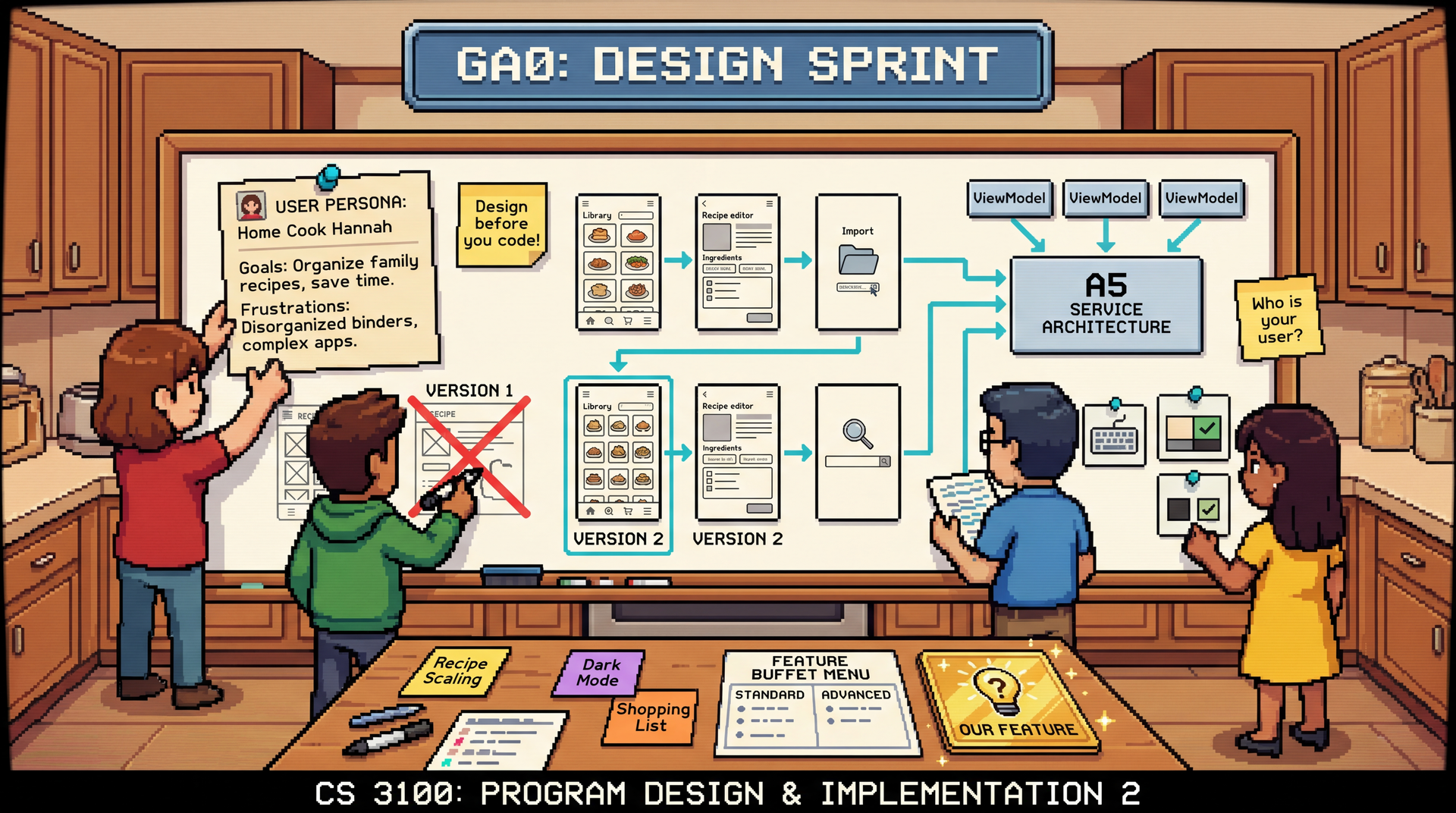
Each team member will create personas, wireframes, and accessibility considerations for their assigned core feature. You'll also select your Feature Buffet items for GA2 and design "Our Feature"—a custom feature concept that you'll include (but not implement) in your final report.
This is your first team assignment. Your team repository is on GitHub — clone it and start working. Each team member must author at least one pull request for this assignment. You don't need a strict branching workflow yet (that comes in GA1), but practice creating branches and opening PRs now. Read the Git Workflow for Team Projects guide before your first TA mentor meeting.
When you begin implementation in GA1, you will receive a codebase handout that includes the solution to HW5 (the service layer) as well as a basic integration with the Gemini API for recipe OCR parsing (extracting recipe text from images). You do not need to build these from scratch—your job in GA1 and GA2 is to design and build the GUI and additional features on top of this foundation.
Think back to Hexagonal Architecture — your HW5 services are the application core, and the GUI you're about to build is an external system that needs an adapter to talk to them. A ViewModel is exactly that adapter: it holds the state that the View displays and translates user actions into calls to your services. The View (what the user sees and clicks) depends on the ViewModel, and the ViewModel depends on your services — just like adapters depend on ports. You don't need to know the implementation details yet — we'll cover this in L29: GUIs Part 1. For this design sprint, it's enough to think about: "What data does each screen need, and what actions can the user take?"
Due: Thursday, March 26, 2026 at 11:59 PM Boston Time
Learning Outcomes
By completing this assignment, you will demonstrate proficiency in:
- Applying User-Centered Design through personas, wireframes, and prototyping (L27: User-Centered Design)
- Considering accessibility in interface design from the start (L28: Accessibility and Inclusivity)
- Evaluating usability using Nielsen's heuristics (L24: Usability)
- Connecting design to architecture by mapping UI screens to existing services (L18: Thinking Architecturally)
AI Policy for This Assignment
AI tools are encouraged for this assignment, and you might consider using them to support you with tasks like:
- Generating persona templates and user journey frameworks
- Creating wireframe ideas and layout suggestions
- Brainstorming feature concepts
However, the substance must come from your team's discussions and decisions. AI can help you articulate ideas, but the ideas themselves—your understanding of users, your design decisions—must be genuinely yours.
Feature Assignments
Before starting individual work, your team must assign ownership of the four core features. Update your Team Charter with these assignments:
- Library View (Owner: _____): Browse and manage recipe collections
- Recipe Editor (Owner: _____): View and edit recipe content
- Import Interface (Owner: _____): Import recipes from images using the Gemini API
- Search & Filter (Owner: _____): Find recipes across collections
Each team member owns one feature and is responsible for the individual deliverables for that feature. If you have a team of 3, it is OK to drop the "Search & Filter" feature and only assign the first three.
Individual Deliverables
Each team member creates the following for their assigned core feature:
1. User Persona
A persona is a fictional but realistic representation of a target user. Rather than designing for "everyone," personas help you focus on specific user needs, behaviors, and goals. See L24: Usability (Slides 14-16) for examples and templates.
Create a realistic persona (1 page) for a user who primarily uses your feature. Include:
- Name, background, technical comfort level
- Goals: What are they trying to accomplish with CookYourBooks?
- Pain points: What frustrates them about existing solutions?
- Context: When/where/how do they use the app?
2. Low-Fidelity Wireframes
A wireframe is a simple sketch of a user interface that shows layout and functionality without visual design details. See L27: User-Centered Design for wireframe examples and best practices.
Create hand-drawn or simple digital wireframes (3-5 screens) showing:
- The main view for your feature
- Key interactions and state changes
- How your feature connects to/transitions from other features
Photos of whiteboard sketches are acceptable. The goal is rapid ideation, not polish.
3. Accessibility Considerations
Write a brief document (1/2 page) addressing:
- How will your feature support keyboard navigation?
- What screen reader announcements are needed?
- How will you handle color/contrast for visual accessibility?
- What WCAG guidelines are most relevant to your feature?
Team Deliverables
1. Architecture Diagram
Create a diagram showing:
- How your UI screens connect to the existing services from HW5 (think: what data does each screen need from the service layer?)
- The relationship between Views (screens), ViewModels (the glue), and Services (your HW5 code)
- Any new components your team plans to add
2. Integrated Wireframe Document
Combine individual wireframes into a single document (design/integrated-wireframes.md) showing:
- How navigation flows between the features your team is implementing (four features, or three if you are a 3-person team that dropped Search & Filter)
- Shared UI elements (header, navigation, common buttons)
- Any design decisions that affect multiple features
Add your graphics to the repository, and embed them in this document. Confirm that they are visible in the GitHub preview or Pawtograder submission view.
3-person teams: You may exclude the omitted feature (Search & Filter) from the combined wireframe, but the document must explicitly state which feature was omitted (e.g., "Our team is implementing Library View, Recipe Editor, and Import Interface; Search & Filter is not in scope.").
This doesn't need to be high-fidelity—annotated sketches showing how features connect are sufficient.
3. User-Facing Terminology
Establish the terminology users will see in the UI for the features you are implementing. Consistency in naming reduces confusion. Include entries only for the features in scope (e.g., "Cookbook", "My Cookbooks", "Add Recipe" for Library, Import, and Recipe Editor).
Example entries:
- RecipeCollection → "Cookbook" (Users think in cookbooks, not collections)
- Library → "My Cookbooks" (Friendly, possessive)
- ImportService → "Add Recipe" (Action-oriented, not technical)
- (Add terms for all major UI elements in your included features)
3-person teams: You need terminology only for the three features you are implementing. You may exclude terms that would apply solely to the omitted feature (Search & Filter), but note in the document which feature was omitted so graders know the scope.
4. Feature Buffet Selection
Select 2-3 features from the Feature Buffet that your team will implement in GA2.
GA2 will be graded primarily on process rather than on product, so if you choose a set of features that ultimately proves to be too ambitious, you can still receive high marks by demonstrating thoughtful design, iteration, and reflection in your implementation journal. Choose features that you want to work on, not just the ones that seem easiest.
Document your selection in design/buffet-selection.md:
Standard Features:
- Recipe Scaling
- Shopping List
- Export to PDF
- Unit Conversion
- Keyboard Shortcuts
- Dark Mode
- Cooking Timer
- Cooking Mode
Advanced Features:
- Multi-page recipe import (multiple files at once, multi-page PDF, recipe continuation detection)
- Recipe Chatbot: "What should I make?" meal suggestion assistant using Gemini API
- Meal Planning: calendar-based meal planning with recipe scheduling
- Nutritional Info: API integration for nutritional data
See GA2: Feature Buffet for full descriptions and complexity estimates.
For each selected feature, briefly explain (2-3 sentences):
- Why your team chose this feature
- Which persona(s) from your individual deliverables would benefit most
- Any concerns or risks you anticipate
5. "Our Feature" Concept
Design a custom feature that is NOT on the Feature Buffet—something your team thinks would genuinely improve CookYourBooks. This feature will be designed but not implemented; you'll include it as a design concept in your final report.
This is your chance to exercise full UCD creativity without implementation constraints!
Deliverable: design/our-feature.md containing:
-
Feature Name & Tagline (one sentence describing value to users)
-
User Need (1/2 page)
- What problem does this solve?
- Which persona(s) would benefit?
- How do users currently work around not having this feature?
-
Design Concept (1 page)
- Wireframes or sketches (3-5 screens)
- Key user interactions
- How it integrates with existing features
-
Technical Considerations (1/2 page)
- What services/APIs would be needed?
- What's the rough implementation complexity?
- Any architectural changes required?
-
Why We Didn't Build It (2-3 sentences)
- Scope? Complexity? Time? Dependencies?
- This honest assessment demonstrates mature engineering judgment
Scope guidance: Think big — aim for something at least as substantial as a Feature Buffet item, and don't be afraid to go bigger. We want to see product vision here: what would genuinely make CookYourBooks better if you had more time?
Examples of good "Our Feature" ideas (must be something not on the Feature Buffet):
- Recipe version history with diff view
- Collaborative cookbook sharing with permissions
- Ingredient substitution suggestions
- Integration with grocery delivery APIs
- Nutritional goal tracking across meal plans
Grading Rubric
Individual Components (15 points)
| Component | Points | Criteria |
|---|---|---|
| User Persona | 5 | Realistic, specific to feature, includes goals/pain points/context |
| Wireframes | 6 | Shows key screens, interactions, and connections to other features |
| Accessibility Plan | 3 | Addresses keyboard, screen reader, color; references WCAG |
| Pull Request | 1 | Authored at least one PR |
Team Components (15 points)
| Component | Points | Criteria |
|---|---|---|
| Architecture Diagram | 3 | Shows ViewModel-Service connections, clear and accurate |
| Integrated Wireframes | 3 | Shows navigation flow, shared elements, cross-feature decisions |
| User-Facing Terminology | 2 | Consistent terminology for all major UI elements |
| Feature Buffet Selection | 3 | 2-3 features selected with rationale tied to personas |
| "Our Feature" Concept | 4 | Creative, addresses real user need, well-designed, honest assessment |
Total: 30 points
Submission
All deliverables go in the README.md provided in your team's handout repository. The template includes section headers for each deliverable — fill them in. Embed or link wireframes, diagrams, and other images directly in the document, and commit image files to the design/ folder.
Your main branch is automatically submitted to Pawtograder. Each team member must author at least one pull request as part of this assignment. You don't need to follow a strict branching workflow yet — that comes in GA1 — but get comfortable with PRs now.