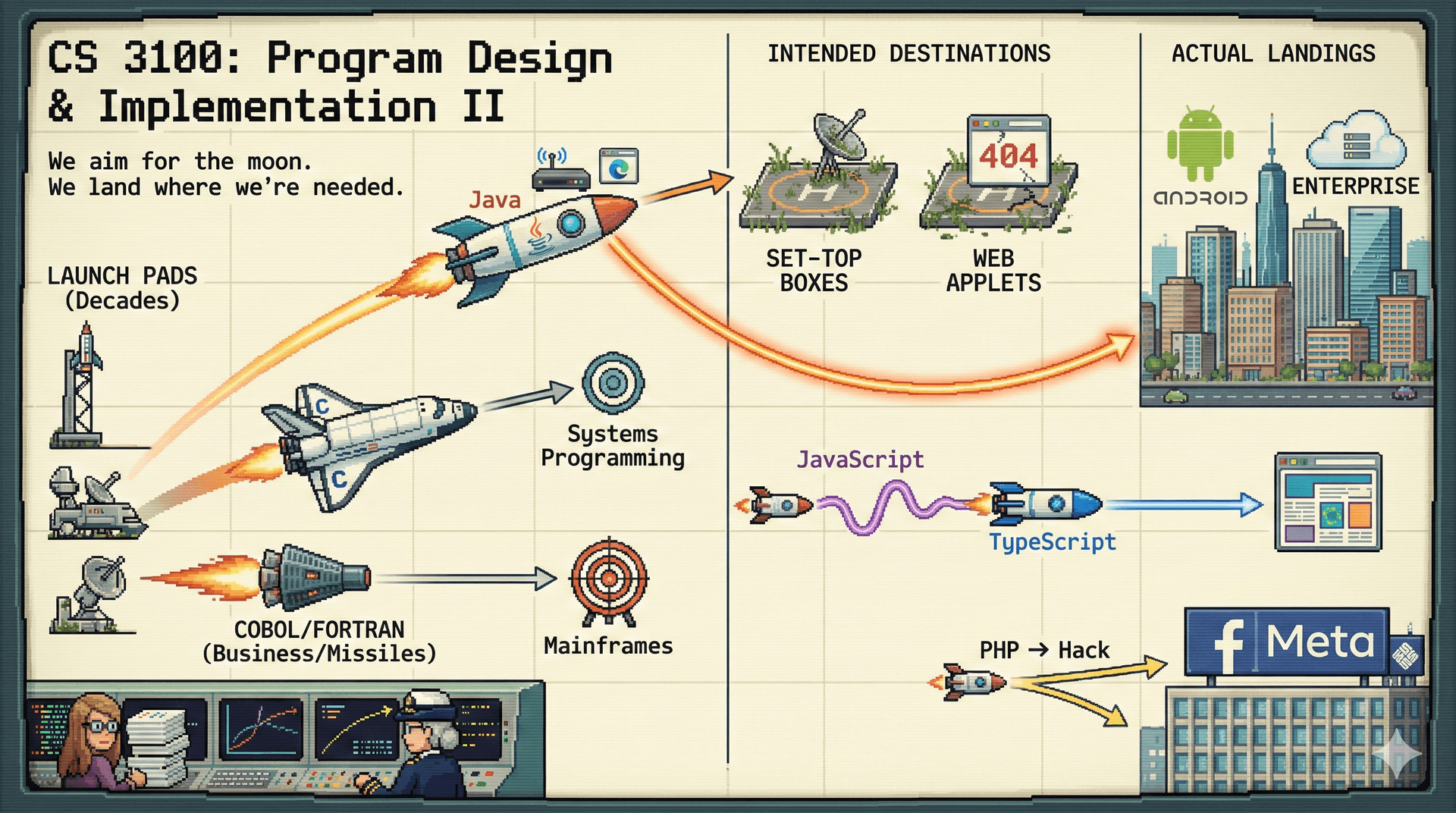
CS 3100: Program Design and Implementation II Lecture 1: Course Overview & Introduction to Java
©2025 Jonathan Bell & Ellen Spertus, CC-BY-SA
Frame the course:
Builds on CS 2100 but scales up significantly
Larger systems, professional practices, language-agnostic principles
Java is the vehicle, not the destination
Roadmap for today: History first, then logistics—understanding why before what
→ Transition: Let's look at today's specific learning objectives...
Learning Objectives
Understand the structure of this course and what will be expected of you
Review the Systematic Program Design and Implementation Process
Describe the context of Java in the historical development of OO languages and JIT runtimes
Compare the Java runtime environment to Python
Recognize Java syntax
Understand the difference between core datatypes in Java: primitives, objects and arrays
Time allocation across objectives:
Objectives 1-2: Course mechanics & philosophy (~15 min)
Objectives 3-4: Historical context for Java (~15 min)
Objectives 5-6: Practical Java fundamentals (~20 min)
Goal by end: Students oriented to course AND ready to start Lab 1 this week
→ Transition: First, let me introduce myself briefly...
Your Course Team 5 Instructors Boston: Prof. Bell, Prof. Shesh, Prof. VeselyOakland: Prof. SpertusNew York City: Prof. Lee
Coordinating across campuses for a consistent experience
28 Teaching Assistants Office hours Discussion board Lab support Grading & feedback
All working together to support your learning
📋 See the Staff Page for photos, bios & office hours
Key points:
28 TAs = almost always someone available to help
Multi-campus coordination = consistent experience across sections
Round-the-clock coverage (in-person + virtual)
Message: This is a resource-rich environment—USE IT!
→ Transition: Before we dive into logistics, let me tell you a story about where software engineering came from...
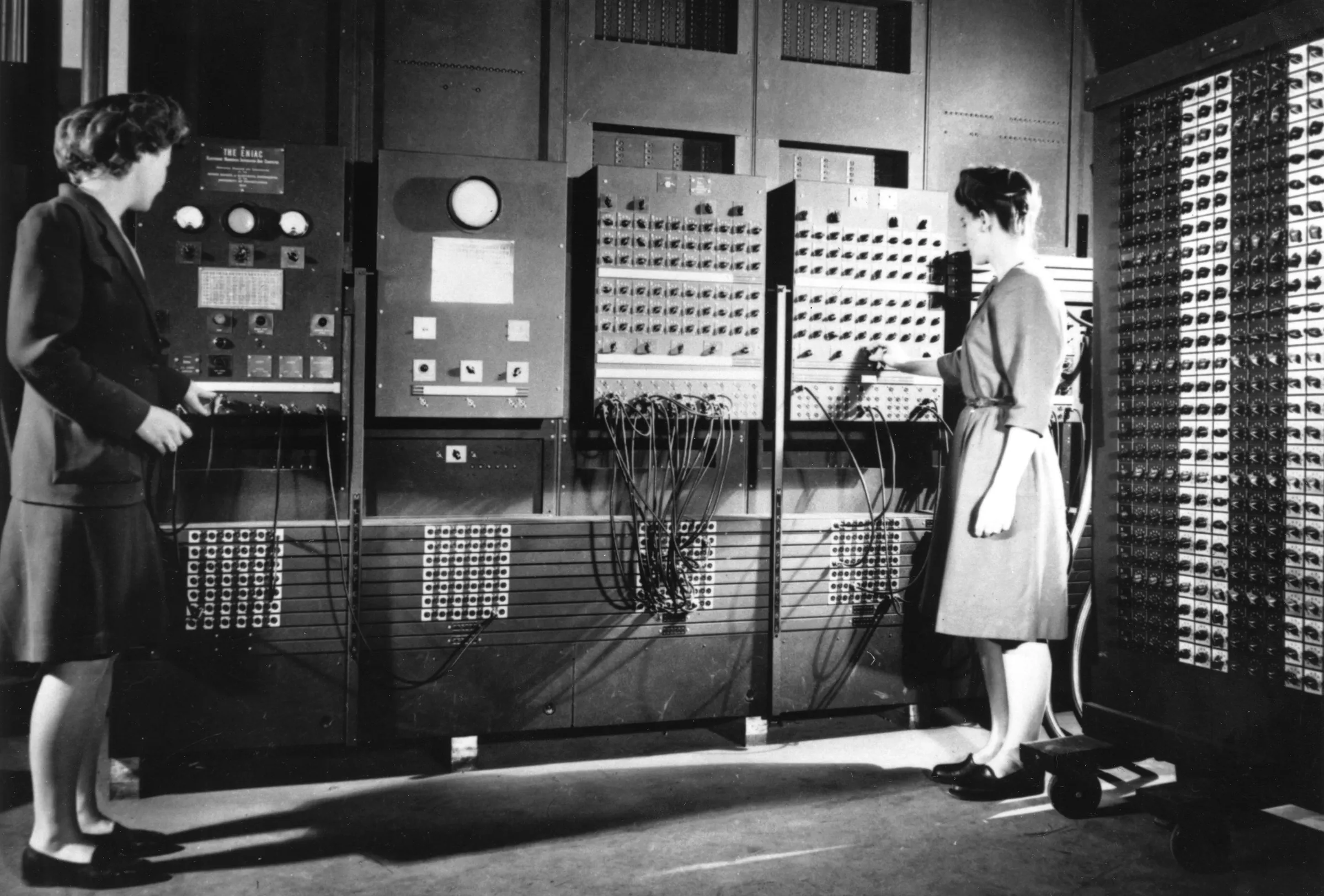
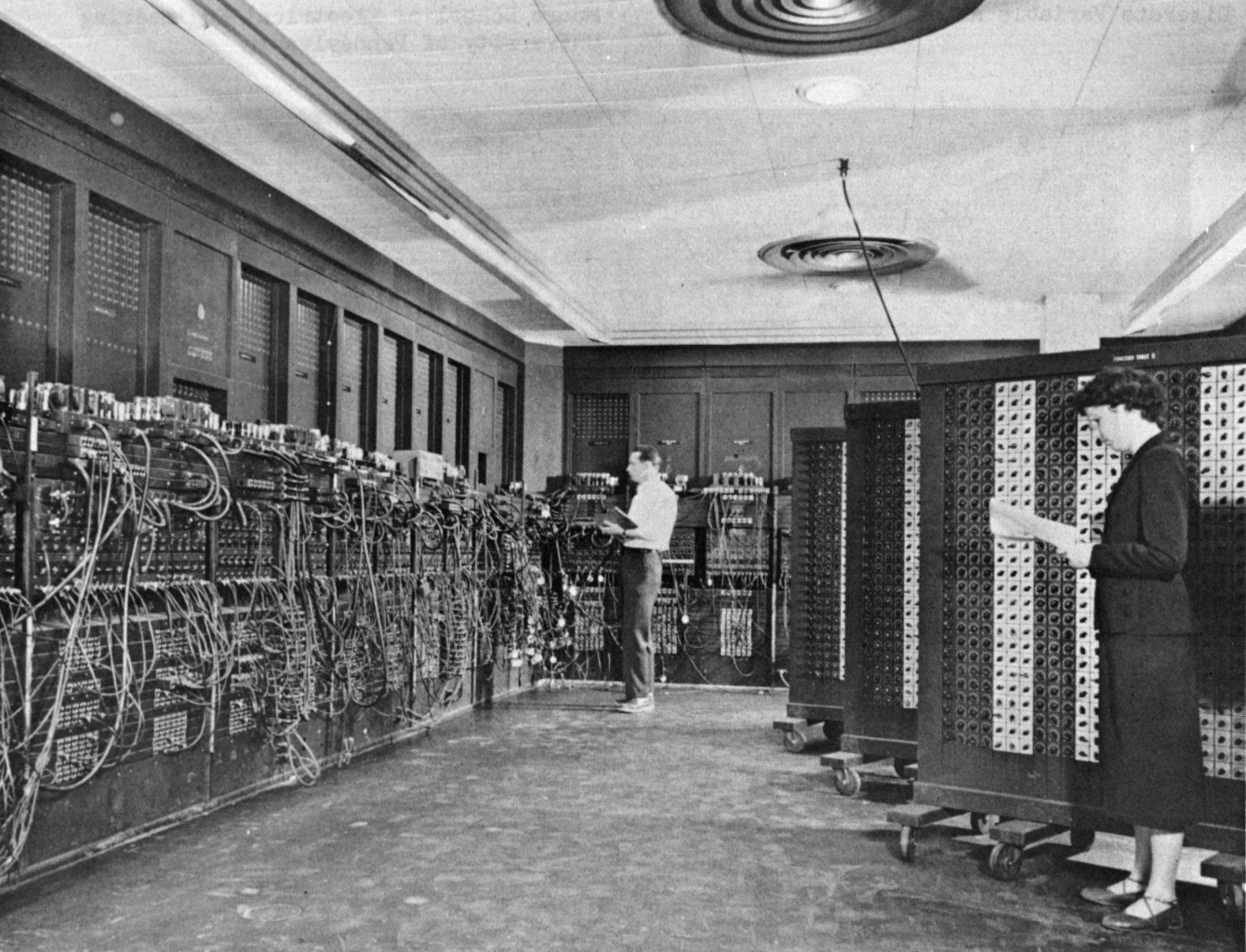
Let's set the WABAC machine to the 1940s... How much did a typical computer weigh in the 1940s? A. under 100 pounds
B. 100-200 pounds
C. 200-2000 pounds
D. over a ton
Text espertus to 22333 if the
https://pollev.com/espertus
Jean Jennings and Frances Bilas adjusting ENIAC (1946)
University Archives and Records Center/University of Pennsylvania via IEEE Spectrum
Let's Start with a Story... The 1950s
Computers exist, but programming them is... tedious.
Glen Beck and Betty Snyder program the ENIAC (Public Domain)
Historical arc (~5-7 min total): Move briskly to set up why we study SE
1950s context:
Programming = physically rewiring machines or entering machine code
Betty Snyder (later Holberton) and others doing something genuinely new
No discipline, no best practices, no textbooks
→ Transition: Then came a radical idea from Grace Hopper...
Levels of programming High-Level Language count = index + 1 Assembly Language load $r1, 1
add $r2, $r3, $r1 Machine Language 00110001 0000000111000010 00110001
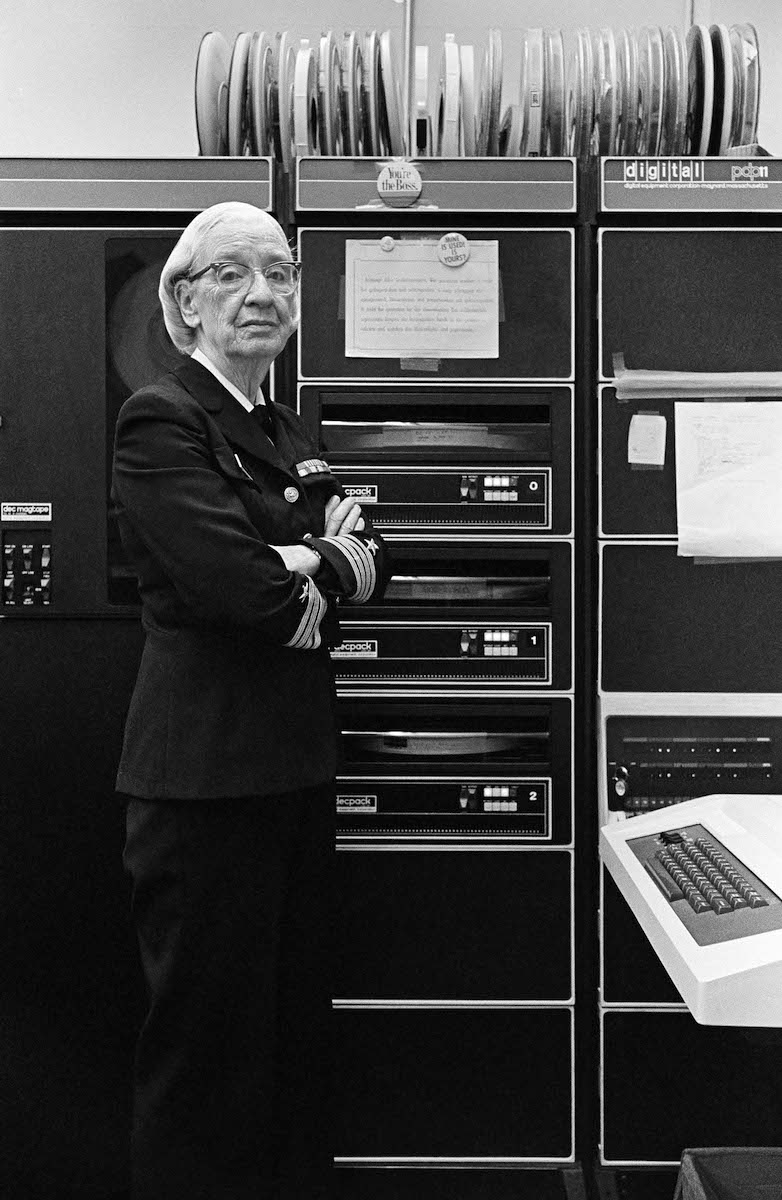
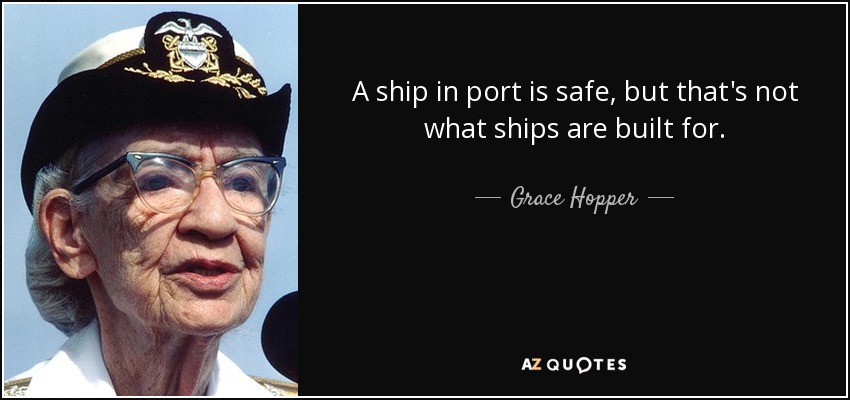
1952: "Automatic Programming" Grace Hopper develops the first compiler (A-0)
Her radical idea: let the machine translate human-readable code into machine code
The skeptics: "Machines can't write programs."
Photo: Lynn Gilbert, CC BY-SA 4.0
Grace Hopper's compiler (A-0, 1952):
Revolutionary AND resisted: "Computers can only do arithmetic"
Machine translating human intentions → seemed impossible
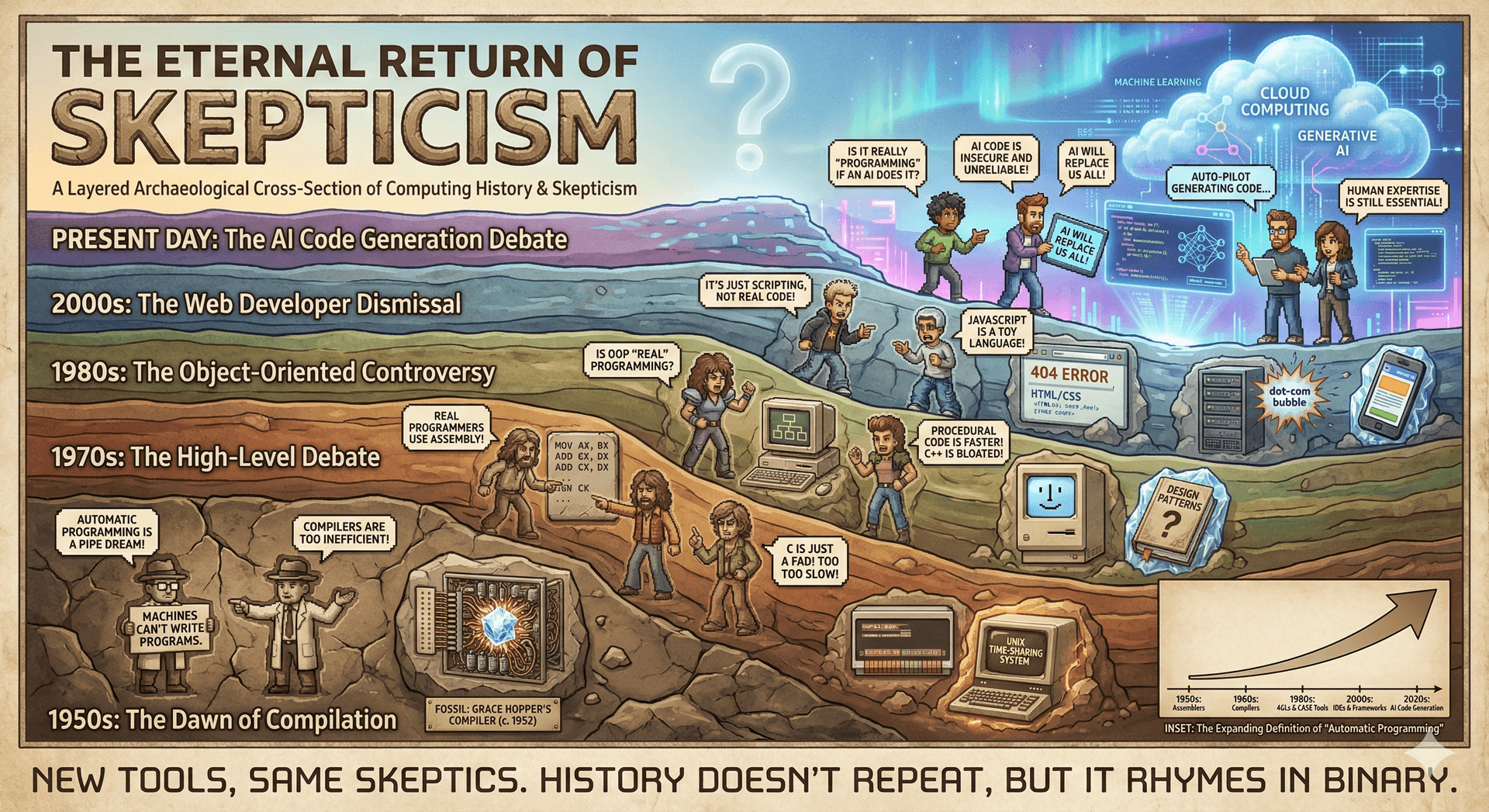
Pattern to highlight: Each generation redefines "automatic programming" upward, faces skepticism
Connection: Her work → foundation for every language today. We're in another such moment with AI.
→ Transition: This pattern of skepticism about automation repeats throughout history...
Every generation redefines what "automatic programming" means The pattern through history:
1950s: FORTRAN = "automatic programming"
1980s: OOP = "automatic programming"
Today: AI-assisted coding = new "automatic programming"
Same skepticism each time: "That's not real programming"
Takeaway: Historical perspective → approach AI thoughtfully (neither dismiss nor over-hype)
→ Transition: Another pioneer who faced skepticism was Margaret Hamilton...
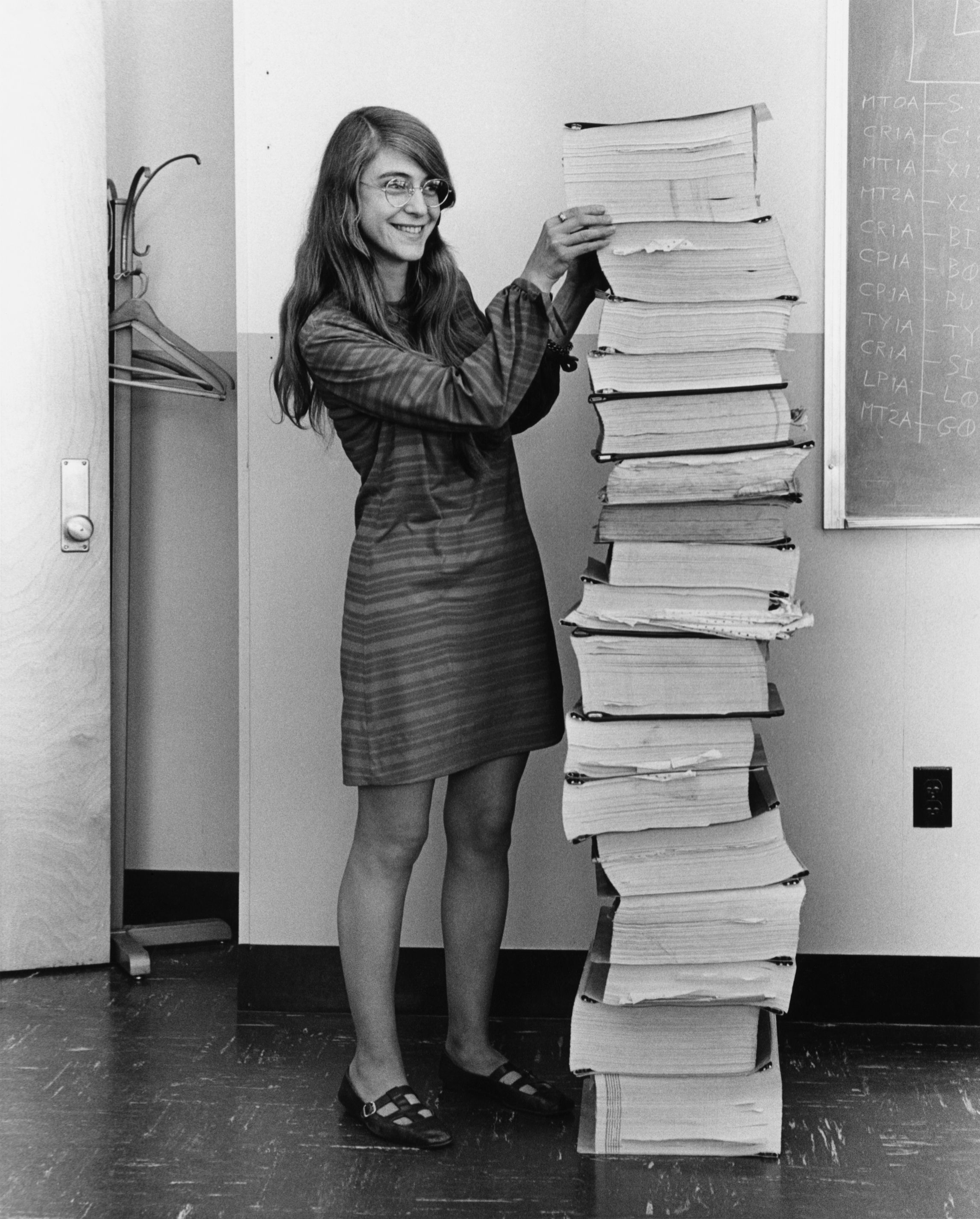
Something to think about 1960s: Margaret Hamilton Led Apollo flight control software — popularly attributed with origin of the term "software engineering"
"I fought to bring the software legitimacy so that it—and those building it—would be given its due respect." Her "radical" approach: rigorous testing, error handling, treating software like hardware
Margaret Hamilton with Apollo guidance software printouts (Public Domain)
Margaret Hamilton (Apollo guidance software):
That stack of code is taller than she is!
Coined/popularized "software engineering" deliberately
Software was seen as secondary to hardware—she insisted on rigor
Key practices she championed: Testing, error handling, documentation
Fun fact: Her code saved Apollo 11 during unexpected landing errors
Lesson: Treating software as serious engineering discipline saves lives. We stand on her shoulders.
→ Transition: Despite these brilliant individuals, the industry as a whole was struggling...
Despite Progress, Software Projects Were Failing Despite innovations in programming:
Software was very inefficient Software was of low quality Software often did not meet requirements Projects were unmanageable Software was, sometimes, never delivered Something had to change
The 1960s "software crisis":
Projects: late, over budget, buggy, or never delivered
Sound familiar? These problems haven't fully disappeared
Discussion prompt: Ask students if they've experienced any of these
Key question the field asked: Can we study software development scientifically? Can we develop engineering principles?
→ Transition: This led to a watershed moment in 1968...
1968: NATO Software Engineering Conference
Garmisch, Germany — 50 experts from 11 countries
The term "software engineering" was deliberately provocative:
Software should be built with the same rigor as bridges and buildings
A formal call to action: we must study how to build software
1968 NATO Conference (Garmisch, Germany):
"Software engineering" was intentional provocation
Engineering = discipline, methodology, professional standards (not just clever hacking)
Proceedings still readable today—many concerns remain relevant
Connection to this course: CS 3100 is part of that 55+ year tradition
→ Transition: The conference established that systematic techniques were possible...
Systematic Techniques for Building Software Are Possible There could be systematic techniques for writing software
Just as civil engineering has methods for building bridges...
...software engineering could have methods for building programs.
The rest is history: new processes, tools, languages, and paradigms emerged over the following decades — and continue to emerge today.
The hopeful message from 1968:
We CAN develop systematic techniques
Don't have to rely on heroic individual effort
What the decades since produced: Design patterns, testing methodologies, version control, agile, CI/CD...
Message to students: You're not starting from scratch—you inherit 55+ years of accumulated wisdom
→ Transition: But did the software crisis actually end? Let's hear from Dijkstra...
Software engineering? “If builders built houses the way programmers built programs, the first woodpecker to come along would destroy civilization.” Photo: SE Radio 280
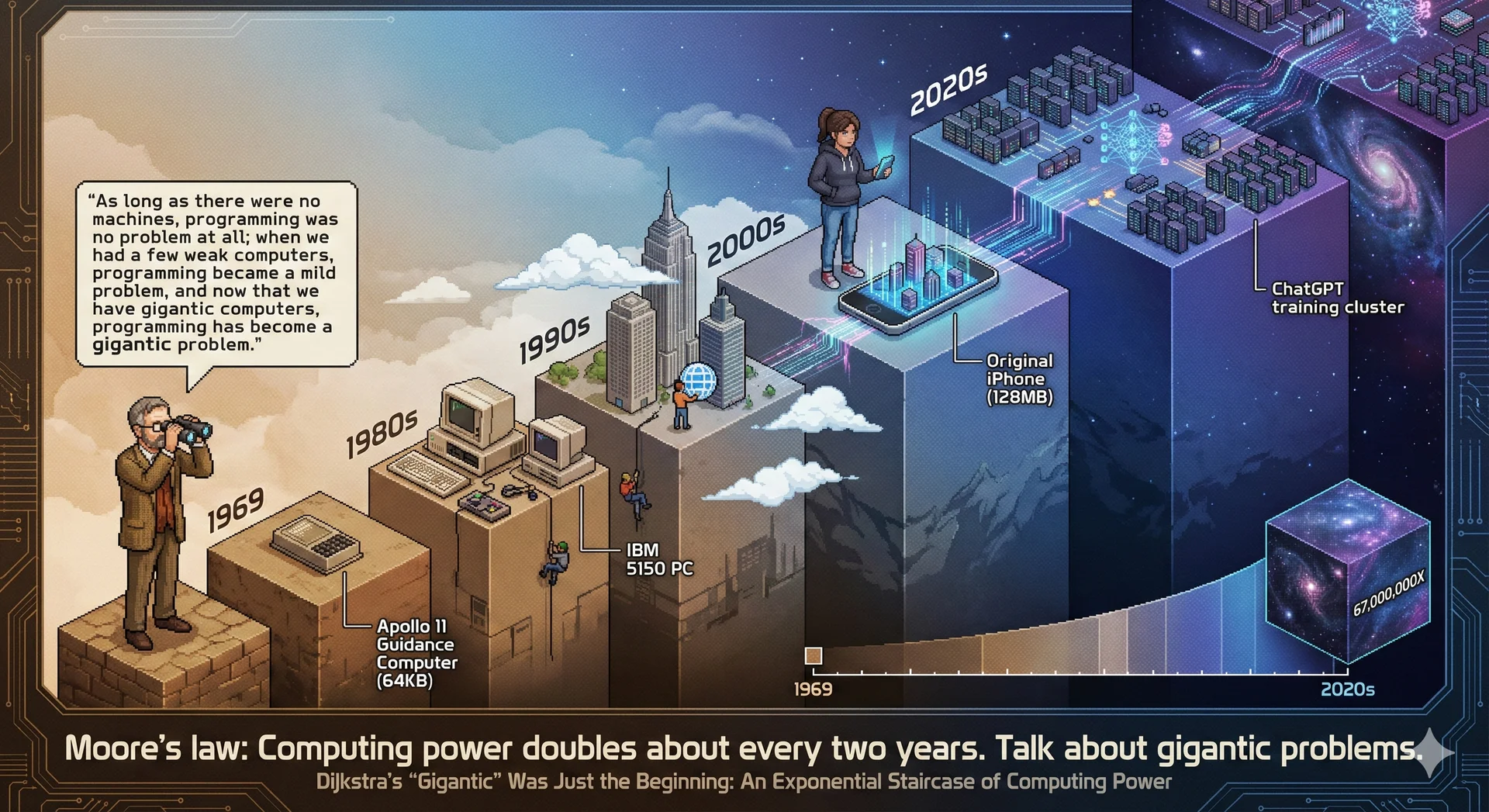
Did the software crisis end? “The major cause of the software crisis is that the machines have become several orders of magnitude more powerful! To put it quite bluntly: as long as there were no machines, programming was no problem at all; when we had a few weak computers, programming became a mild problem, and now we have gigantic computers, programming has become an equally gigantic problem.” Photo: Hamilton Richards, CC BY-SA 3.0 · Quote: Dijkstra's 1972 Turing Award lecture
Dijkstra's profound insight (1972 Turing Award):
Software crisis didn't end—our ambitions grew with capabilities
Weak computers → simple programs; powerful computers → proportionally larger problems
Discussion prompt: "Do you think we're still in a software crisis?" (Expect: buggy apps, security breaches, failed projects)
Why SE remains relevant: Challenges scale with our ambitions
→ Transition: Let's put this in perspective with Moore's Law...
Moore's Law: Computing Power Has Grown 67 Million Times Since 1972 Putting Dijkstra in perspective:
Computing power: 67 million × since 1972
Your phone > Apollo guidance computers
Correspondingly complex software:
Operating systems: millions of lines of code
Distributed systems spanning continents
AI models with billions of parameters
Why this course matters: Systematic techniques help manage this complexity
→ Transition: This leads to a key framing from Titus Winters...
Software Engineering is the Integral of Programming Over Time
This explains why we care about changeability , readability , and testing
Questions that seem "non-technical" become engineering concerns:
Who uses our software? Who maintains it? What assumptions do we bake in?
These costs compound over time
Titus Winters' framing (former Google, now Adobe, co-author "Software Engineering at Google"):
Code written once and thrown away → can be sloppy
Real software lives years/decades, maintained by changing teams
Bad decisions compound:
Hard-to-read code slows every future change
Untested code accumulates bugs
Biased assumptions affect users for years
Why principles over syntax: Principles help software age well
→ Transition: This brings us to software sustainability...
Most Software Cost Is Maintenance, Not Initial Development
Sustainability — the ability of software to continue providing value over time
Four dimensions we'll consider:
Technical: Can we maintain it?
Economic: Can we afford it?
Social: Does it serve people well?
Environmental: What resources does it consume?
These aren't separate from "real" engineering—they are engineering concerns when you think over time
Key statistic: 60-80% of software cost is maintenance, not initial development
Reframes everything: We're creating something others (including future selves) must understand, modify, operate
Four sustainability dimensions (recurring theme):
Technical: Can we maintain it?Economic: Can the business support ongoing development?Social: Does it serve users well?Environmental: What resources does it consume? (increasingly relevant) → Transition: So what does this mean for this class?
This Class
50+ years of research, practice, and hard-won lessons
How do we design, build, and maintain software that is sustainable at scale ?
Using Java to explore ideas that transcend any single language
Transition from history to "what this means for you":
This course distills 50+ years of accumulated wisdom
Java = teaching language; principles apply to ANY language
What students will learn: Design patterns, testing strategies, architectural thinking, professional practices
Key message: These skills transfer to any programming environment in their careers
→ Transition: Let's talk about how good process helps...
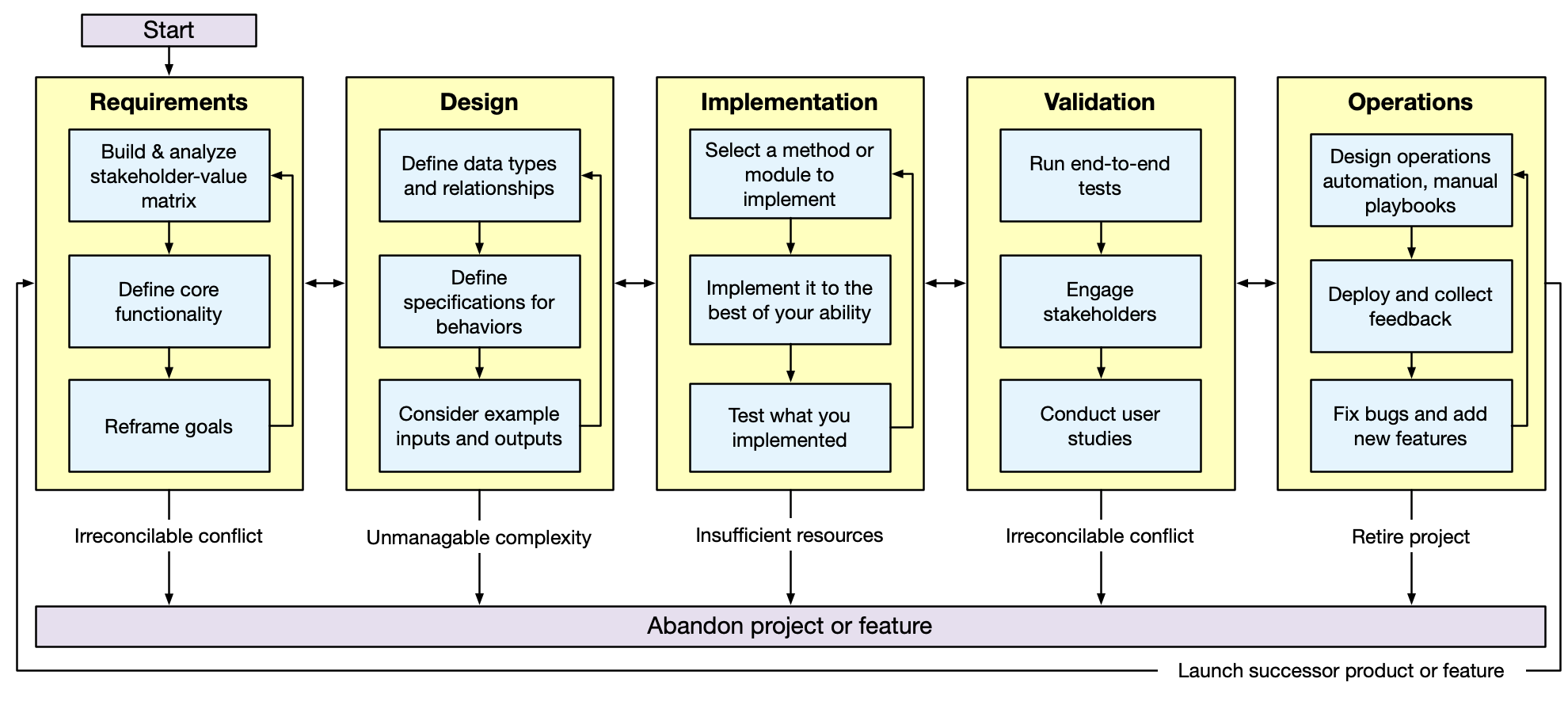
Good Process Helps You Design Better Programs "Shift Left" on bugs: find issues faster to reduce the cost of fixing them
Learning Objective 2: Systematic Program Design and Implementation Process
Walk through the diagram:
Requirements → Design → Implementation → Validation → Operations
Each stage feeds forward; feedback flows backward
"Shift left" = find problems earlier:
Bug in requirements = cheap to fix
Bug in production = expensive
Course structure note: We start with implementation (given requirements), then step back to examine requirements—spiral approach builds intuition before abstraction
→ Transition: We focus on principles, not just syntax...
We Focus on Principles, Not Just Syntax
We focus on the big picture and why things are the way they are
Not just the syntax of the language
Flashcards + resources provided for syntax—use them!
We move quickly past syntax in lecture
Set clear expectations:
We WON'T spend lecture time drilling syntax
Flashcards, tutorials, labs = for syntax
Lecture = the why (designs, patterns, tradeoffs)
Deliberate choice: Principles transfer across languages; syntax doesn't
If students struggle with syntax: Use flashcards + office hours
→ Transition: Let's talk about our perspective on AI...
Our perspective: AI is a noisy amplifier, but can still be useful This image was AI-generated to demonstrate the point!
Ask students to spot errors (six fingers, misspellings, etc.)
AI as amplifier:
Have expertise → AI accelerates your work
Lack expertise → AI produces plausible-looking nonsense you can't evaluate
Key insight: Hardest parts of SE ≠ typing code. It's:
Understanding requirements
Making tradeoffs
Reviewing work
Coordinating with humans
AI helps with typing; humans do the hard parts.
→ Transition: This is why AI isn't permitted early in the course...
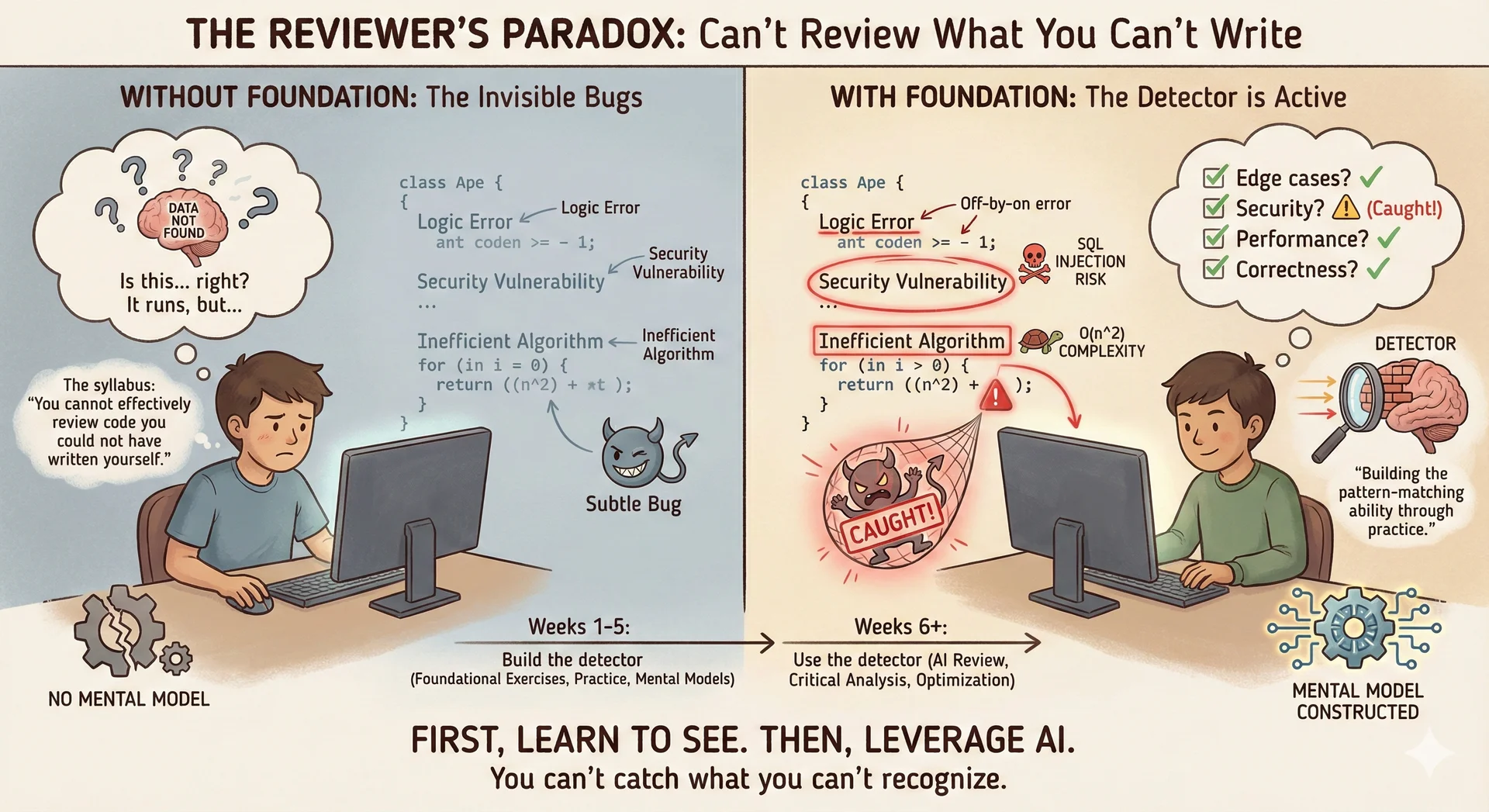
AI coding assistance is not permitted in weeks 1-5 Crucial pedagogical point:
Can't review code you couldn't write yourself
Bugs are invisible without pattern-matching ability
Weeks 1-5: Build foundational skills without AI
This isn't anti-AI: It's building capability to USE AI effectively later
Mid-course: Introduce structured AI workflows
Message: We're all learning effective human-AI collaboration together. This is a progression, not a permanent restriction.
→ Transition: Now let's cover course logistics quickly...
Course Logistics Deliverables: Assignments → final project • Quizzes • Exams • Labs • Participation
Participation (required for an A):
Attendance + in-class polls
Pre-lecture activities (flashcards)
Expectations: Do readings before lecture • Bi-weekly assignments ~20 hours
Do not wait until the last minute on assignments!
Time commitment:
4-credit course = 200 min instruction + 8-12 hrs homework/week
Lab = 1 additional credit, no extra time outside lab
Bi-weekly assignments ≈ 20 hours each
Common misconception: "I'll start the night before" → This will NOT work
Readings before lecture: Essential—we assume background and move quickly
→ Transition: Here's how grading works...
Grading: Letter Grade Thresholds
Your letter grade requires meeting both total points AND category thresholds:
Grade Total Individual Group Exams Labs Participation A ≥900 ≥240 (80%) ≥160 (80%) ≥280 (70%) ≥11 ≥40 (80%) B ≥800 ≥210 (70%) ≥140 (70%) ≥220 (55%) ≥9 ≥25 (50%) C ≥700 ≥180 (60%) ≥120 (60%) ≥200 (50%) ≥7 — D ≥600 — — — — —
See the syllabus for complete details
Threshold system ensures well-rounded competence:
Can't compensate bombing exams with perfect homework (or vice versa)
Exam threshold for B (55%) = accommodates those who struggle with timed assessments
Recovery path: Final exam can replace midterm average if higher
Note: Participation required for an A
Action: Direct students to syllabus for full details
→ Transition: Let's talk about attendance specifically...
Participation: Attendance Policy How It Works Poll Everywhere during ~34 lectures Must be physically present Headcount verification 6 free absences, no questions asked Points by Absences 0–6 50 (full)7–11 42 12–17 32 18–23 20 24–29 10 30+ 0
⚠️ Completing polls remotely = academic integrity violation → 0 for all participation
No make-ups. If you'll miss many classes, contact your advisor + instructor to make a plan.
⚠️ Be VERY clear about academic integrity:
Completing polls remotely = serious violation → 0 for ALL participation
We verify via headcounts (not just honor system)
6 free absences is generous:
No need to email about routine absences
Extended absences → contact us proactively to make a plan
Tiered system: Occasional additional absences don't devastate grade
→ Transition: Let me introduce the semester project...
Semester Project: CookYourBooks
A comprehensive recipe management application
What you'll build over the semester:
📝 Domain Model: Ingredients, quantities, recipes 💾 Persistence: JSON serialization, file storage 🧪 Testing: Unit tests, mutation testing 🏗️ Architecture: Service layers, clean separation 📷 OCR Integration: Import recipes from photos 🖥️ GUI: JavaFX graphical interface
Each assignment builds on the previous — don't fall behind!
CookYourBooks = semester-long project:
Recipe management app that grows in sophistication
Individual assignments (A1-A5) build core; group adds advanced features
⚠️ Each assignment builds on previous:
Falling behind = compounding problems
BUT: We provide working solutions as starting points (not stuck if you struggle)
Real-world concerns covered: Domain modeling, persistence, testing, architecture, external APIs, UIs
→ Transition: What we expect from each other...
We Have Mutual Expectations What we expect from you Prepare: readings + flashcards before class Engage: ask questions, help classmates Ask for help early (stuck >30 min? reach out!) Professional conduct in all interactions What you can expect from us Round-the-clock office hours in-person and virtual 24-hour response on discussion board Clear rubrics and expectations Feedback that helps you improve Treat you as colleagues-in-training
Learning how to get unstuck is one of the objectives of this course
Mutual compact: We support you seriously; we expect engagement in return
The 30-minute rule:
Stuck > 30 min? You're probably missing something—seek help!
Struggling alone isn't noble; it's missing an opportunity
Colleagues-in-training: That's what students are—future professionals. We model professional behavior and expect it in return.
→ Transition: Now let's shift to understanding Java's historical context...
What are your goals for CS 3100? A. Learning as much as possible
B. Getting a high grade
C. Getting a strong letter of recommendation
D. Having time for other projects
Text espertus to 22333 if the
https://pollev.com/espertus
Static vs. dynamic typing When do you want errors reported?
static typing → compile-time (Java)
dynamic typing → run-time (Python)
Platform fragmentation (Windows, Mac, Unix)
The Internet
32,000× increase in complexity
C/C++ dominated, but:
Manual memory management → crashes
Platform-specific code everywhere
"It works on my machine" 🤷
Java & Python responded with:
Garbage collection
Platform abstraction
Large standard libraries
Object-oriented design
Learning Objective 3: Historical context for Java
1990s explosion of complexity:
Multiple platforms (Windows, Mac, Unix)
The Internet
Massively more powerful machines
C/C++ problems:
Manual memory management → crashes, security vulnerabilities
Platform-specific code → writing same thing multiple times
"It works on my machine" frustration
Java & Python response: Managed memory, platform abstraction, rich standard libraries. Java added static typing + JIT for performance.
→ Transition: Let's compare Java and Python directly...
Java vs Python: Same Problems, Different Philosophies Java (1995) Python (1991) Origin Sun Microsystems (corporate) CWI research (community) Types Static — errors at compile time Dynamic — errors at runtime Speed Fast (JIT compilation) Slower (interpreted) Style Verbose, explicit Concise, "readability counts"
Discussion: If Java is faster, why use Python?
Learning Objective 4: Compare Java and Python
Different tradeoffs:
Java (Sun Microsystems, corporate) → performance + type safety
Python (community, research) → developer productivity + readability
Static vs dynamic typing: Errors at compile time vs runtime
Discussion: "If Java is faster, why use Python?"
Faster dev cycle, scripting, ML/data science ecosystem, readability
Neither universally better—context determines choice
Sidebar: Sun → Oracle; Google v. Oracle lawsuit over Java APIs
→ Transition: Industry is trending in an interesting direction...
Industry Is Trending Toward Static Typing Java Android Enterprise Big Data Python ML/AI Data Science Scripting Plot twist: Industry trending toward static typing
PHP → Hack
JavaScript → TypeScript
Python → mypy
Industry trend toward static typing:
Facebook built Hack (typed PHP) → dynamic typing too hard at scale
TypeScript surpassed JavaScript in popularity
Python added type hints + mypy
Key insight: Static typing benefits compound as codebases grow
Why Java: Understanding static typing prepares you for this industry-wide shift
→ Transition: But there's another major difference between these languages...
Breaking Changes: A Tale of Two Philosophies How do languages evolve without breaking existing code?
Python 2 → 3
print "hello" → print("hello")3 / 2 = 1 → 3 / 2 = 1.5Strings became Unicode by default 12+ years to sunset Python 2 Java 1.0 → 21
Code from 1995 still compiles Deprecated features stay for years Binary compatibility guaranteed Your old code keeps working The Python 2→3 migration is legendary:
Announced 2006, Python 2 EOL in 2020
Many organizations stuck on Python 2 for years
Some Python 2 code STILL running in production
Java's approach = extreme backward compatibility:
Code from 1995 compiles on Java 21
Deprecated doesn't mean removed (for a LONG time)
Even bytecode from 25 years ago runs
Question for class: "Which approach is better?"—this is a values question!
→ Transition: Why such different approaches?
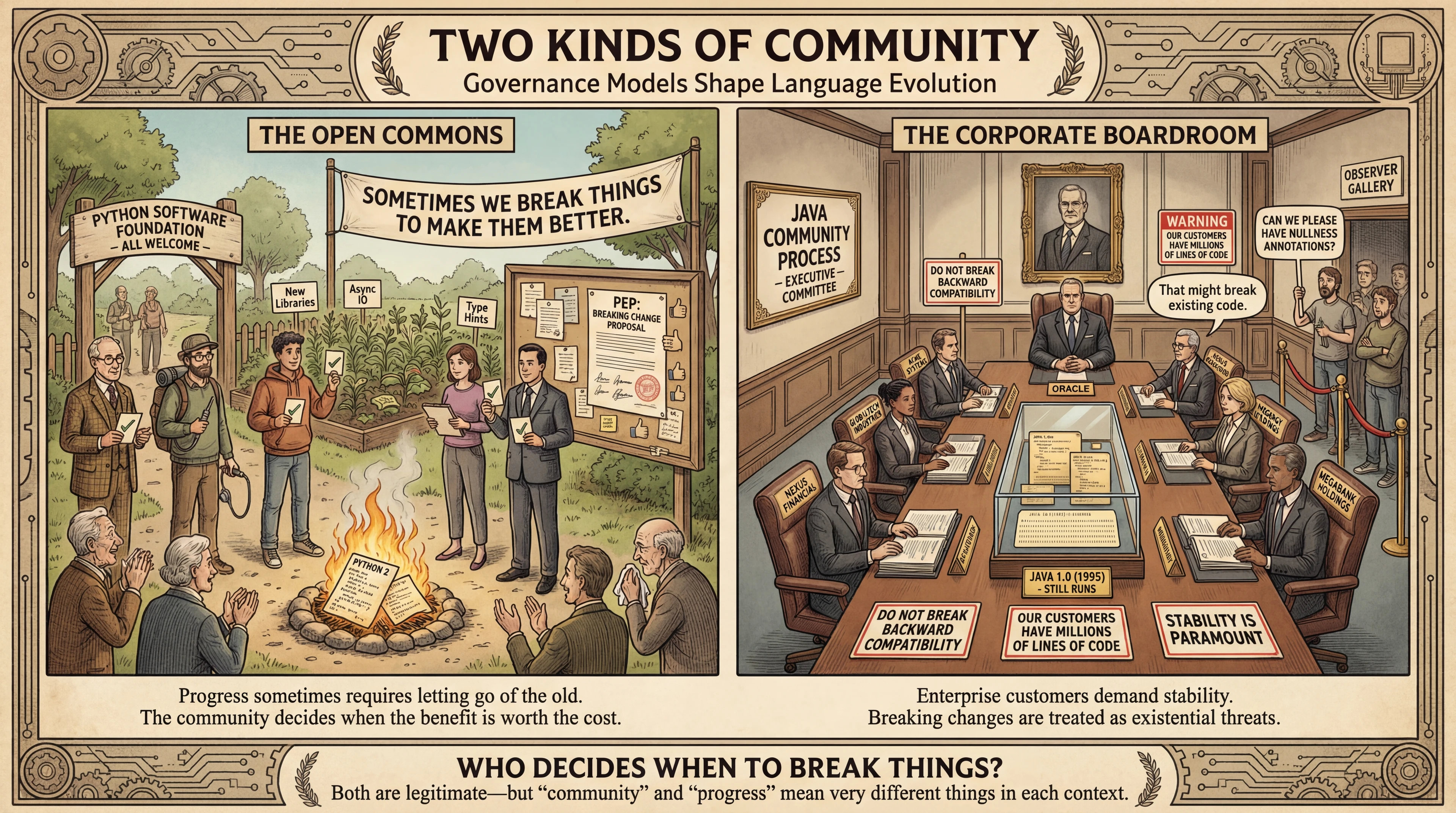
Governance Shapes Evolution The image contrasts governance models:
Python = community garden (PSF), decisions by consensus
Java = corporate greenhouse (Sun → Oracle), decisions by business interests
Why Java prioritizes compatibility:
Enterprises pay for stability (literally—Oracle licenses)
Breaking code = breaking trust = losing customers
"Write once, run anywhere" promise extends through time
Why Python accepted breaking changes:
Community wanted cleaner language (Unicode strings, print function)
No commercial contracts demanding compatibility
Innovation over preservation
→ Transition: This connects directly to the sustainability framework we introduced earlier...
Language Choice Is a Sustainability Decision
Remember: software engineering is "the integral of programming over time."
The Python/Java comparison shows the four sustainability dimensions in action:
Technical: Will my code still run in 10 years?
Economic: What will migration cost?
Social: Who decides when to break things?
Environmental: What resources does evolution consume?
🔄 Recurring theme: We'll apply this framework to every major topic this semester.
Connect back to earlier slide: We introduced sustainability with four dimensions—now we see it applied to a real decision (language/platform choice).
Concrete examples from Python/Java:
Technical: Java code from 1995 runs; Python 2 code doesn'tEconomic: Instagram spent months of engineer-years on Py3 migrationSocial: PSF = individuals vote; JCP = corporations voteEnvironmental: Migration = compute cycles, energy, e-waste from obsolete systems Key message: This isn't a one-time topic. Every lecture this semester touches sustainability:
Readability → technical sustainability
Testing → technical sustainability
Architecture → technical + economic
Accessibility → social sustainability
Performance → environmental sustainability
This is the first concrete example; it won't be the last.
→ Transition: Now let's see how Java delivers on its technical promises...
How Does Java Deliver on Its Promise? "Write Once, Run Anywhere"
...with performance
Java's promise: "Write Once, Run Anywhere" — WITH performance
Key differentiator: Other languages ran anywhere via interpreters, but Java promised native-like speed
How? Bytecode + JIT compilation (coming up)
→ Transition: First, why is running anywhere hard?
Different CPUs and OSes Require Different Code
CPUs have different instruction sets
OS's have different APIs
How do you run a program on any machine?
The fundamental problem:
Intel CPUs ≠ ARM CPUs (different instruction sets)
Windows ≠ Linux ≠ macOS (different APIs)
Traditional solution: platform-specific code or recompile → expensive, error-prone
Java's solution: Compile to intermediate representation → virtual machine runs it anywhere
But: How do you make that fast?
→ Transition: Enter bytecode...
Bytecode = intermediate representation:
Java source → bytecode
JVM on each platform executes bytecode
You write once; JVM handles platform differences
Both Python and Java use this approach (in principle)
Discussion: "Is it really that easy?" Anyone compiled native Python extensions? That's when platform differences bite back.
→ Transition: But interpretation is slow...
Java compilation/execution Compilation Enables Optimization Interpreted
Reads & executes line by line 100s of instructions per statement Executes every branch, every time Native Compiled
Already in machine code Direct CPU execution Dead code eliminated, functions inlined Why interpretation is slower:
Interpreter: decode instruction → look up action → execute (100s of extra instructions)
Native: CPU executes machine code directly
Compiler optimizations interpreters can't do:
Dead code elimination, function inlining, loop optimizations
Key difference: Interpreter checks every branch every time. Compiler analyzes whole program and removes unnecessary work ahead of time.
→ Transition: Java's innovation: combine both approaches...
JIT Combines Interpretation with Native Compilation
Just-In-Time (JIT) compilation
Dynamically compiles bytecode as it executes
The program that runs Java code: JVM (Java Virtual Machine)
JIT = Java's innovation:
JVM starts interpreting, monitors "hot" code (frequently run)
Hot code → compiled to native on the fly
Combines: bytecode portability + native speed
Bonus: JVM optimizes based on runtime behavior (ahead-of-time compilers can't!)
Sidebar: Other JVM languages: Kotlin (Android), Scala (big data), Clojure (functional), Groovy (scripting)—all benefit from JIT
→ Transition: Here's a concrete example of JIT optimization...
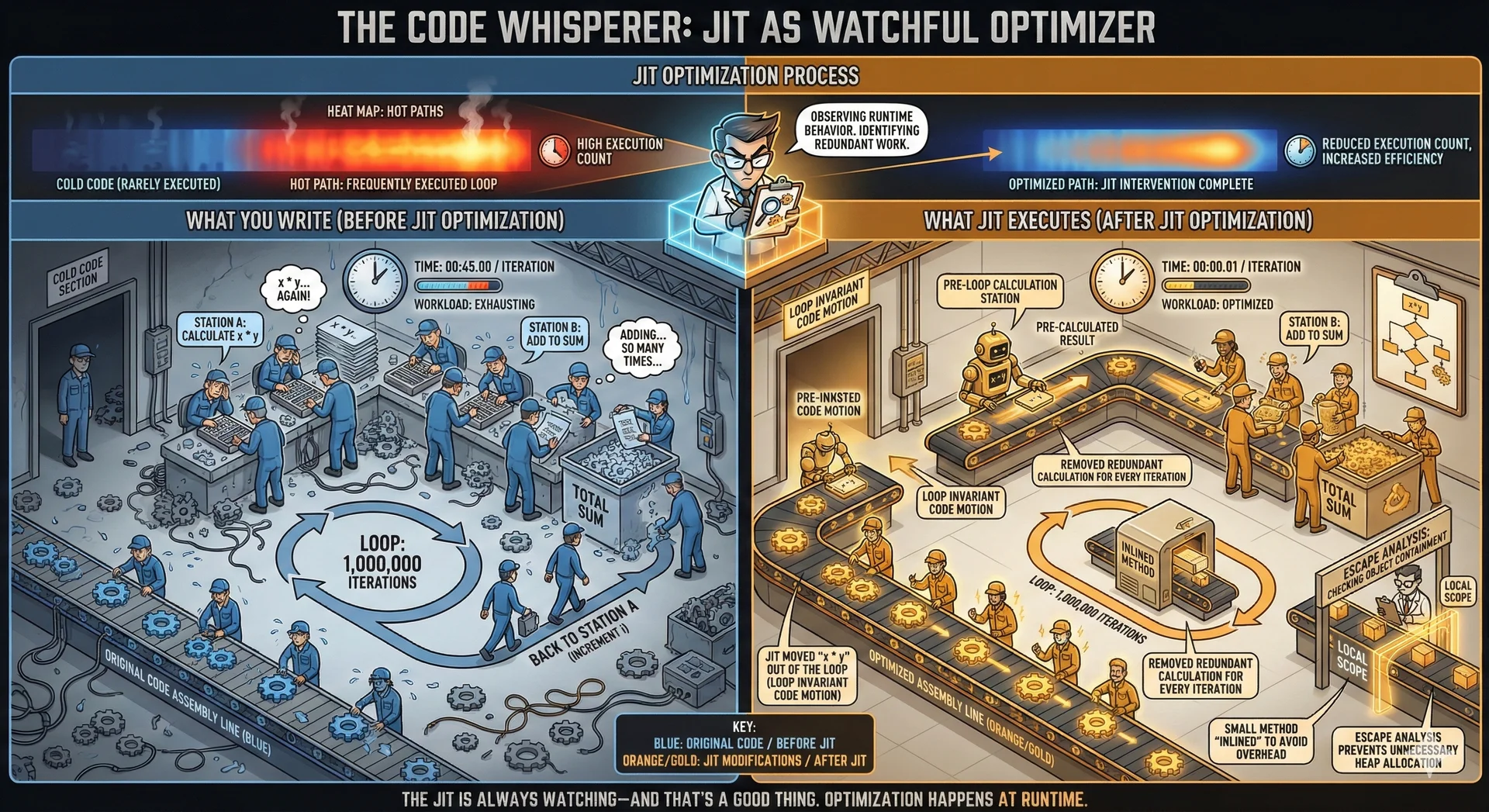
JIT Optimizes Your Code as It Runs What you write:
for ( int i = 0 ; i < 1000000 ; i ++ ) { int result = x * y ; sum += result + i ; } What JIT executes:
int result = x * y ; for ( int i = 0 ; i < 1000000 ; i ++ ) { sum += result + i ; } Concrete example: loop-invariant code motion
You write: compute x*y inside loop (1 million iterations)
x and y never change
Interpreter: computes x*y 1 million times
JIT: "hoists" computation out—computes once before loop
Other JIT optimizations: Method inlining, dead code elimination, runtime-behavior optimization
Key: These happen automatically—you benefit without changing code
→ Transition: Why can't Python just do this?
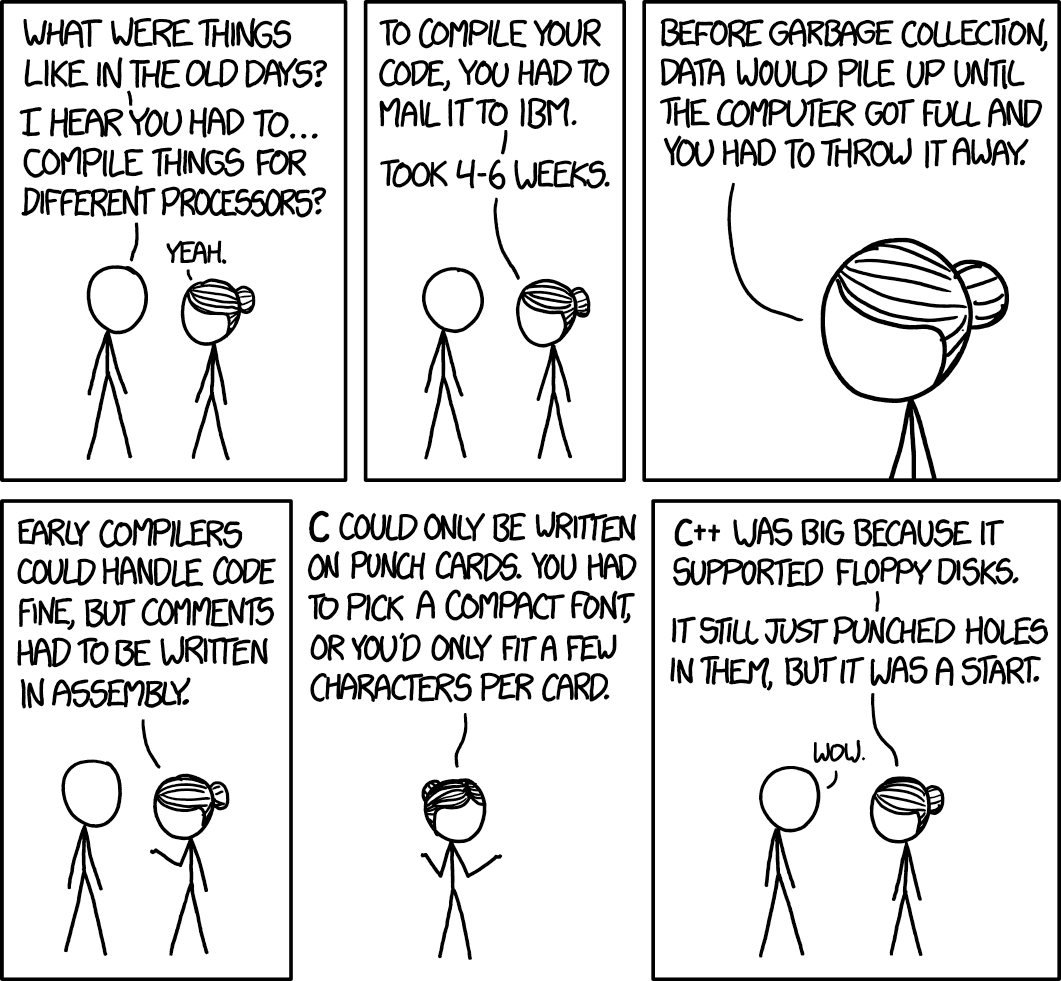
Old Days 1 xkcd 1755 | CC BY-NC 2.5
Python Java pipgradlepytestjunitVSCode IntelliJ IDEA | VSCode
Tool mapping:
pip → Gradle (packages + building + testing)
pytest → JUnit
VSCode → VSCode or IntelliJ IDEA (Java-specialized, excellent features)
Both ecosystems: Large open-source library ecosystems
Action: Lab 1 sets up these tools—complete it THIS WEEK!
→ Transition: One practical difference in workflow...
Java Requires an Explicit Compile Step Python
Source → Interpreter
Java
Source → Bytecode → JVM
Java requires an explicit compile step
Key practical difference:
Python: execute source directly
Java: compile to bytecode first (javac → java, or Gradle handles both)
Major benefit: Compile step catches type errors BEFORE running
Workflow change: Compile → fix errors → run (vs. run → discover errors)
→ Transition: Let me ask about your prior experience...
Java Syntax: A Brief Tour
We won't teach syntax explicitly in lectures
But for this first lecture...a quick introduction
Learning Objective 5: Recognize Java syntax
Reminder: Not teaching syntax systematically in lectures (flashcards + labs for that)
Goal for today: Recognition, not mastery. Read Java code and understand structure, even if can't write fluently yet.
→ Transition: Here's the classic Hello World...
Have you programmed in Java before? A. Nope
B. A little
C. Some
D. Lots
Text espertus to 22333 if the
https://pollev.com/espertus
Hello, World! package io . github . neu_pdi . cs3100 . lecture2 ; import io . github . neu_pdi . cs3100 . utils . OtherClass ; public class HelloWorld { public static void main ( String [ ] args ) { OtherClass other = new OtherClass ( 10 ) ; for ( int i = 0 ; i < 10 ; i ++ ) { System . out . println ( "Hello, World #" + i ) ; } other . doSomething ( ) ; } } Walk through complete example:
Package declaration, import, class, method, loop, print
Point out: More verbose than Python's equivalent—intentionally explicit
Goal: Understand STRUCTURE, not memorize syntax
→ Transition: Let's break down each piece, starting with packages...
package io . github . neu_pdi . cs3100 . lecture2 ; import io . github . neu_pdi . cs3100 . utils . OtherClass ; Packages = like Python modules
Convention: Reverse domain name (GitHub user octocat → io.github.octocat.*)
Prevents naming collisions
Imports:
java.lang.* auto-imported (String, System, Object)Everything else: explicit import
Three comment types: //, /* */, /** */ (Javadoc)
→ Transition: All Java code lives in classes...
All Java Code Must Live in a Class public class HelloWorld { }
All code must be in a classpublic → usable by other classes{ } delimit scope (not indentation!) Unlike Python: Can't have module-level functions—ALL code in classes
Requirements:
Class name MUST match filename (HelloWorld.java → public class HelloWorld)
public = visible to other classes; without it = package-private ⚠️ Common misconception: Braces { } delimit scope, NOT indentation (indentation is for humans only)
→ Transition: Let's decode the main method signature...
Method Declaration public static void main ( String [ ] args ) { } public→ accessible by other classes static→ class method (no instance needed) void→ returns nothing main→ JVM entry point
Every piece has meaning:
public = callable from anywherestatic = belongs to class, not instance (like Python's @classmethod)void = returns nothingmain(String[] args) = JVM entry point, args = command-line arguments Magical signature: java HelloWorld → JVM looks for exactly this signature
→ Transition: Let's dissect a statement...
Dissecting a Statement System . out . println ( "Hello, World #" + i ) ;
System → class in java.langout → static field of type PrintStreamprintln → method that prints + newline+ → string concatenation; → required! (not Python) Unpacking System.out.println("Hello, World #" + i);:
System = class in java.lang (auto-imported)out = static field, PrintStream for stdoutprintln = method that prints + newline+ = string concatenation (auto-converts i to string); = REQUIRED (not Python!) Common beginner mistake: Forgetting semicolons (compiler catches it)
→ Transition: Here's a supporting class showing more features...
A Supporting Class public class OtherClass { private int x ; public OtherClass ( int x ) { this . x = x ; } public void doSomething ( ) { System . out . println ( "Doing something with x = " + x ) ; } public int getX ( ) { return x ; } } Class features shown:
private int x = only accessible inside this classConstructor = same name as class, initializes fields
this.x = refers to field (disambiguates from parameter)doSomething() = public method anyone can callgetX() = "getter" for controlled read access Key concept: Encapsulation = hide internal state, expose controlled access
→ Transition: Let's summarize the key syntax points...
Key Syntax Points
private int x → field only accessible within classConstructor has same name as class
this.x → refers to the field (not parameter)Can have multiple constructors (unlike Python)
getX() → getter method (encapsulation) Summary of key points:
Private fields = external code can't mess with internal state
Multiple constructors allowed (unlike Python's single __init__)
this = current object (useful when parameters shadow fields)Getters = controlled read access
Foundation: These patterns = Java's approach to OO design
→ Transition: Now let's discuss Java's two categories of types...
Java Has Two Categories of Types
Two categories:
Primitive types (values)Reference types (pointers to objects) Learning Objective 6: Understand primitives, objects, and arrays
Fundamental distinction (doesn't exist in Python where everything is object):
Primitives = values directly in memory (fast, efficient)
References = pointers to objects on heap
Why this matters: Crucial for understanding parameter passing and equality comparison
→ Transition: Here are the eight primitive types...
Primitive Types Type Size Values byte1 byte -128 to 127 short2 bytes -32,768 to 32,767 char2 bytes Unicode character int4 bytes ±2 billion long8 bytes ±9 quintillion float4 bytes ~7 decimal digits double8 bytes ~15 decimal digits boolean1 byte true / false
Eight primitive types:
Integers: byte(1), short(2), int(4), long(8) bytes
Floating-point: float(4, ~7 digits), double(8, ~15 digits)
Character: char(2 bytes, Unicode)
Boolean: true/false
Most common: int, double, boolean
Size determines: Value range AND memory used (matters at scale)
→ Transition: Important warning for Python programmers...
⚠️ Java Integers Have Fixed Sizes and Can Overflow Unlike Python:
Python integers grow arbitrarily Java integers wrap around silently! int max ≈ 2 billion (2 31 − 1 2^{31} - 1 2 31 − 1 Why it matters at scale:
byte (1B) × 8 billion = 8 GBlong (8B) × 8 billion = 64 GBnumpy/pandas use fixed-size types ⚠️ Major warning for Python programmers:
Python integers grow to any size automatically
Java integers WRAP AROUND silently at limits!
Example: Integer.MAX_VALUE + 1 = large NEGATIVE number
Quick math: 4 bytes = 32 bits ≈ 4 billion values; 8 bytes ≈ 18 quintillion
Why type size matters: Storing ages for 8 billion people: byte = 8GB, long = 64GB. When scale matters, type size matters.
→ Transition: Reference types work differently...
Reference Variables Store Pointers, Not Values
Objects (anything extending Object)Arrays (e.g., int[], String[])Can be null (no object)
Variables store a pointer to memory
Reference types = everything else (objects, arrays)
Key concept: Variable stores POINTER to object, not object itself
Multiple variables can point to same object
Can be null (points to nothing → NullPointerException source!)
Implication: Pass reference to method = pass pointer → method can modify object
→ Transition: This leads to a critical gotcha...
== Compares References, Not Values String a = new String ( "hello" ) ; String b = new String ( "hello" ) ; System . out . println ( a == b ) ;
== compares references (memory addresses)
Not values like in Python
Use .equals() for value comparison
⚠️ Critical gotcha for Python programmers!
== on references compares MEMORY ADDRESSES, not valuesTwo String objects with "hello" are NOT == (different objects)
Solution: Use .equals() for value comparison
One of most common Java bugs: Using == when you meant .equals(). Compiler won't catch it!
Rule: Always use .equals() for objects (unless you want identity comparison)
→ Transition: Arrays also differ from Python lists...
Java Arrays Are Fixed-Size and Single-Type Java Array Python List Fixed size Dynamic size Single type Mixed types Contiguous memory Pointers to objects
Java arrays ≠ Python lists:
Java: Fixed size, single type
Python: Dynamic size
For dynamic behavior: Use ArrayList (wraps array, handles resizing)—collections covered later
→ Transition: Let's wrap up with key takeaways...
Summary
Course: principles-based, large-scale design
Java: "write once, run anywhere" with JIT performance
Static typing is winning the industry debate
Primitives vs references: understand the difference!
Key takeaways:
Course = principles over syntax, software design at scale
Java = "write once, run anywhere" with JIT performance
Industry trending toward static typing—Java prepares you
Primitives vs references = essential to understand
These foundations set us up for deeper topics ahead.
→ Transition: Here's what you need to do this week...
Complete this week!
Setup Tasks Install Java 21 (Temurin) Configure VS Code with extensions Clone from GitHub with SAML auth Build your first Gradle project Learning Tasks Fix static analysis warnings Debug a failing test Implement a method Write your own test
⚠️ Use Java 21, not Java 25! (Gradle compatibility)
Lab 1 is CRITICAL—complete this week!
Setup:
Install JDK (Java 21, NOT 25—Gradle compatibility!)
VS Code with Java extensions
Clone from GitHub (SAML auth with NEU account)
Build with Gradle
Practice: Fix static analysis, debug test, implement method, write test
⚠️ If problems: Office hours IMMEDIATELY. Don't wait until A1 due!
→ Transition: Speaking of Assignment 1...
Assignment 1: Recipe Domain Model Due: Thursday, January 15 at 11:59 PM
Implement the foundation of CookYourBooks:
Two class hierarchies: Quantity and Ingredient Enums for Unit, UnitSystem, UnitDimension Comprehensive JUnit 5 test suite Javadoc documentation
No AI assistance — demonstrate your Java fundamentals
Start early! Estimated ~20 hours of work.
Assignment 1 = CookYourBooks foundation:
Domain model classes for quantities + ingredients
JUnit tests + Javadoc documentation
⚠️ NO AI assistance: We need to assess your Java fundamentals
20-hour estimate is realistic:
START EARLY!
Students who start night before WILL NOT finish
Read spec carefully, office hours for questions
→ Transition: Final summary of next steps...
Next Steps Any questions? Ask on Pawtograder.
Closing actions:
Optional: Horstmann reading for more Java history
Complete flashcards (build syntax fluency we won't cover in lecture)
Lab 1 ASAP (need working environment for A1)
Read Lecture 2 notes before next class
Ask: Any questions before we wrap up?
End of Lecture 1 (~65 minutes)










![Concept: 'The Amplifier, Not the Signal' (Self-Demonstrating Version)
A clean, technical diagram rendered in the style of an audio engineering schematic—but with intentional AI generation artifacts scattered throughout as Easter eggs. The central amplifier unit labeled 'AI' (or perhaps 'A.I.' with a slightly wonky period) has impressive specs and glowing indicators. The signal flow shows: Input (left side) with a human providing context—requirements documents, stakeholder interviews, domain knowledge. A hand points to the input, but the hand has six fingers (the classic tell). Output (right side) shows amplified results: code, documentation, test cases—generated at impressive speed. But look closely: one document is titled 'Archetecture Design' (misspelled), another shows a code snippet with a subtle logic error visible, and a label reads 'Ssoftware Engineering' or 'Qualty Assurance.' The feedback loop shows a human evaluator with a red pen, circling errors, with thought bubbles: 'Wait, that's not right,' 'This contradicts what we discussed,' 'That's... not how you spell that.'
The reveal: A caption at the bottom breaks the fourth wall: 'This image was generated by AI. Did you spot all the errors? Neither can AI—that's why it needs you.' A small checklist appears: '☐ Extra finger ☐ Misspelled labels ☐ Logic error in code ☐ [Others hidden]' inviting students to find them all. The humor lands because the errors are genuinely the kind AI makes, and the message reinforces itself: the course staff used AI to create this image, but human review caught (most of?) the errors—demonstrating exactly the workflow being taught.](/cs3100-public-resources/img/lectures/web/l1-ai.jpeg)